Project TaskNeeds Info Reminders
Mark a project task as waiting on a specific person, ask them in Log Note or Send Message, and automatically remind them until they provide the input — with Kanban badges, search filters, and Project settings for reminder interval.
Supported: Odoo 19.0 · Community & Enterprise · Project & Mail
Website redesign — homepage
Needs InfoNeeds Info From
Marc Demo
Requested by Mitchell · 2 days
Which hero image should we ship — product shot or lifestyle?
Problems We Fix
Stop chasing people in chat. Put the blocker on the task, notify the right person, and remind them until they reply.
Tasks stall waiting on one person
Work sits in In Progress with no owner of the blocker. The assignee cannot move forward, and nobody is formally asked.
Chatter questions get lost
A log note or email is easy to miss. There is no To-Do, no reminder, and no badge that the task is waiting on input.
Requesters chase people manually
PMs ping Slack or email again and again. When the answer finally arrives, nobody is notified to resume the task.
How It Works
Same idea as Jira's Needs Info — native to Odoo Project tasks and chatter.
Request Info
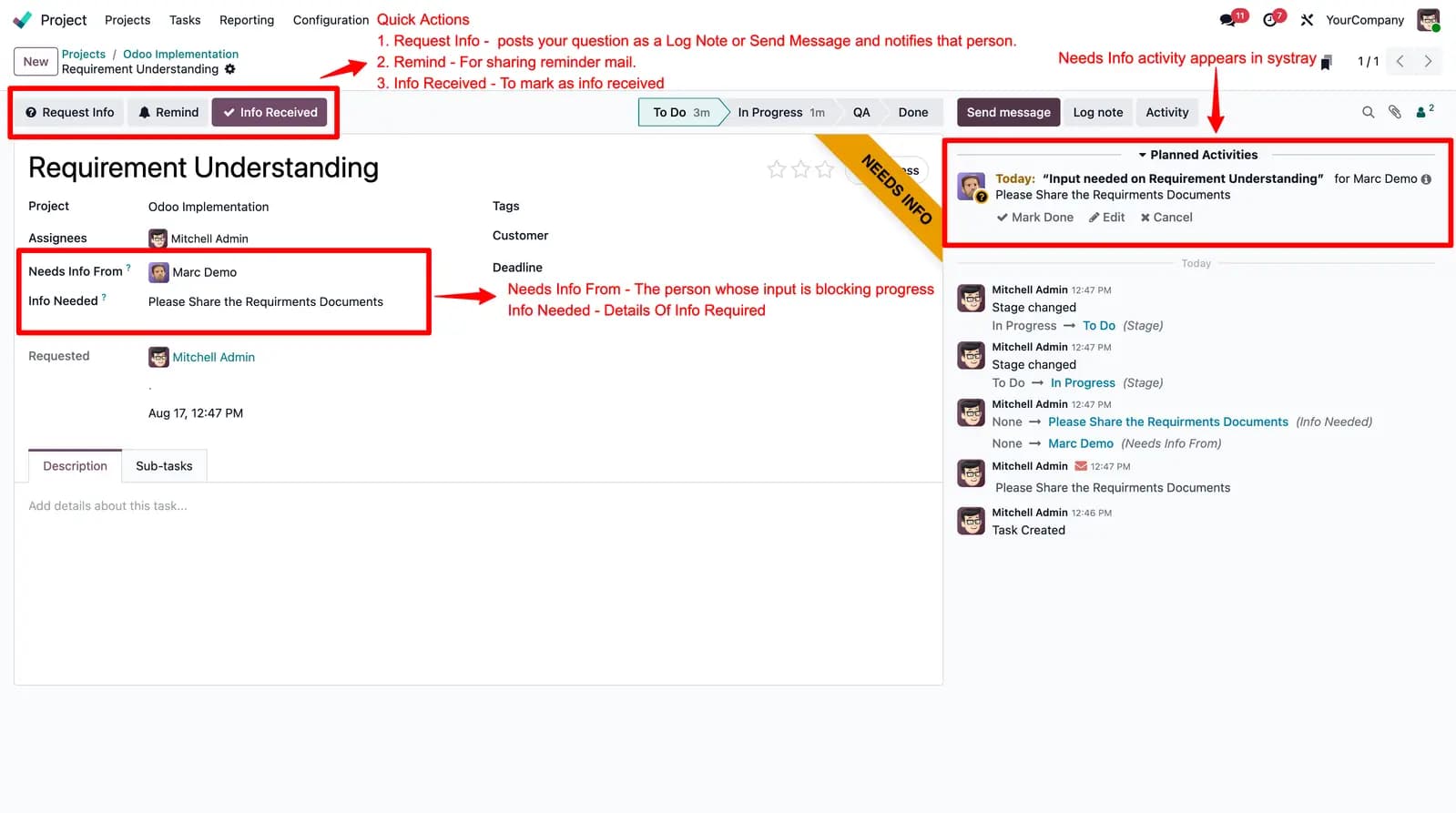
Open a task, click Request Info, pick the person, write the question, and choose Log Note (internal) or Send Message.
They get a To-Do
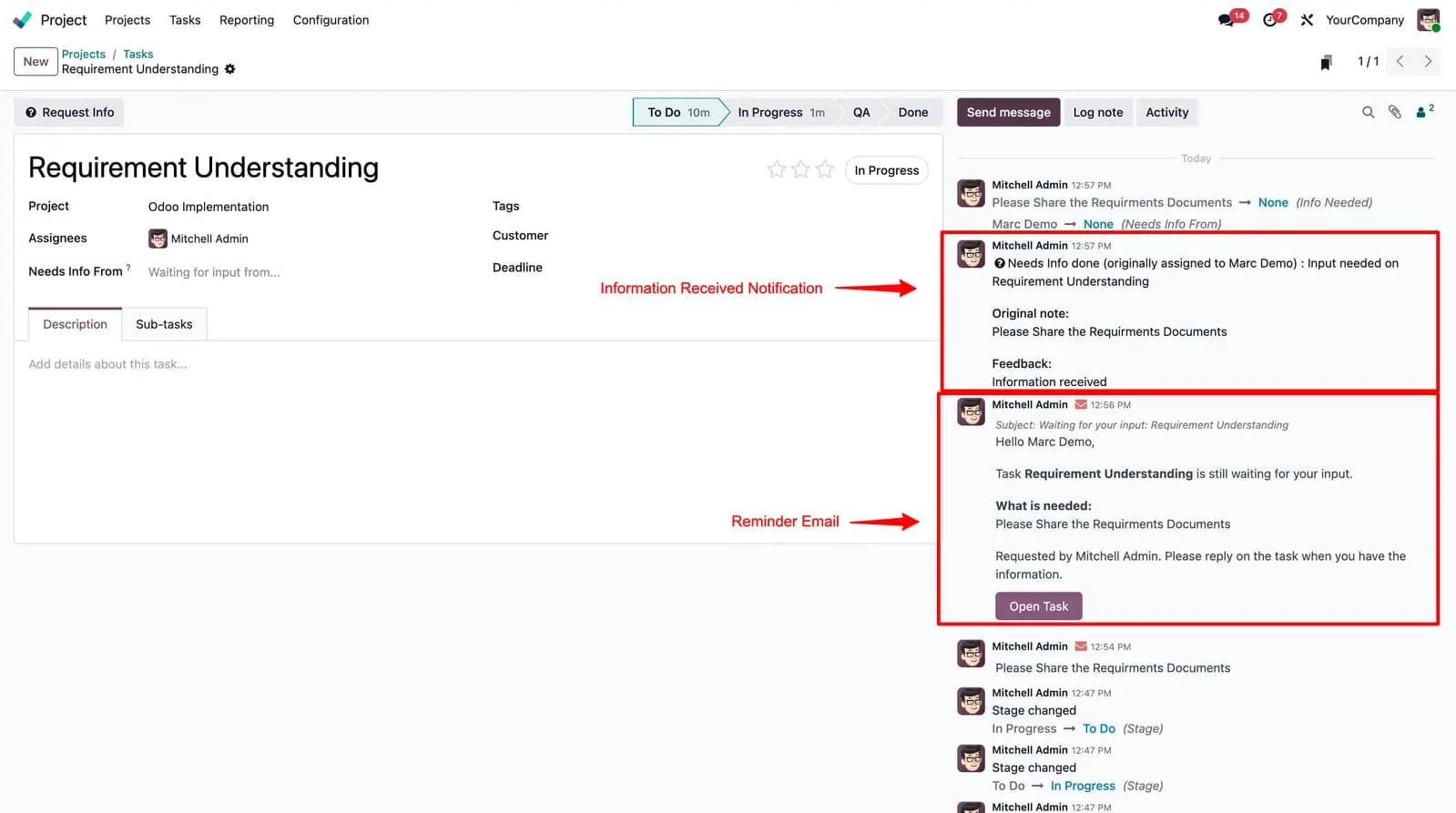
The person is notified in chatter, a Needs Info activity appears in their systray, and the Kanban card shows a badge.
Reminders until they reply
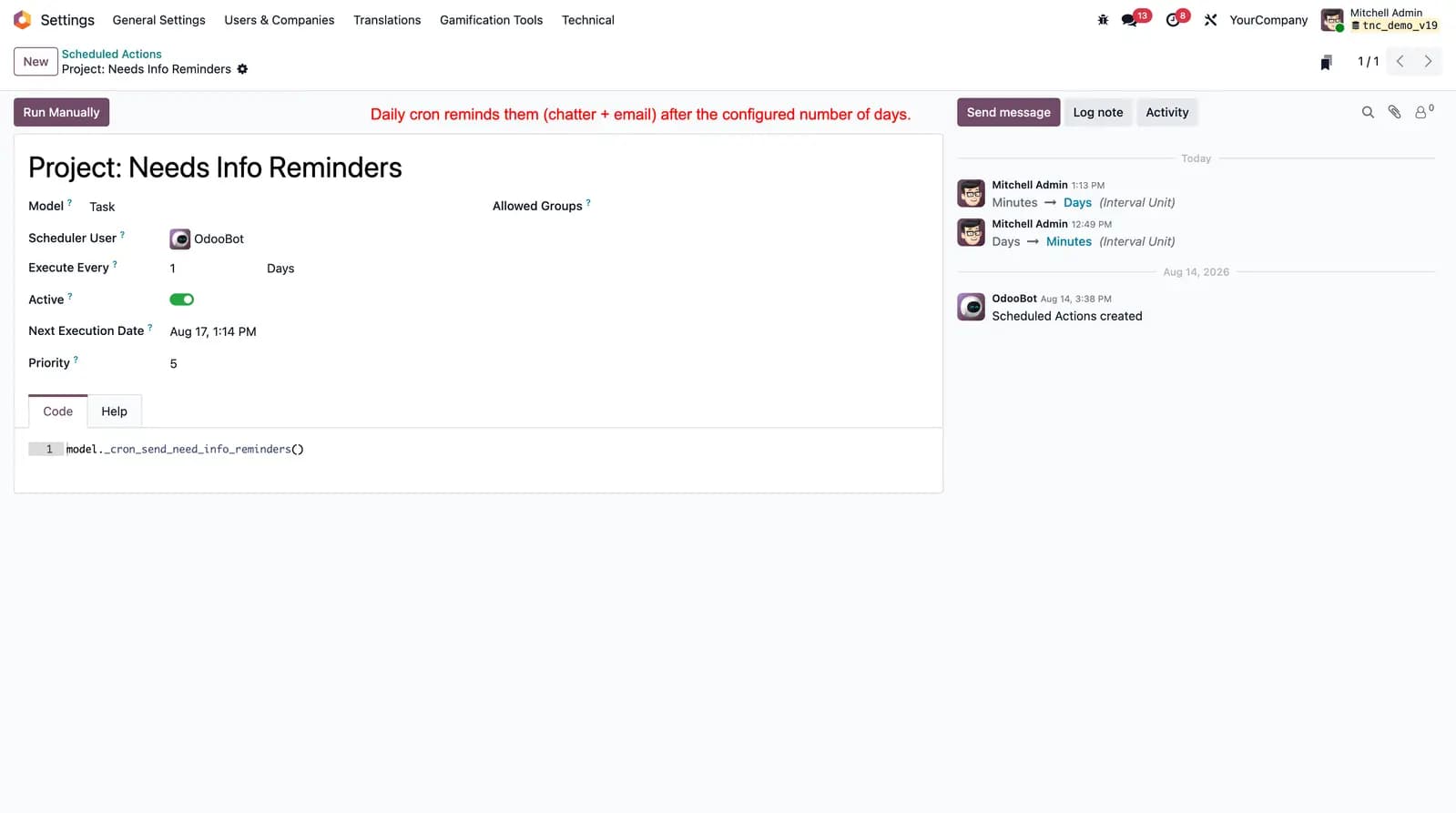
A daily cron reminds them after the configured interval. When they answer, Needs Info clears and the requester is pinged.
What This Module Delivers
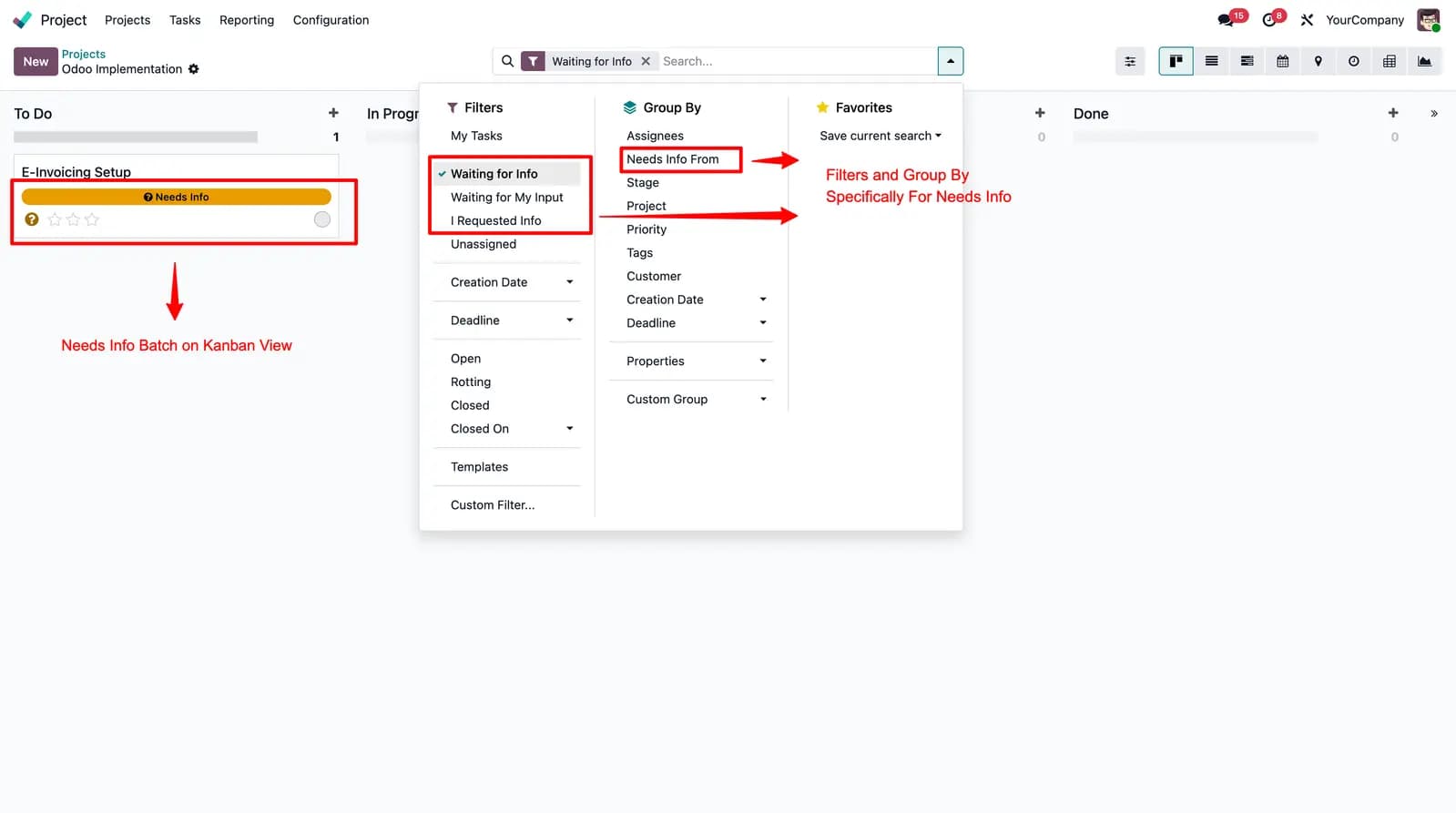
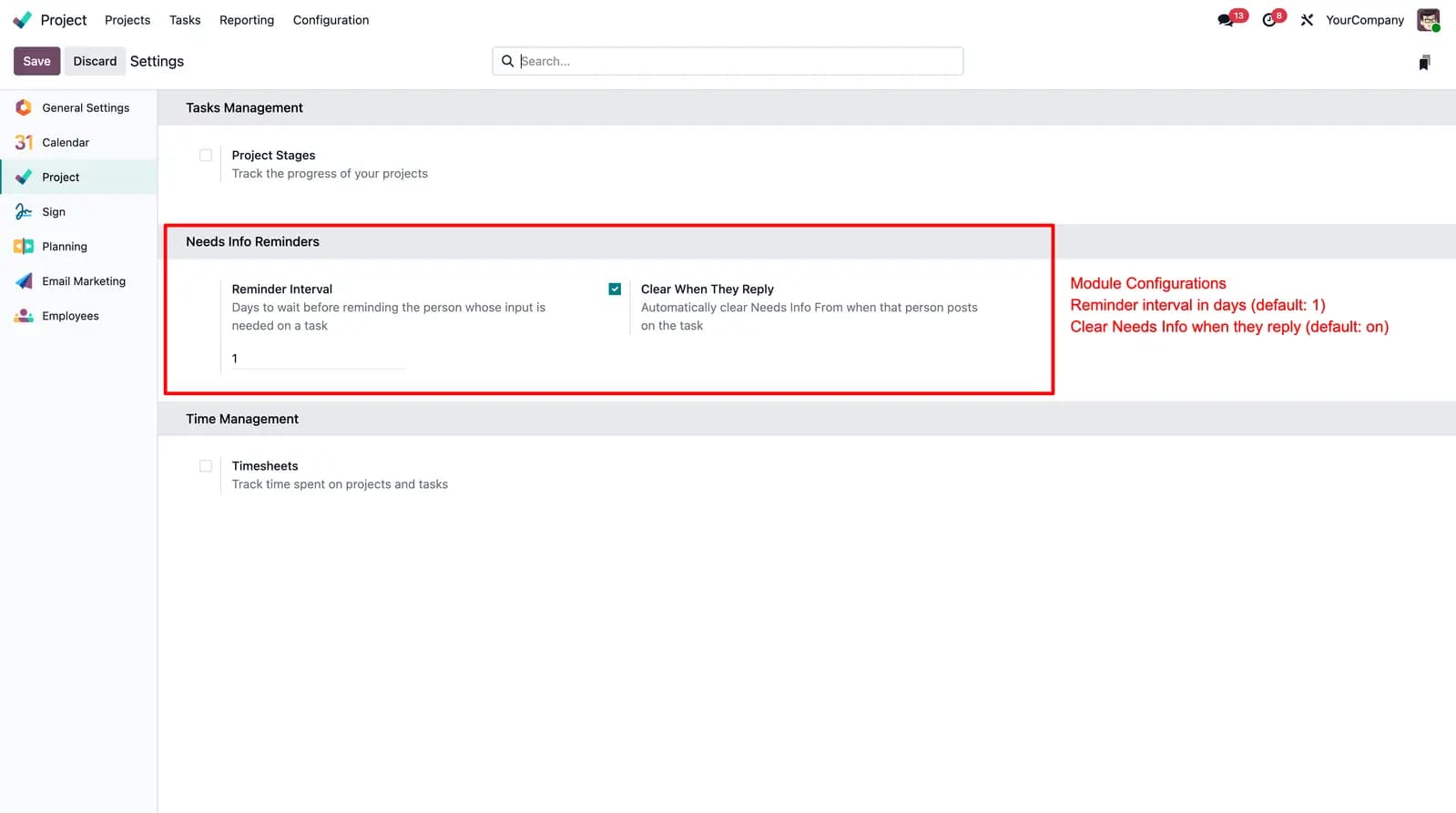
Filters for Waiting for Info, Waiting for My Input, and I Requested Info — plus Project settings for reminder interval.
Needs Info From field on project tasks (the person whose input is blocking progress)
Request Info wizard posts the question as a log note or message and notifies them
That person is suggested (and notified) when you Send Message or Log Note
Automatic activity so the request shows in their systray To-Do
Periodic chatter reminders until they reply
Auto-clear when they answer in the thread, with a ping back to the requester
Kanban badge, search filters, and waiting-days tracking
Project settings for reminder interval and auto-clear on reply
Demo video
Watch a walkthrough of Needs Info on Odoo Project tasks — request, remind, and auto-clear when they reply.
Screenshots
Task actions, search filters, notifications, Project settings, and the reminder cron.
Stop stalled tasks from going quiet
Ask the right person in chatter, put a To-Do on their plate, and remind them until they reply.
Other TraceNcode Apps
Explore more solutions developed by us to enhance your Odoo experience!