
 · CRM · Sales
Kommo Connector for Odoo Connector for
Odoo and Kommo, kept in step
Keep Odoo and Kommo in step: contacts, companies, leads, tasks and conversations sync both ways, and a Kommo deal can create the Odoo quotation, push order lines from catalog items, and send invoice and payment status back — sold as one solution.
Supported: Odoo 19.0 · Community & Enterprise · CRM, Contacts, Sales & Invoicing
Price: $650.00 — CRM sync and the sales bridge, one solution.
Acme Manufacturing
Opportunity · $12,400
Acme Manufacturing
Lead · Pipeline Sales
One product: CRM sync plus sales and invoicing.
Problems We Fix
Stop copying Kommo into Odoo. Map once, queue every change, and let a won deal become the order.
Sales lives in Kommo, operations live in Odoo
The team closes in Kommo. Finance, stock and invoicing stay in Odoo. Someone retypes contacts, stages and amounts — and they drift.
A won lead is not an order
Winning a Kommo deal still means building a quotation by hand. Catalog items on the lead do not become order lines, and payment status never goes back.
Webhooks fail silently when Odoo is down
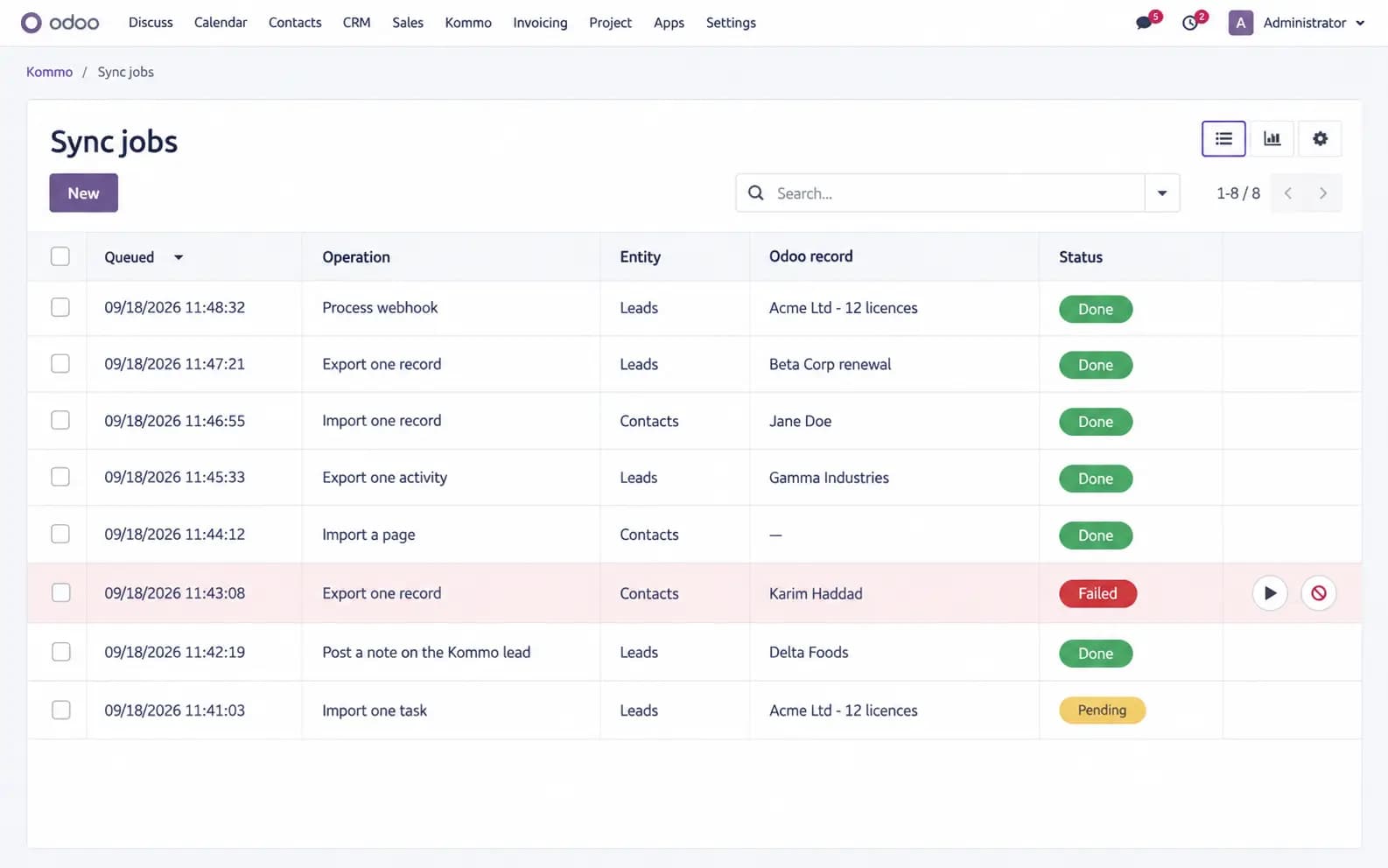
A missed Kommo webhook is a missing contact. Without a queue, retries and a reconciliation pass, the two CRMs never catch up.
How It Works
Connect, map, and let webhooks plus a job queue keep both sides honest — including sales documents.
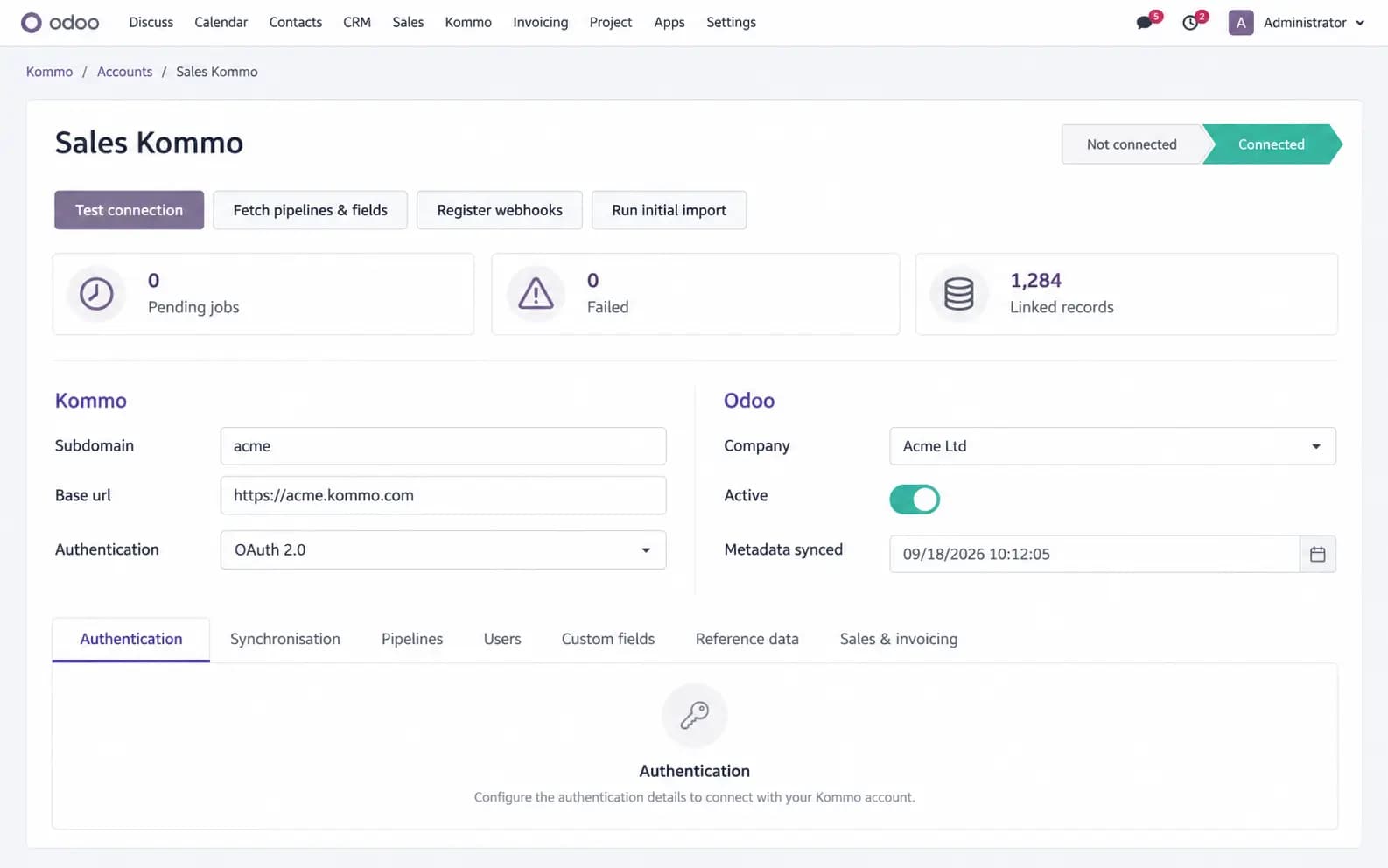
Connect the Kommo account
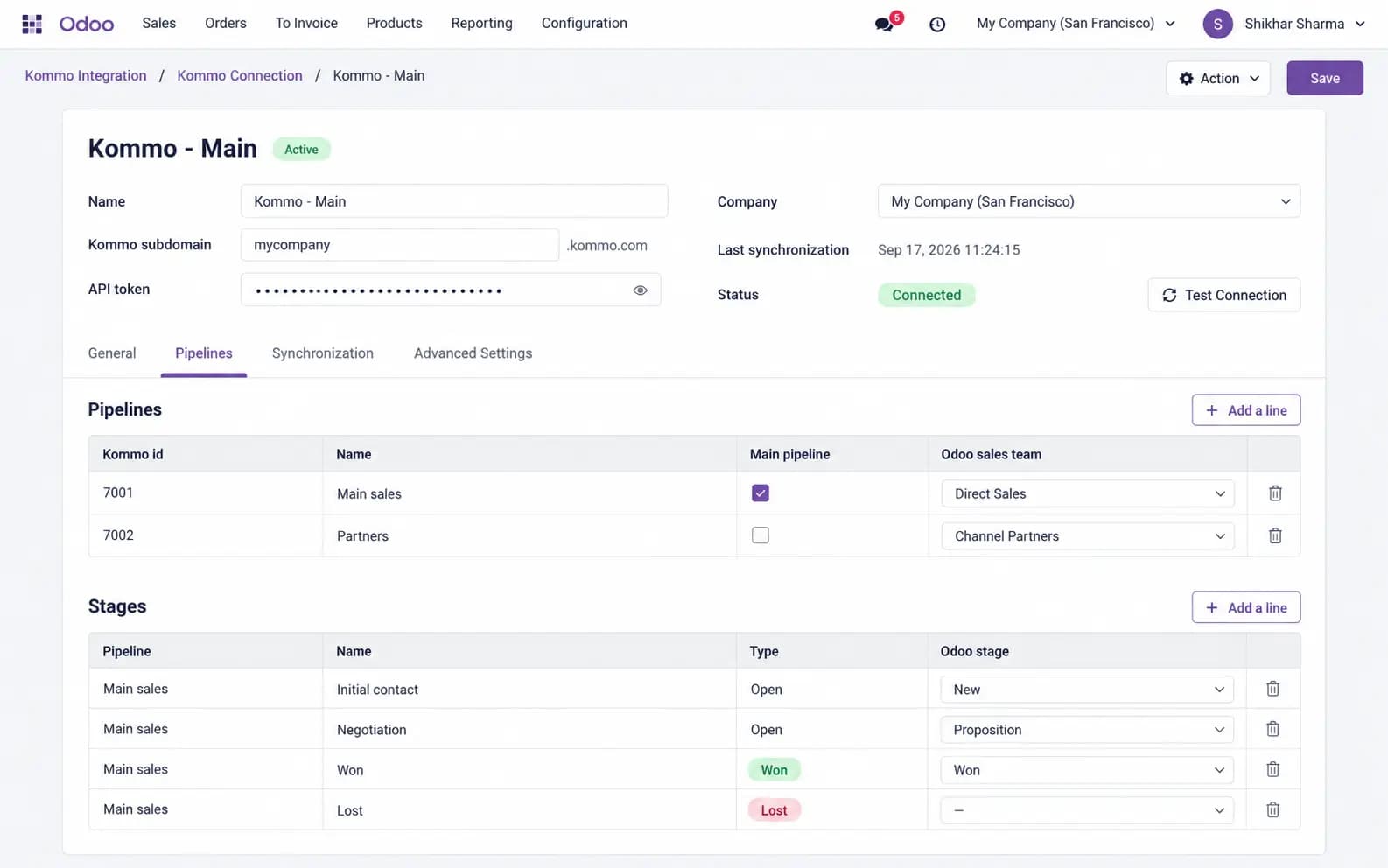
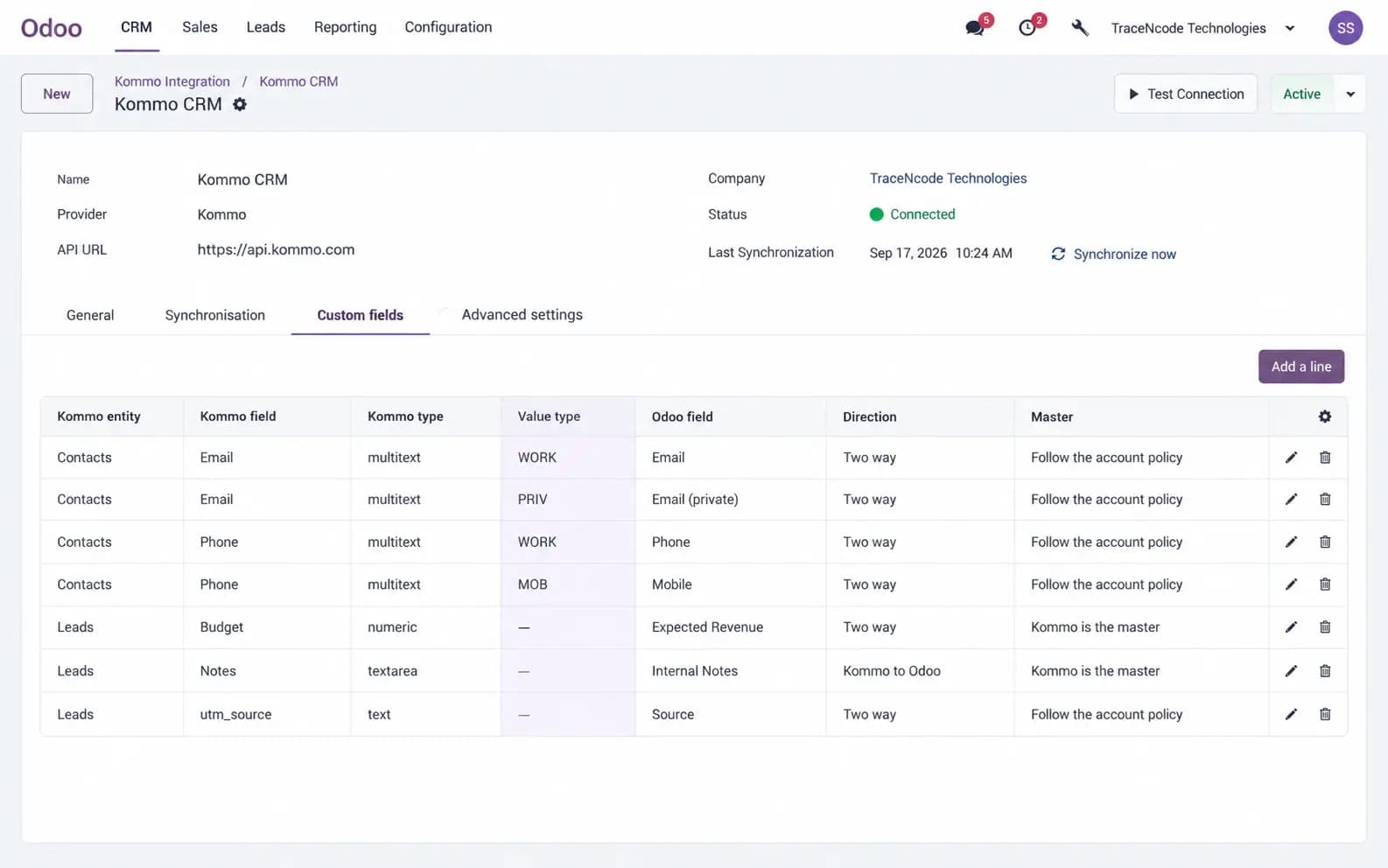
OAuth 2.0 or a long-lived token. Fetch pipelines, users, custom fields and catalogs, then map stages, salespeople and fields.
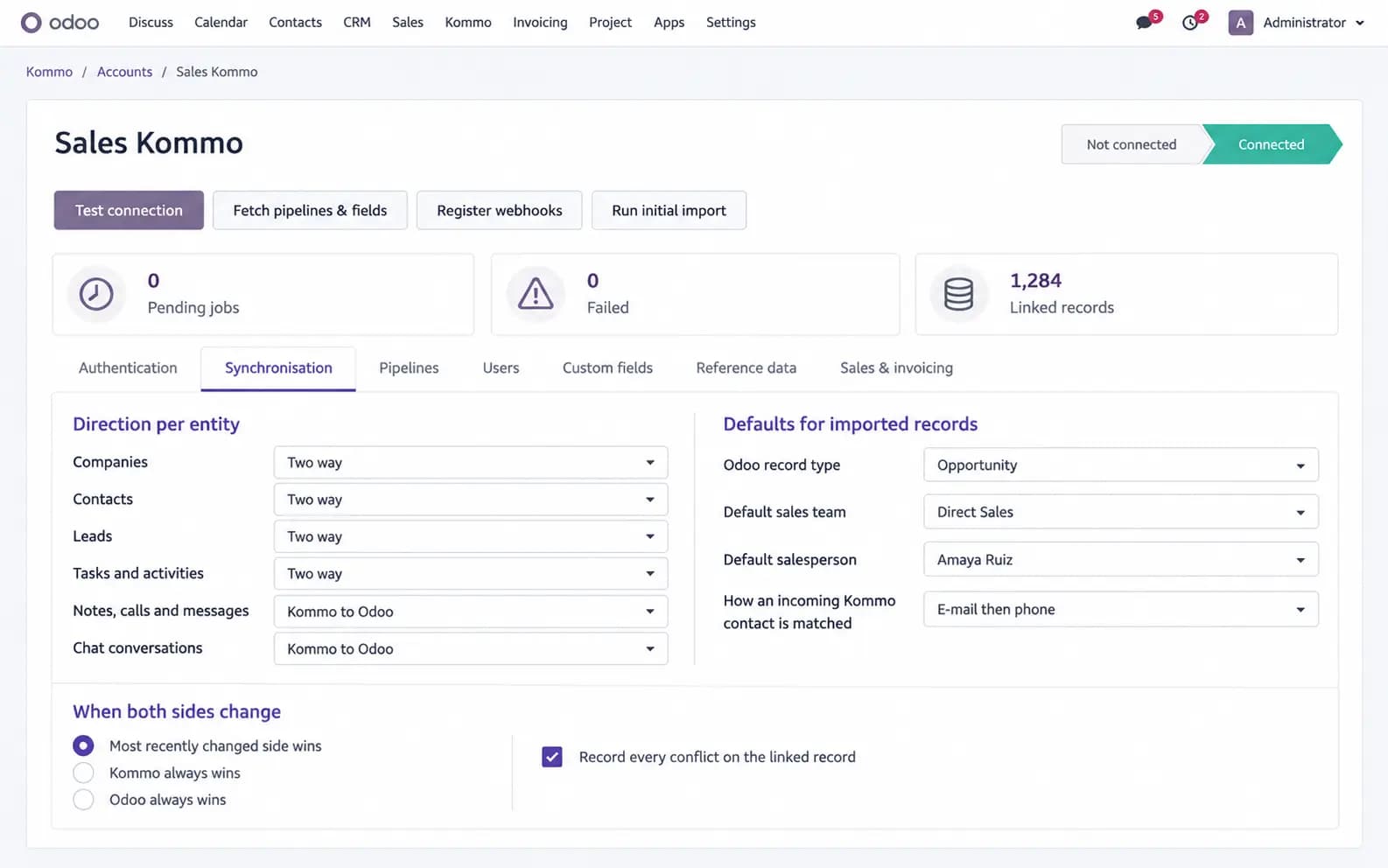
Sync both ways in real time
Kommo webhooks queue inbound work. Odoo create/write hooks queue outbound work. An hourly job re-imports anything missed.
Turn a deal into an Odoo order
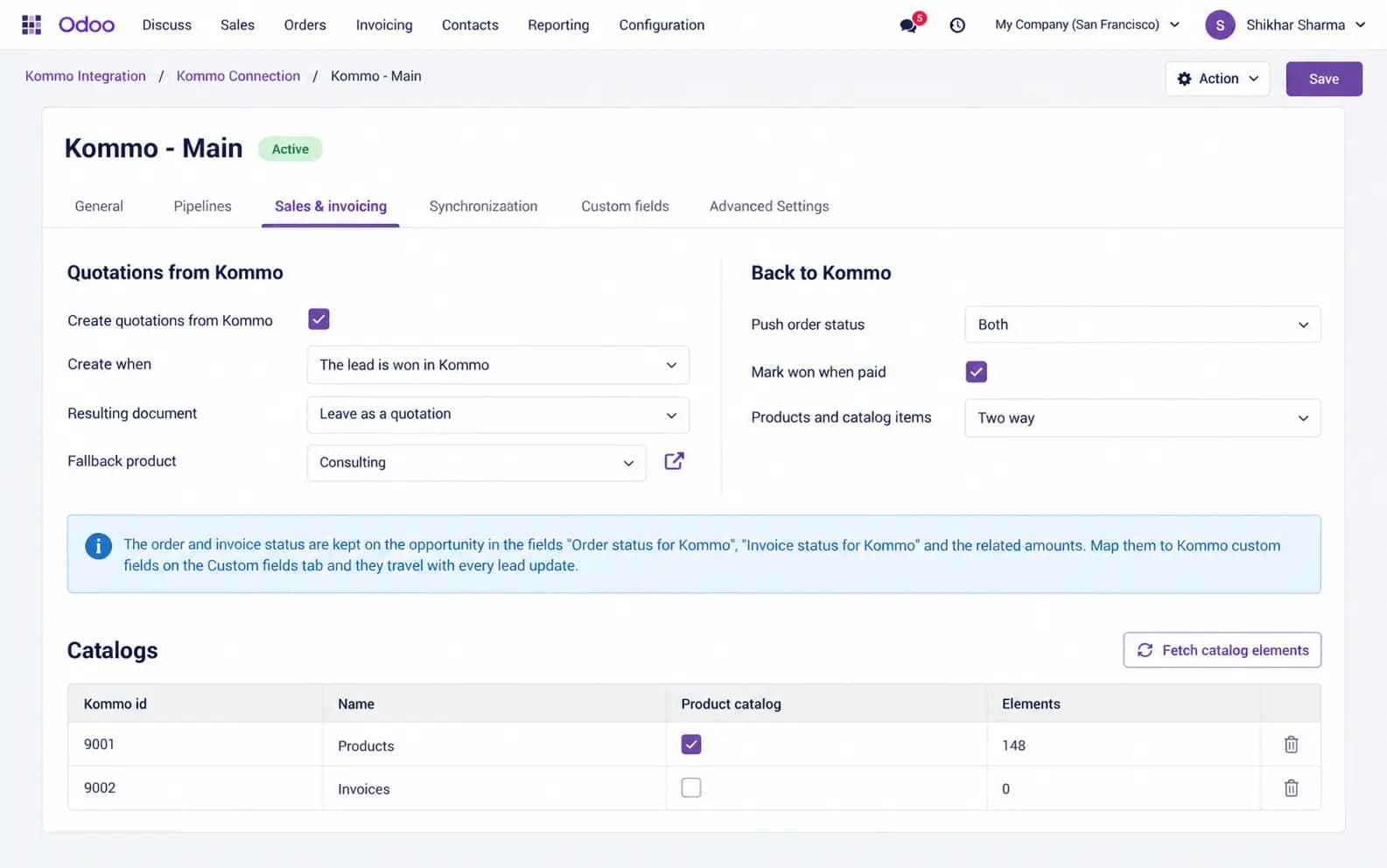
A chosen Kommo status — or Won — creates a quotation or confirmed order. Catalog items become lines. Invoice status is pushed back.
One solution, two modules
You buy it once. The CRM connector stands alone; the sales bridge installs itself as soon as Sales is present, so Community sites without accounting are not forced into invoicing.
tnc_kommo_connector
CRM core
- Contacts, companies and leads
- Tasks, notes, calls and chats
- Pipelines, users and custom fields
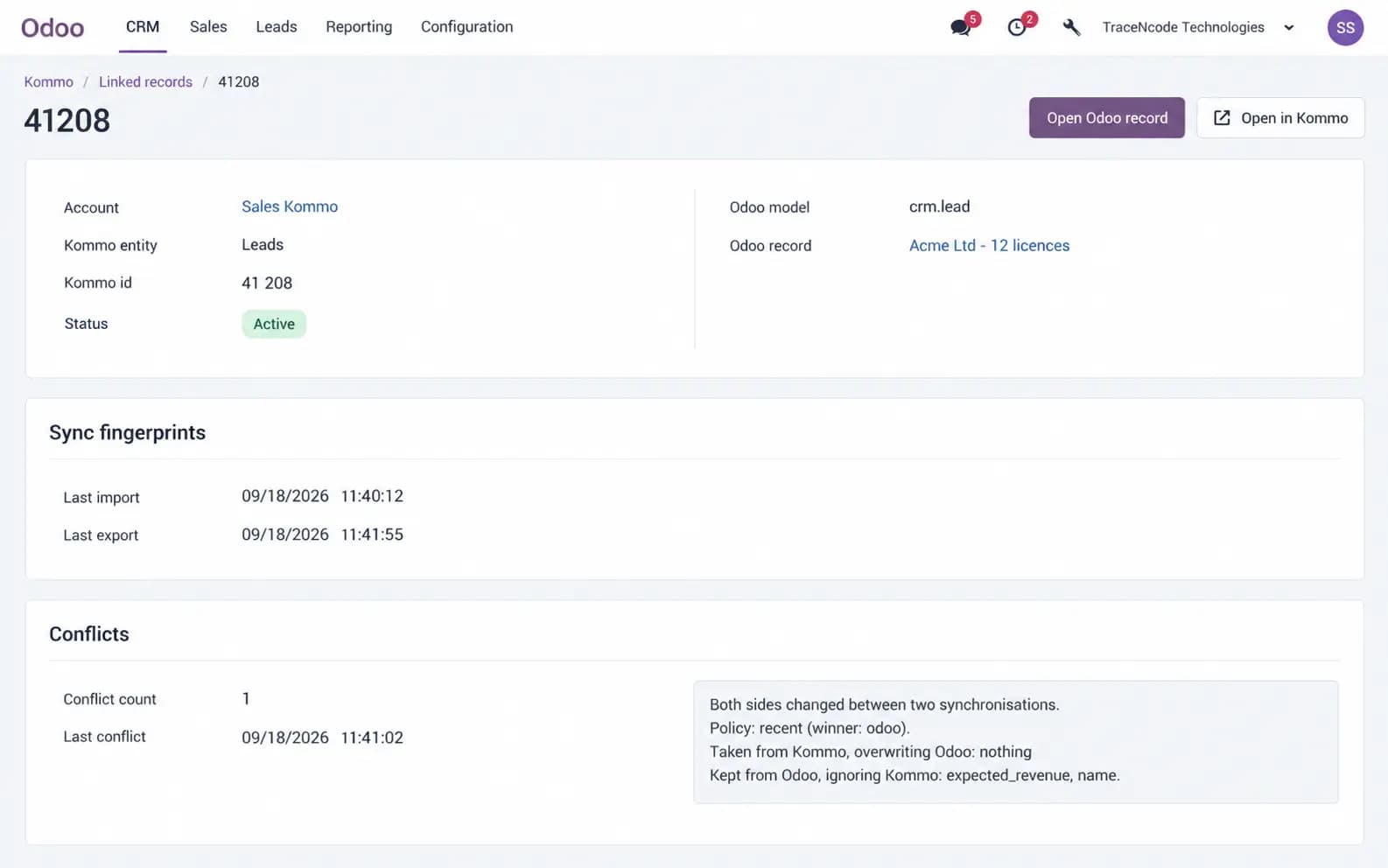
- Conflict policies and a full sync log
tnc_kommo_connector_sale
Sales & invoicing
- Quotations and confirmed orders from a Kommo status
- Catalog items mapped to products
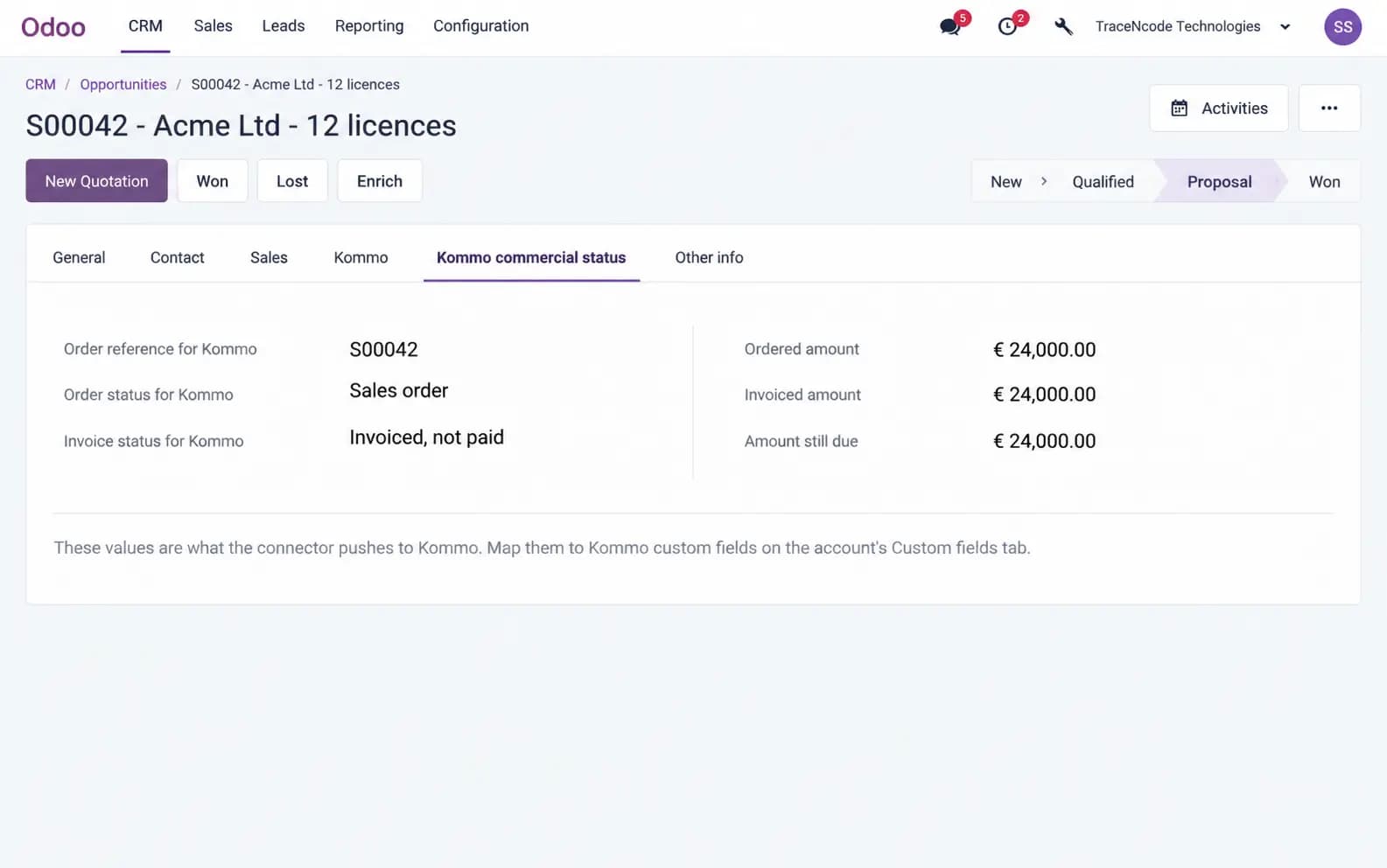
- Order, invoice and payment status back to Kommo
- Optional Won when the invoice is paid
What This Module Delivers
Mapping, conflict handling, a durable queue, a Kommo card widget, and the commercial path from lead to paid invoice.
OAuth 2.0 or long-lived token, several Kommo accounts side by side
Pipeline, stage, user and custom-field mapping, including Won and Lost
Two-way sync of contacts, companies and leads with per-entity direction
Duplicate matching on e-mail, phone or external id, with conflict policies
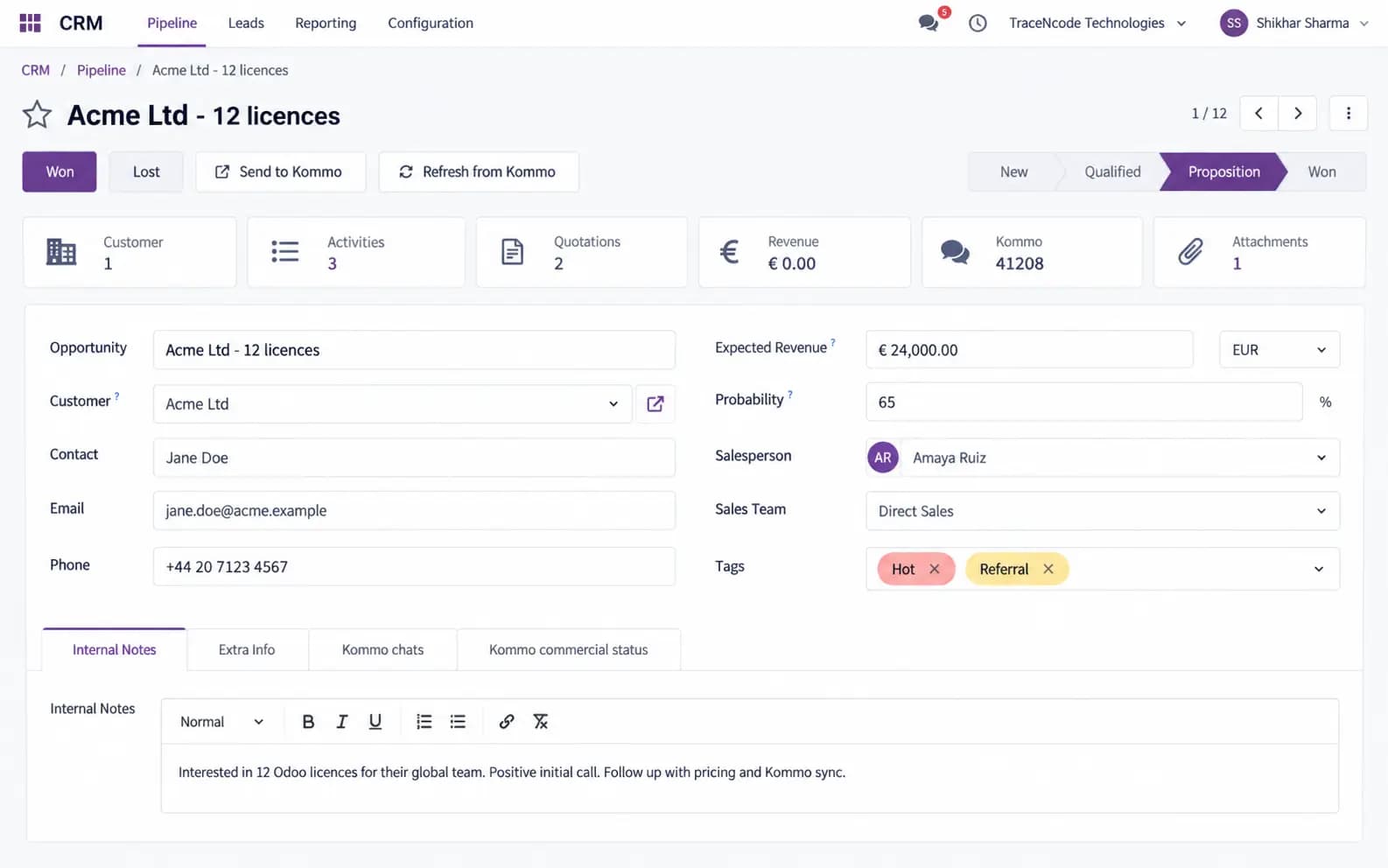
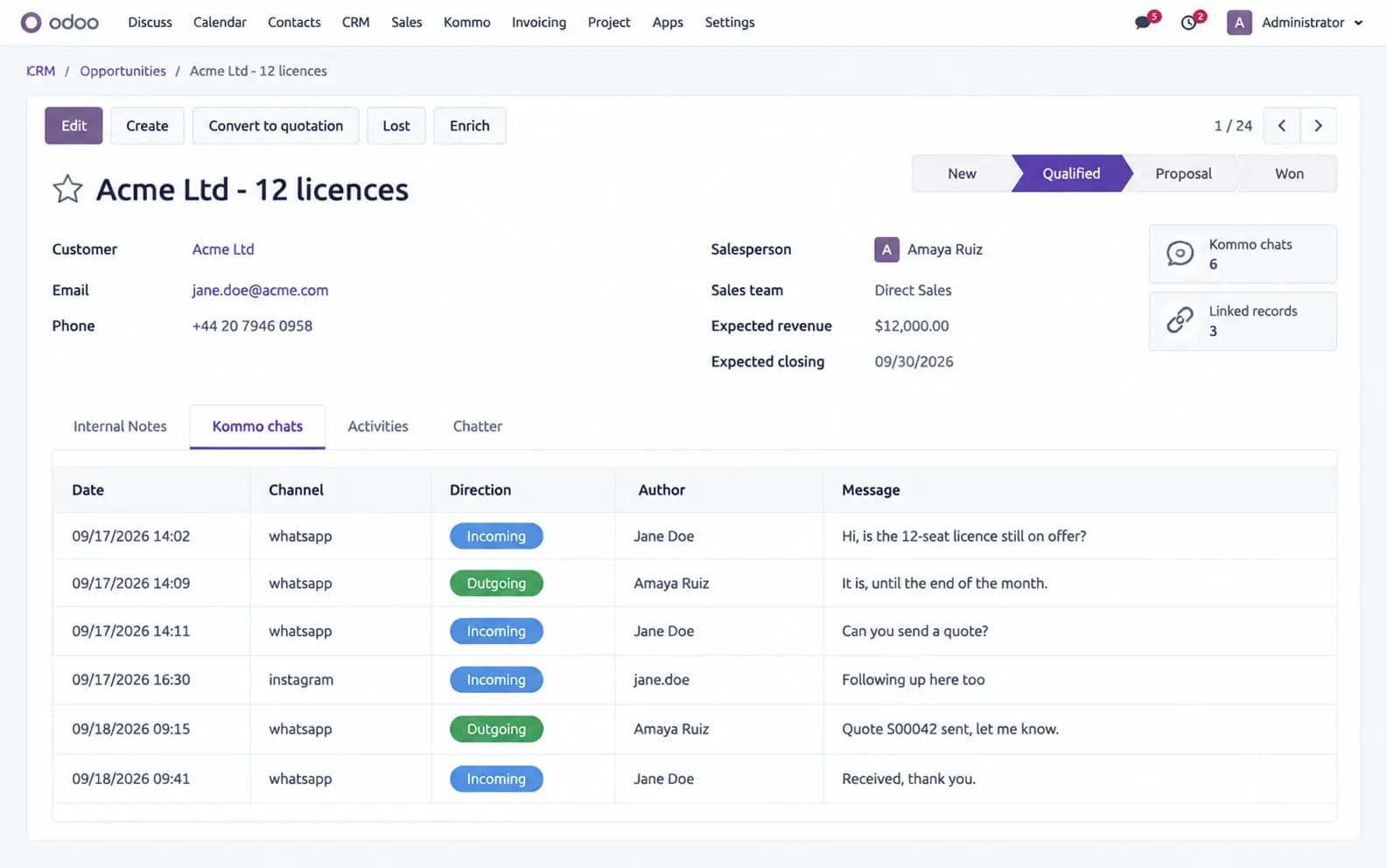
Kommo tasks, notes, calls and chats mirrored on the Odoo lead
Real-time webhooks in, durable job queue out, hourly reconciliation
Initial bulk import with resume, rate limiting and retries with backoff
Kommo card widget showing the linked Odoo record, orders and balance
Lead status can create an Odoo quotation or confirmed sales order
Catalog items become order lines; order and invoice status pushed back to Kommo
Optionally mark the Kommo lead Won when the invoice is fully paid
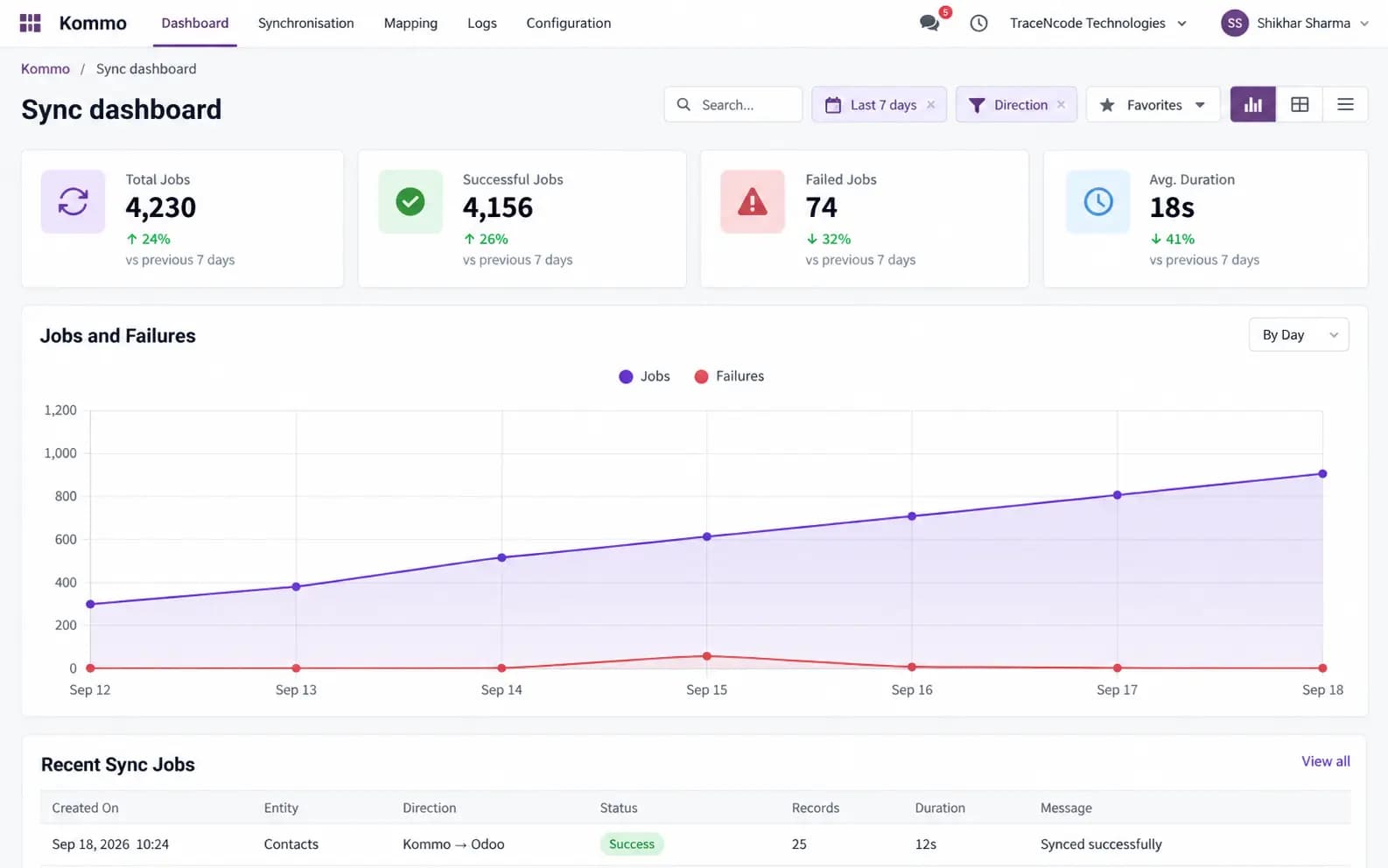
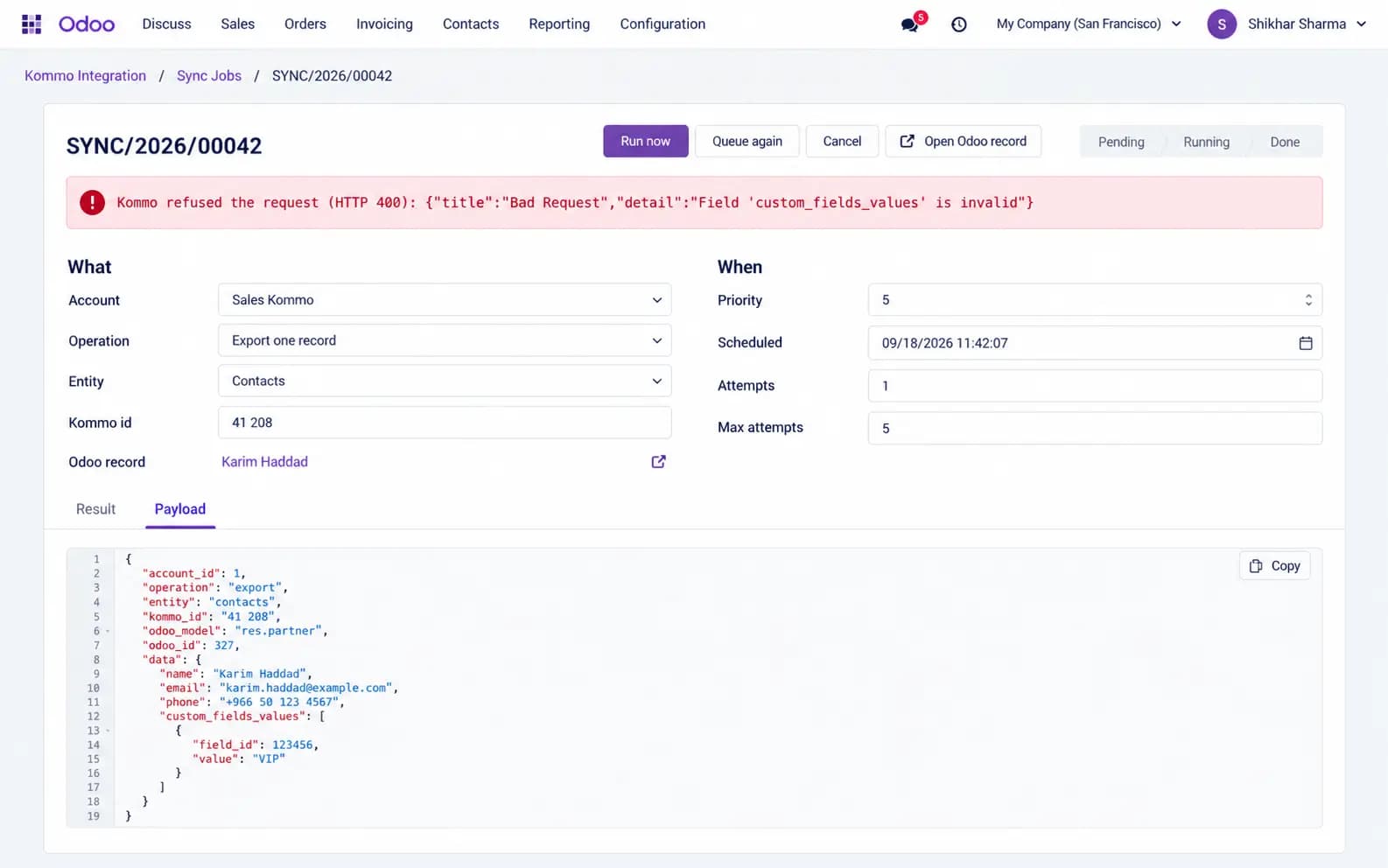
Full sync log, failed-job retry, and a volume dashboard
Screenshots
From account setup and field mapping through the job queue, CRM lead, sales bridge, and the Kommo card widget.
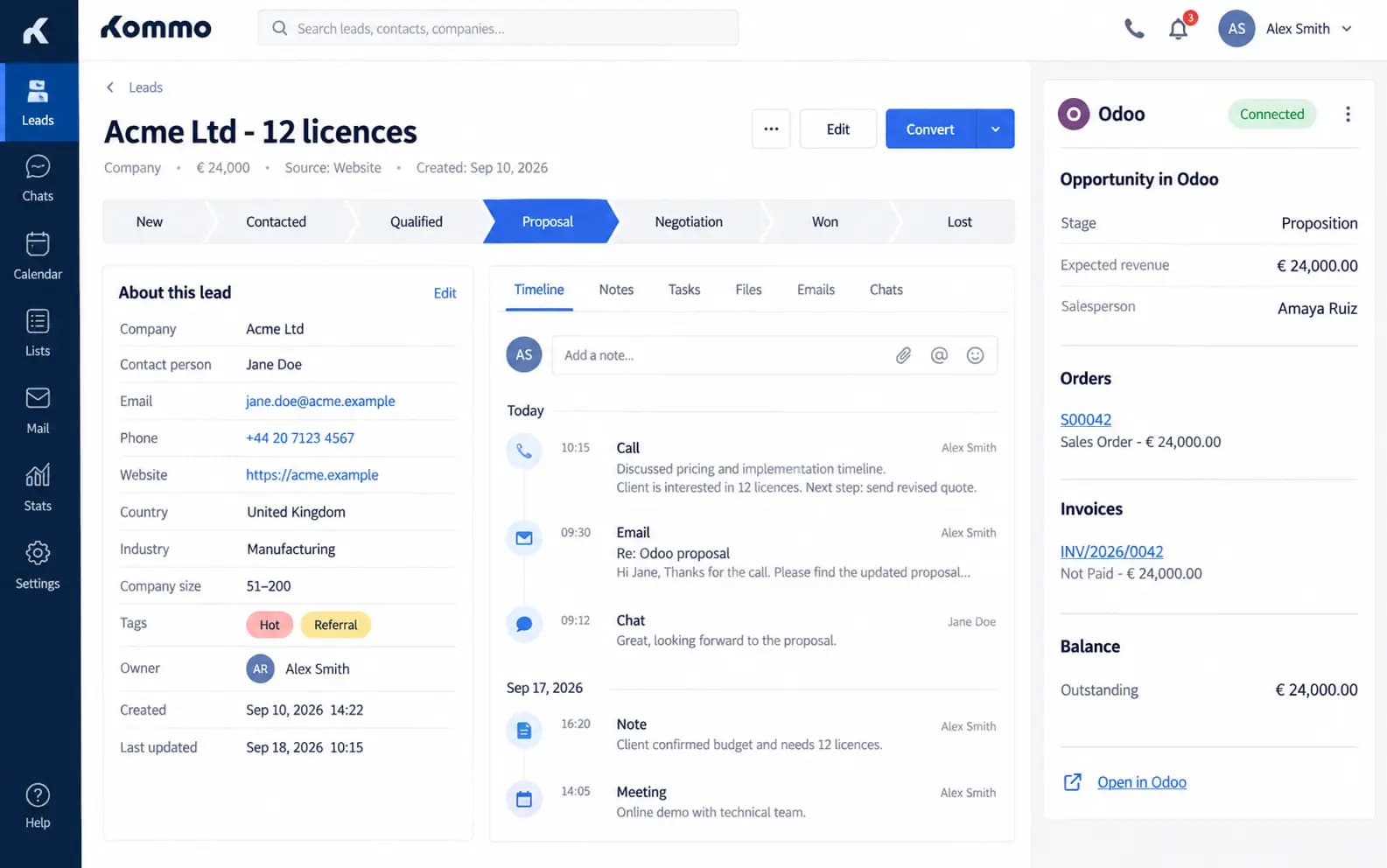
Keep Kommo and Odoo on the same deal
Contacts, stages, chatter and commercial status — one $650 solution for Odoo 19.
Other TraceNcode Apps
Explore more solutions developed by us to enhance your Odoo experience!