POS getnet TerminalCard payments, no extra services
Getnet is Santander's merchant payments brand and one of Mexico's largest card acquirers — terminals in shops nationwide, and the same network across Latin America.
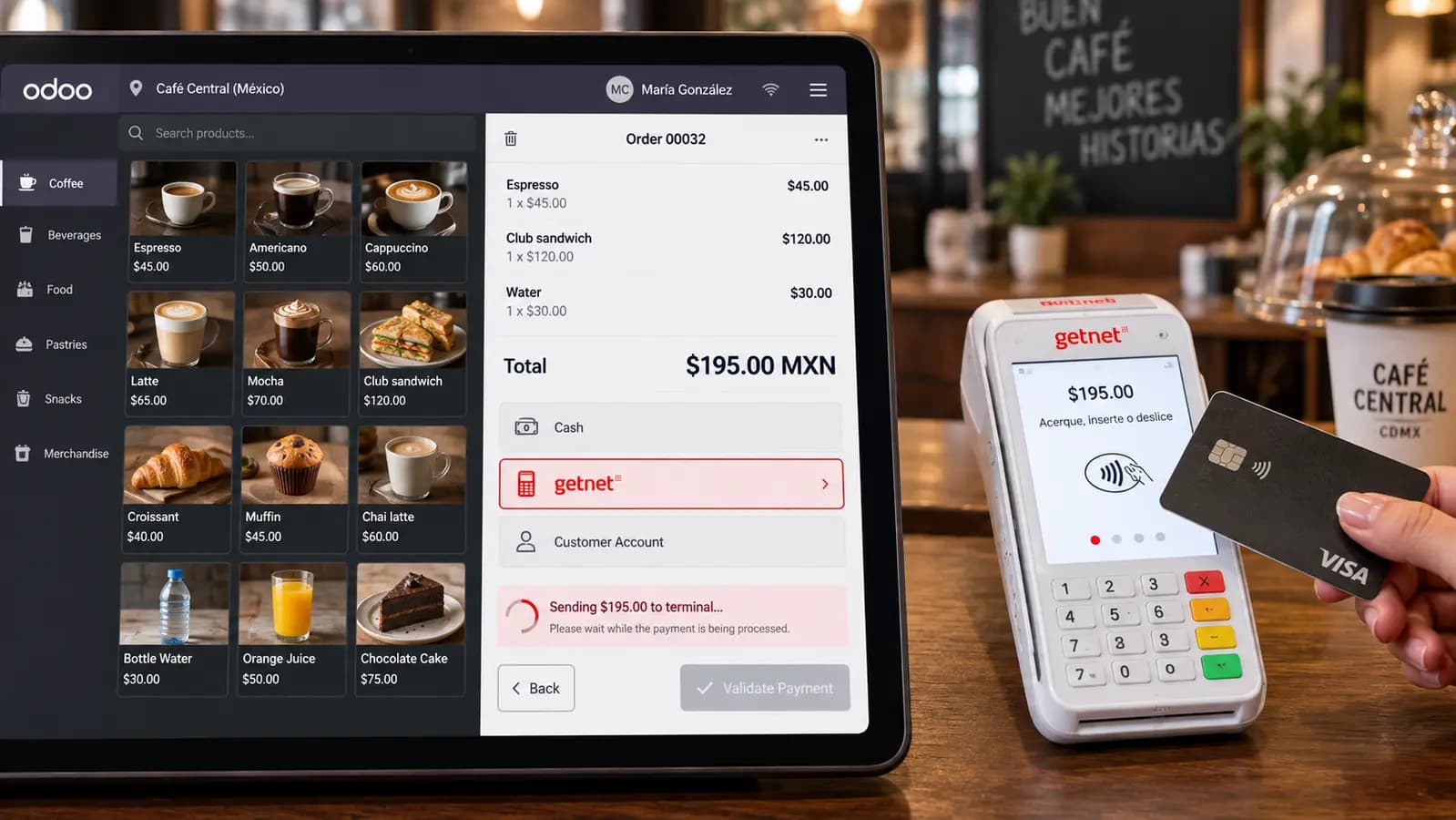
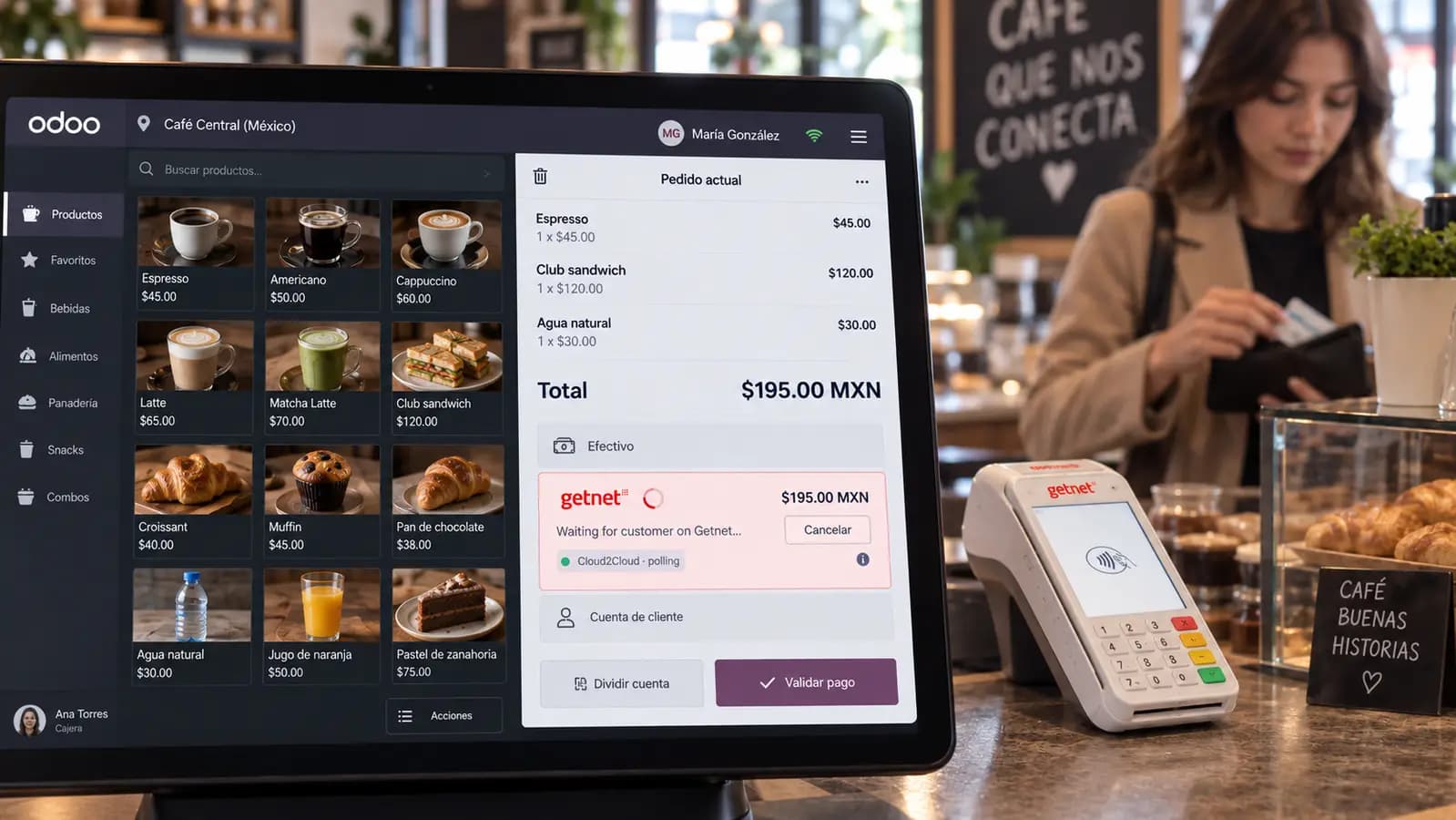
Send the amount from the POS payment screen to a Getnet terminal over Cloud2Cloud HTTPS. The cashier never types the amount on the device, and Odoo marks the line paid the moment the card is approved — no sidecar, no .NET runtime, nothing to install in the store.
Supported: Odoo 19.0 · Community & Enterprise · Point of Sale · Getnet Mexico & LATAM
Tap or insert
$22.50
Odoo POS talks to the getnet terminal — no amount typed on the keypad.
Problems We Fix
Getnet Cloud2Cloud from Odoo POS — the amount leaves the register, not the cashier's keypad.
Cashiers retype the amount on the terminal
Every extra keystroke is a chance to charge the wrong total. Split payments and discounts make it worse at close.
Sidecar services to keep alive in the store
Typical Getnet LAN or USB setups need a .NET process on-site. That does not run on Odoo Online or odoo.sh, and it is another thing that can fail during a shift.
A blocked Odoo worker while the customer finds their card
A tap or PIN can take a minute. Holding a worker that long does not scale past a couple of lanes.
How It Works
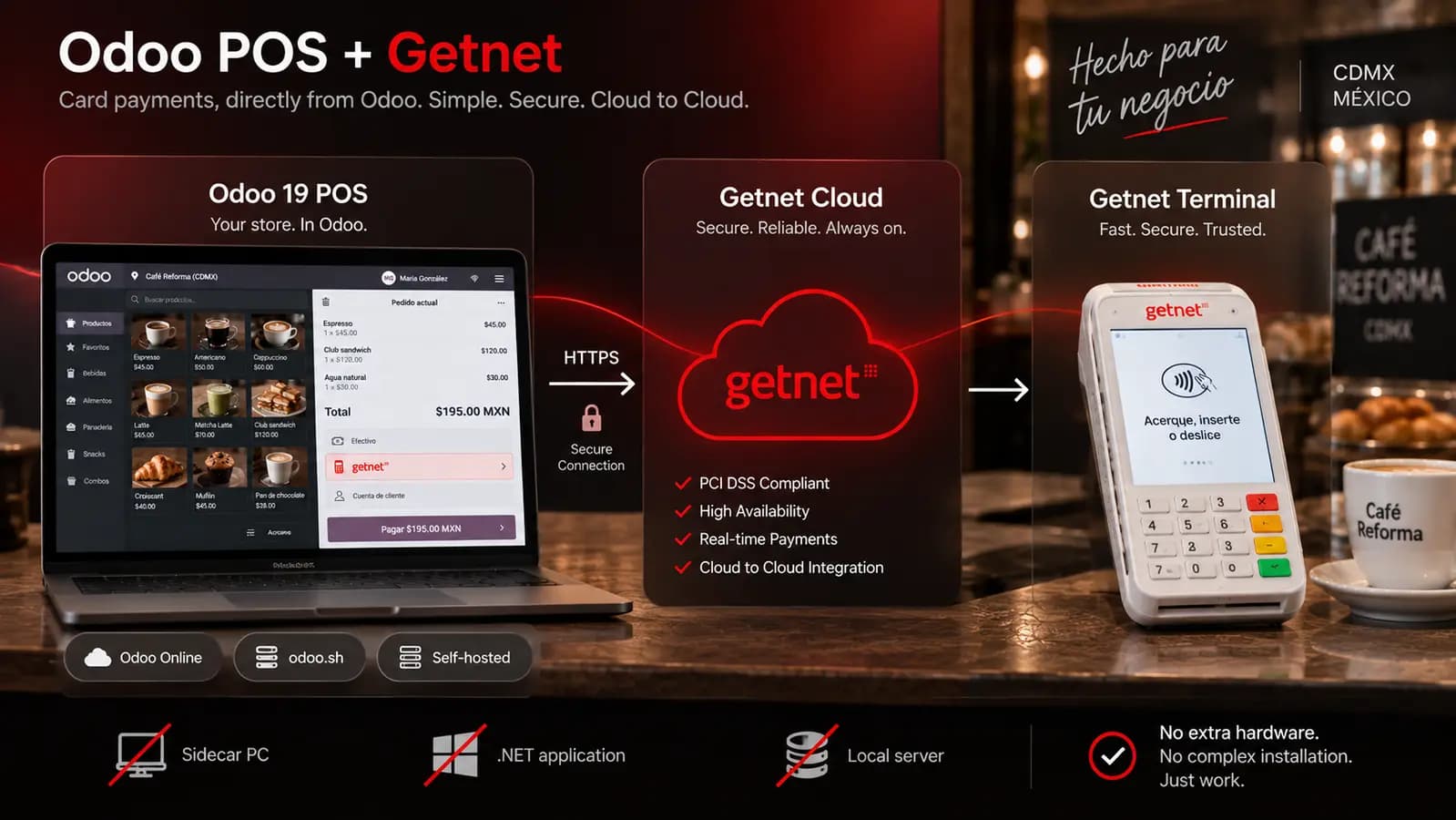
One module. Odoo talks to Getnet over HTTPS. Getnet rings the terminal.
Select Getnet on the POS
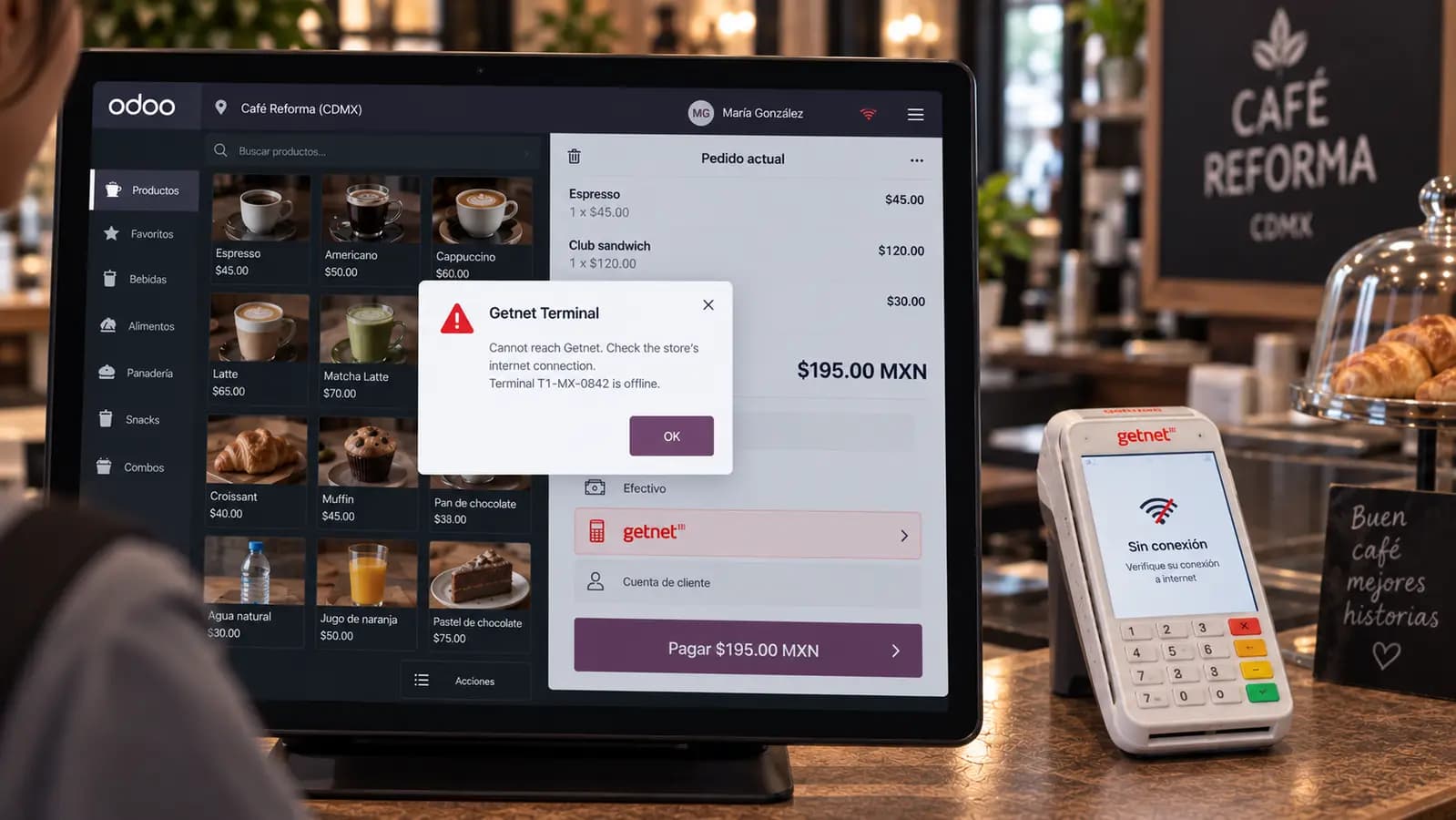
The amount goes straight to Getnet Cloud. A reachability check runs first so you know the terminal is online before the customer pays.
Customer taps, dips or scans
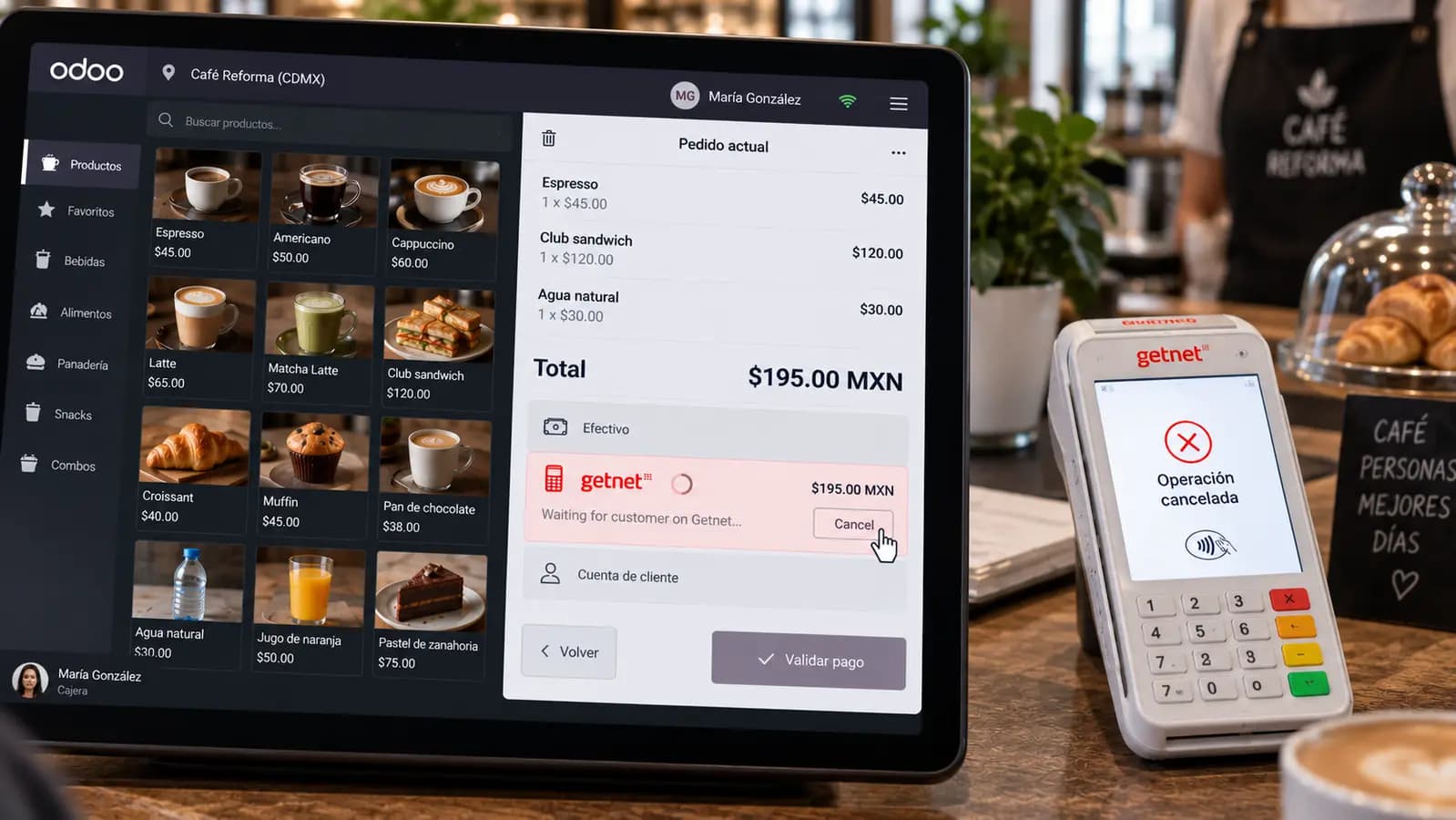
The sale is asynchronous. Odoo is not blocked while they pay. The POS polls every two seconds, up to two and a half minutes.
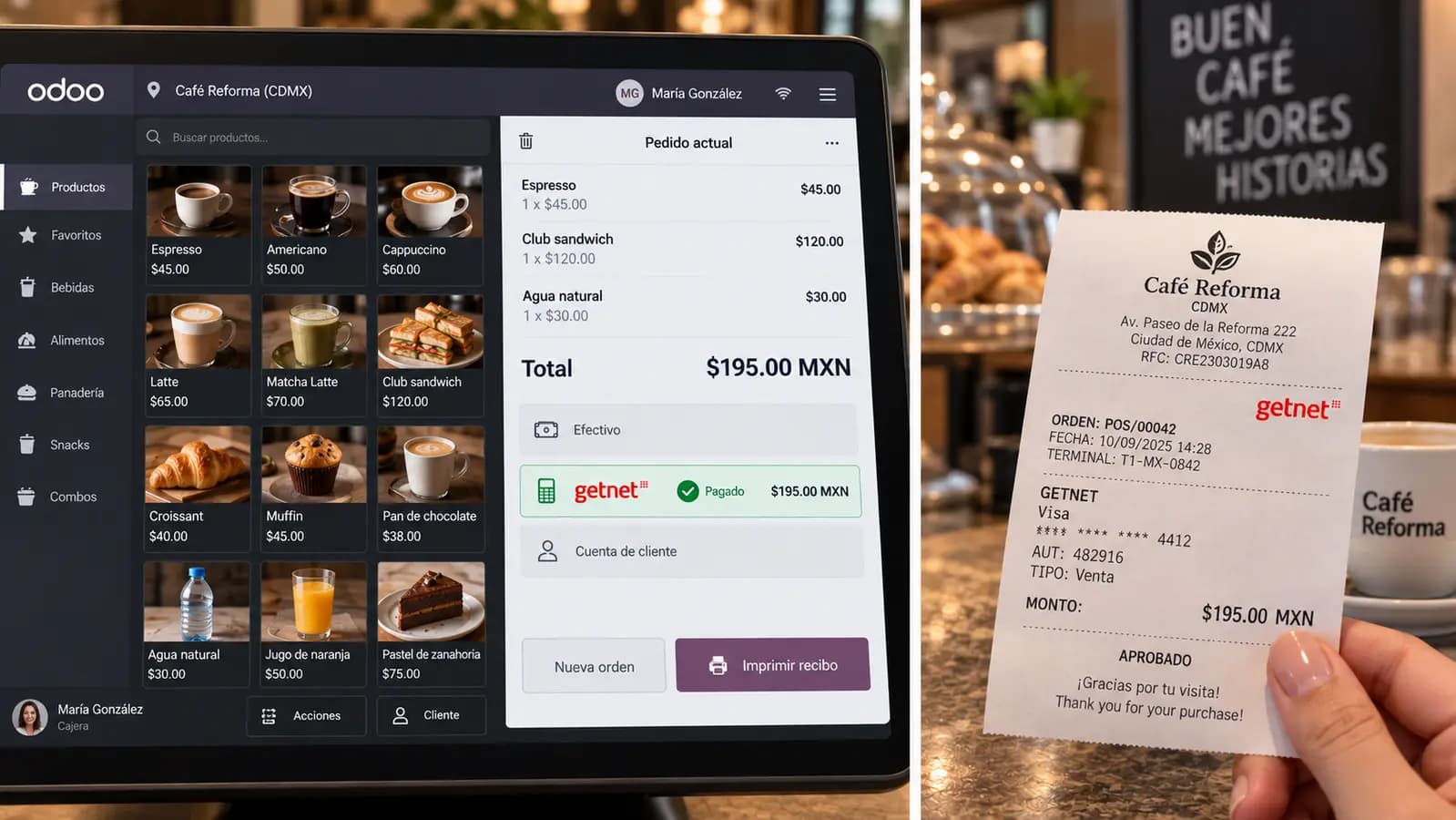
Approved in Odoo, printed on the receipt
The payment line turns paid the moment the card is approved. Authorization code, card brand and masked PAN print on the receipt.
What This Module Delivers
Built for a real shift: cancel is race-safe, tokens refresh themselves, and an unfamiliar response is never treated as paid.
Amount sent to the terminal the moment you select Getnet
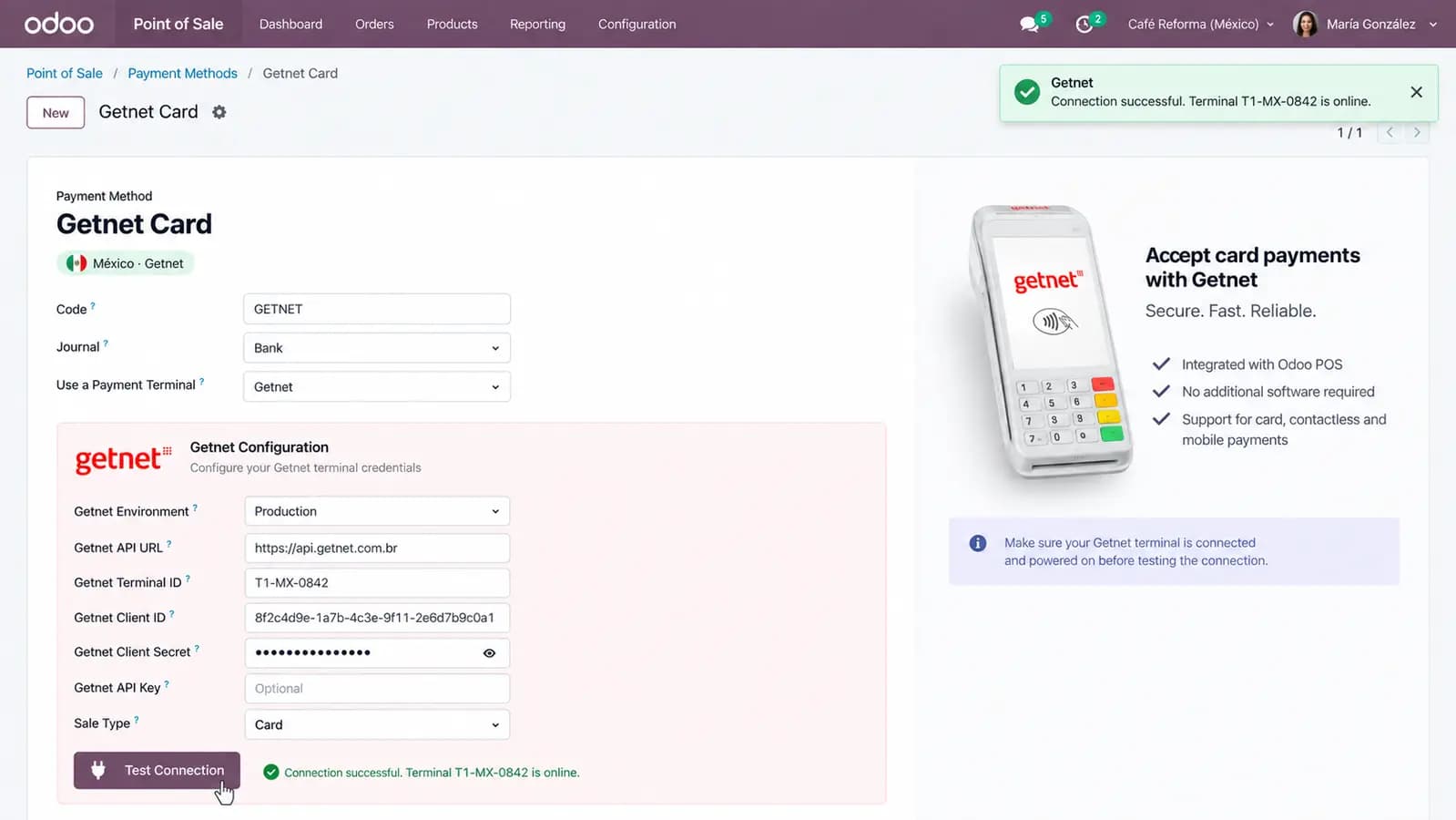
Terminal reachability check before every sale
Non-blocking sale flow — Odoo workers are never held while the customer pays
Access tokens cached and refreshed automatically mid-shift
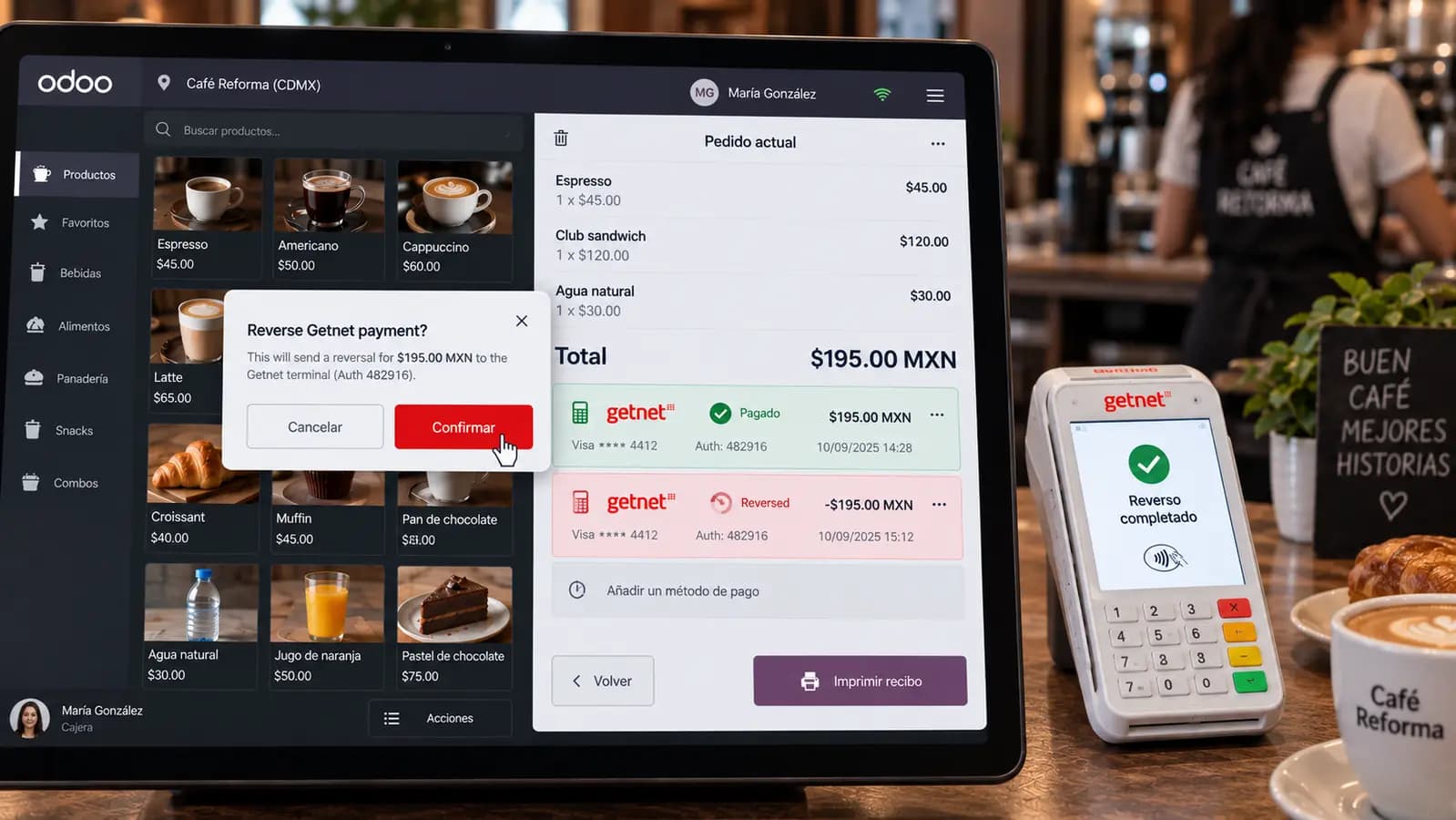
Cancel a waiting payment and reverse a completed one from the POS
Authorization code, card brand and masked PAN on the receipt
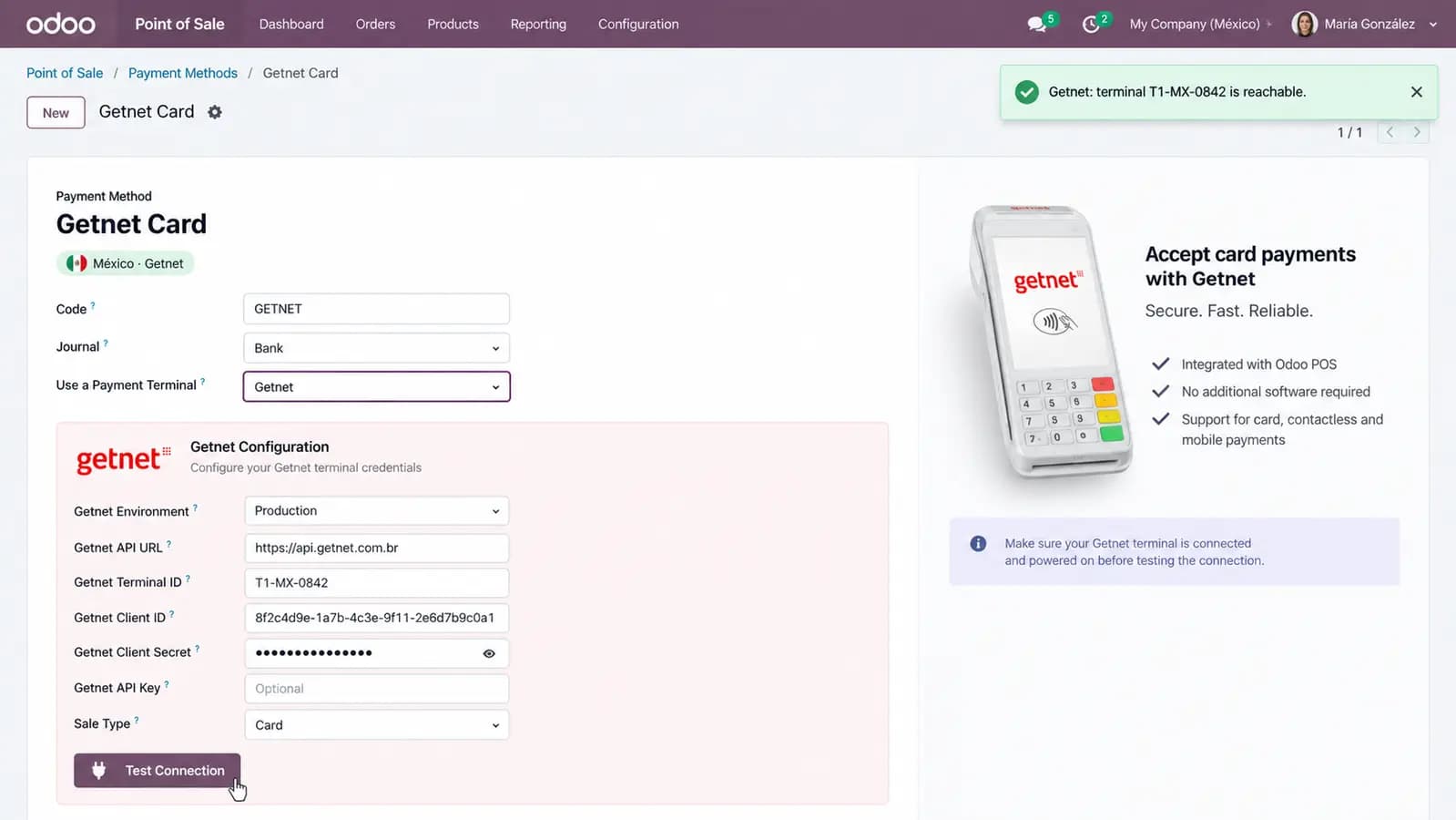
Test Connection button on the payment method
Works on Odoo Online, odoo.sh and self-hosted Odoo
Self-contained. Nothing to install in the store.
Odoo talks to Getnet's Cloud2Cloud API directly. There is no sidecar, no .NET runtime, and no hardware gateway on the LAN — so it works the same on Odoo Online, odoo.sh and self-hosted Odoo. Terminals must be registered for cloud control.
Screenshots
From payment method setup and Test Connection through tap, wait, approve, cancel, reverse, offline, and QR.
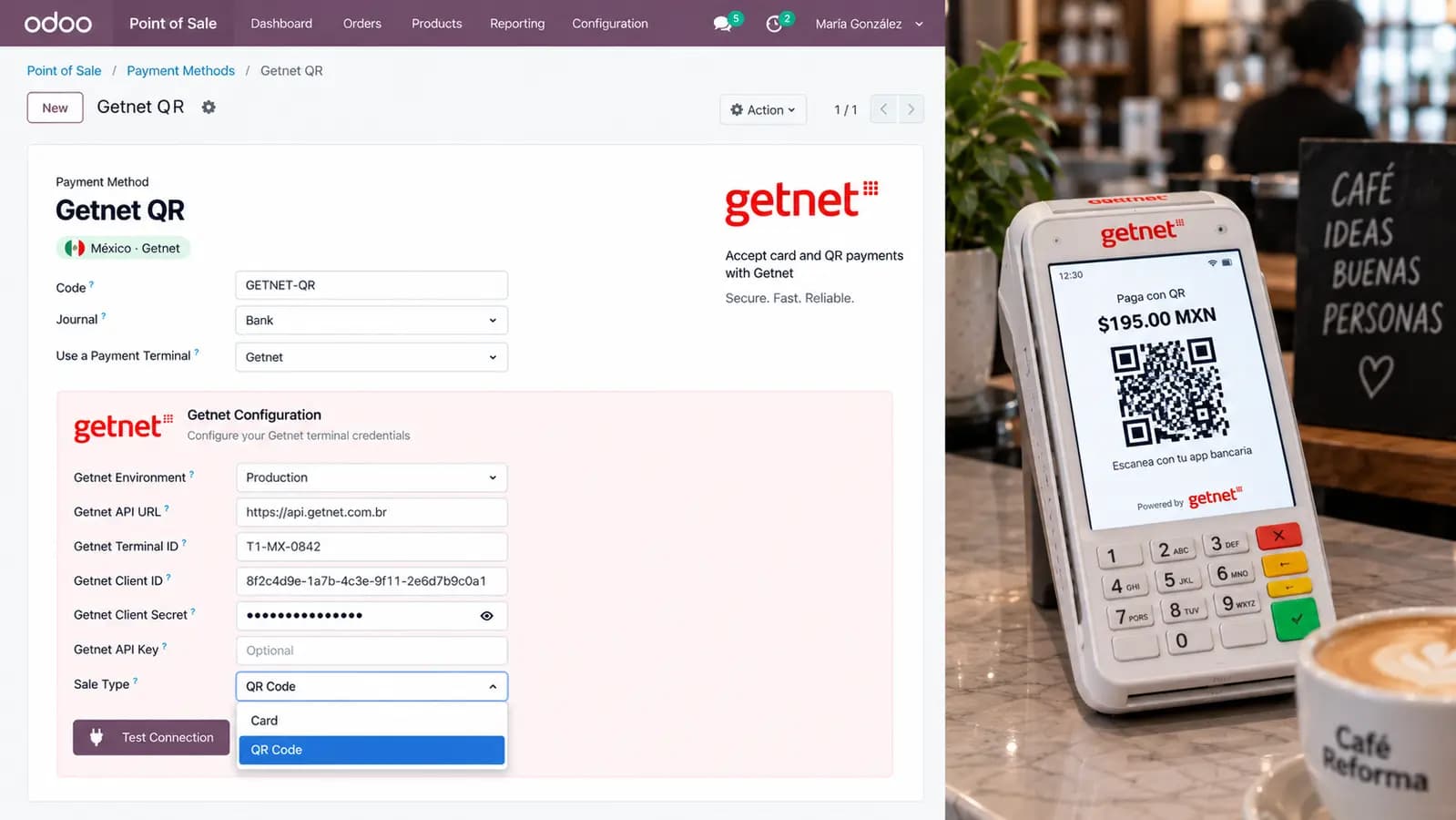
Take cards on Getnet without a store sidecar
One Odoo 19 module. The amount leaves the POS, Getnet rings the terminal, and the receipt prints the authorization.
Other TraceNcode Apps
Explore more solutions developed by us to enhance your Odoo experience!