Pre-Order &Sales Limiter
Run controlled pre-order campaigns on Odoo 19 eCommerce — campaign windows, live quantity caps, dynamic Pre-Order CTA, checkout guards, mixed-cart handling, bulk wizard, and invoice audit trail.
Supported: Odoo 19.0 · Community & Enterprise · Website, eCommerce, Sales, Stock & Accounting
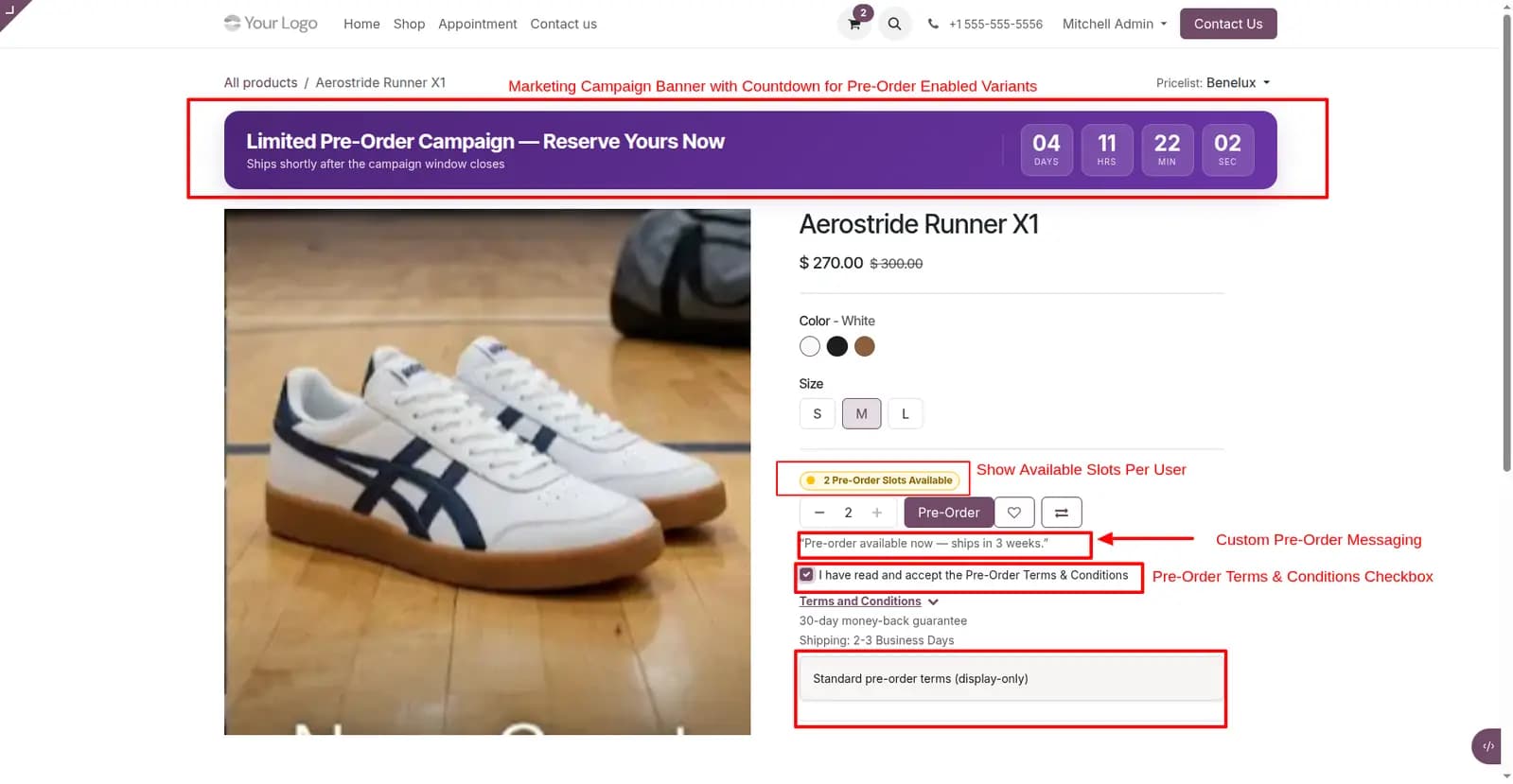
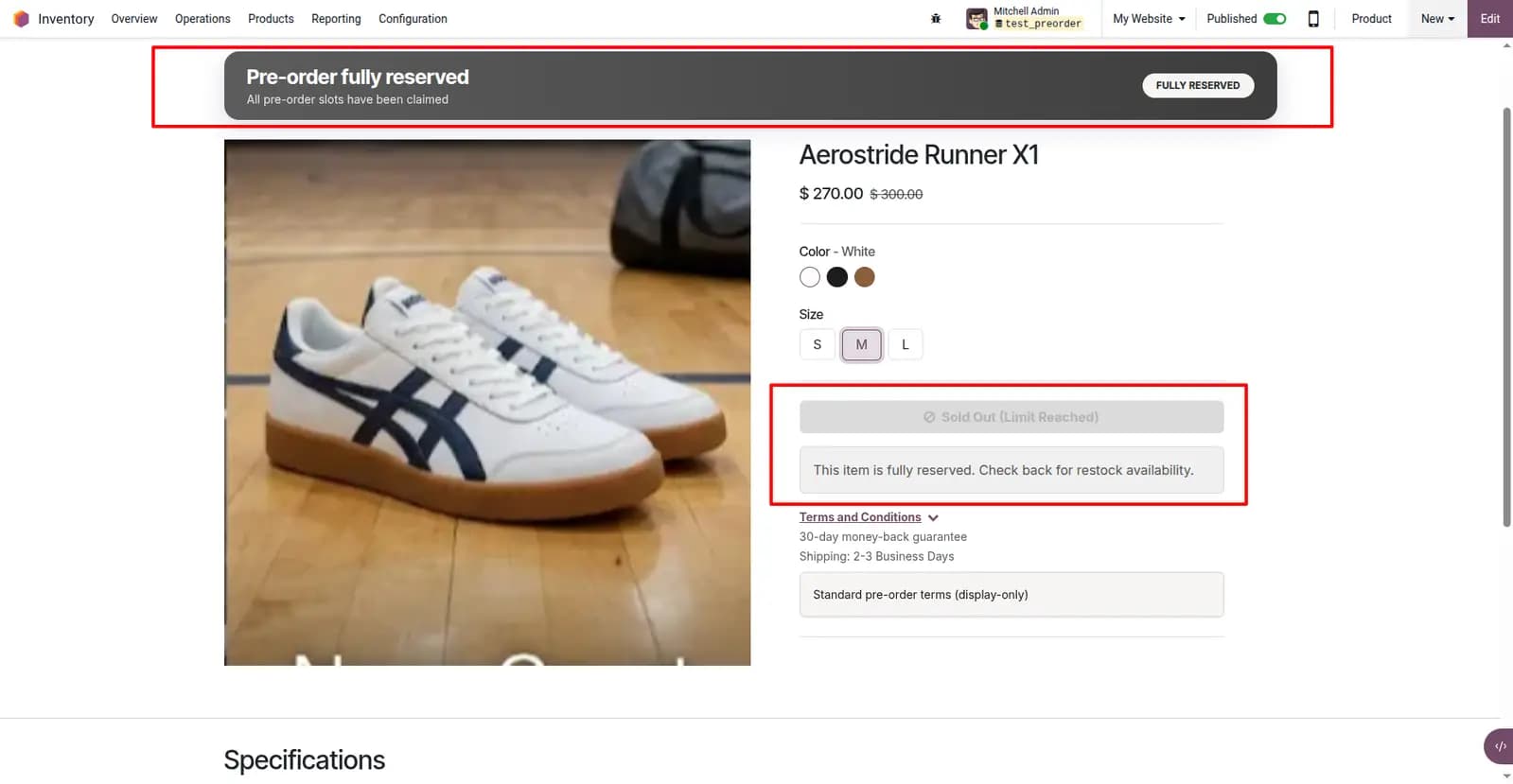
Limited Pre-Order Campaign — Reserve Yours Now
Ships shortly after the campaign window closes
Aerostride Runner X1
Color
Size
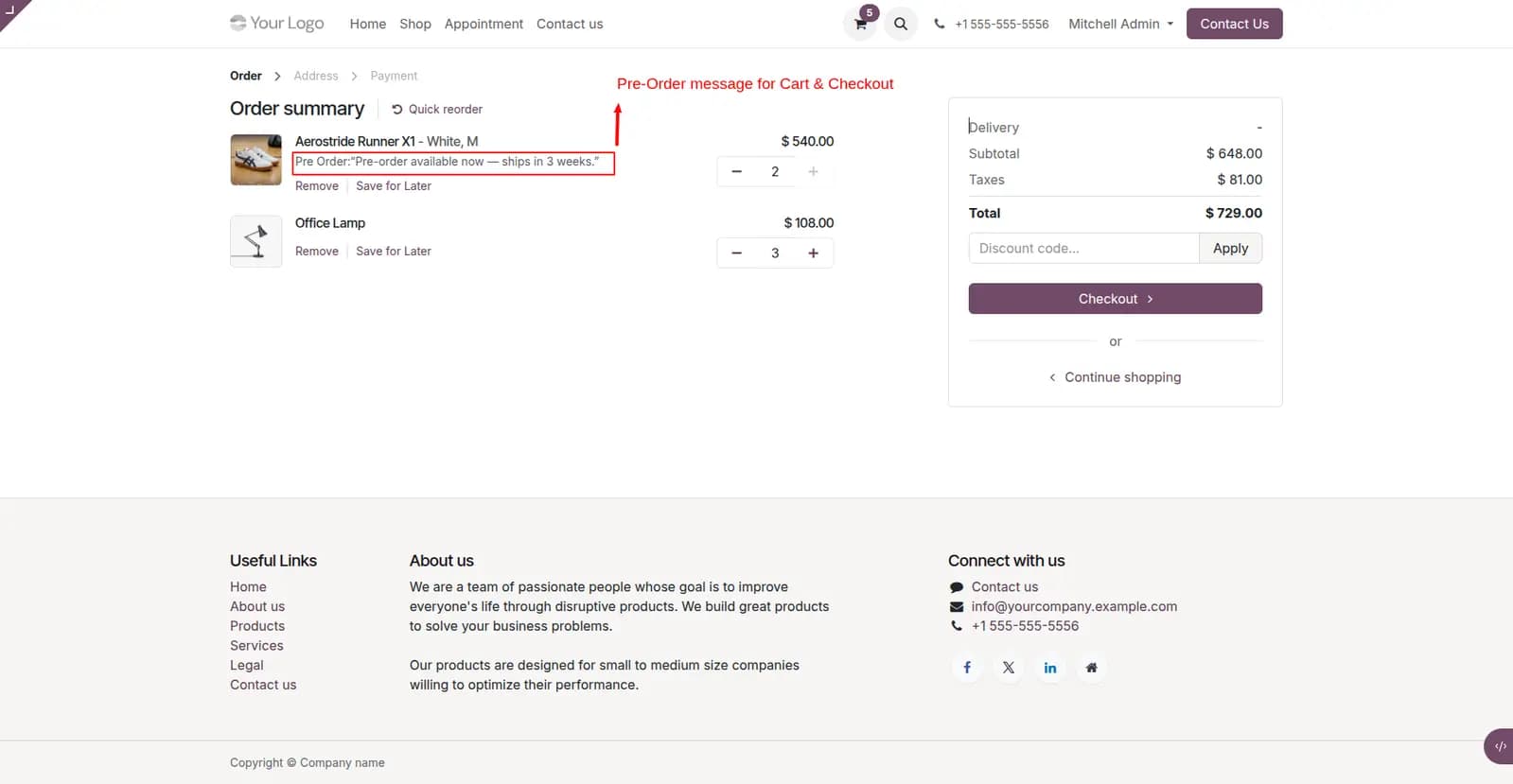
Pre-order available now — ships in 3 weeks.
30-day money-back guarantee
Shipping: 2-3 Business Days
Problems We Fix
Sell ahead of stock with enforceable limits — not surprises at fulfillment time.
Honor-system pre-orders oversell inventory
Without hard caps, customers can pre-order more units than you can fulfill — especially during product launches.
Manual Continue Selling setup is error-prone
Teams forget to toggle out-of-stock selling on and off when campaigns open and close, leading to inconsistent storefront behavior.
Warehouse and accounting lose pre-order context
Mixed carts and missing audit trails make it hard for ops and finance to distinguish pre-order lines from regular sales.
How It Works
From campaign setup to checkout guard to warehouse flags — fully automated on Odoo 19.
Set campaign window
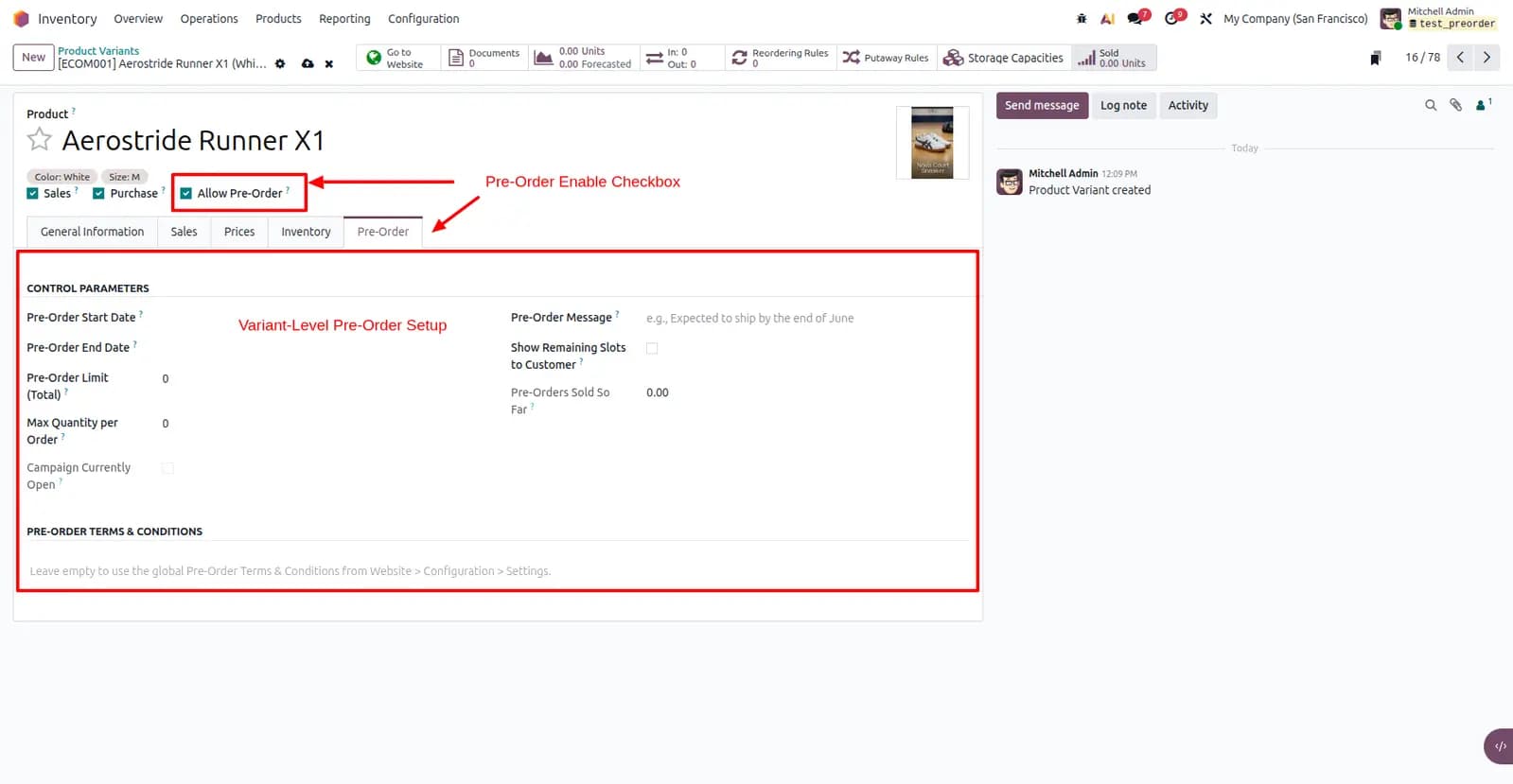
Enable pre-order per variant with start/end dates, total allocation, and per-customer limits.
Storefront switches automatically
When stock hits zero inside the window, Add to Cart becomes Pre-Order with countdown and slot display.
Checkout guards enforce limits
Server-side validation on cart edits and order confirmation prevents overselling.
Fulfillment stays in sync
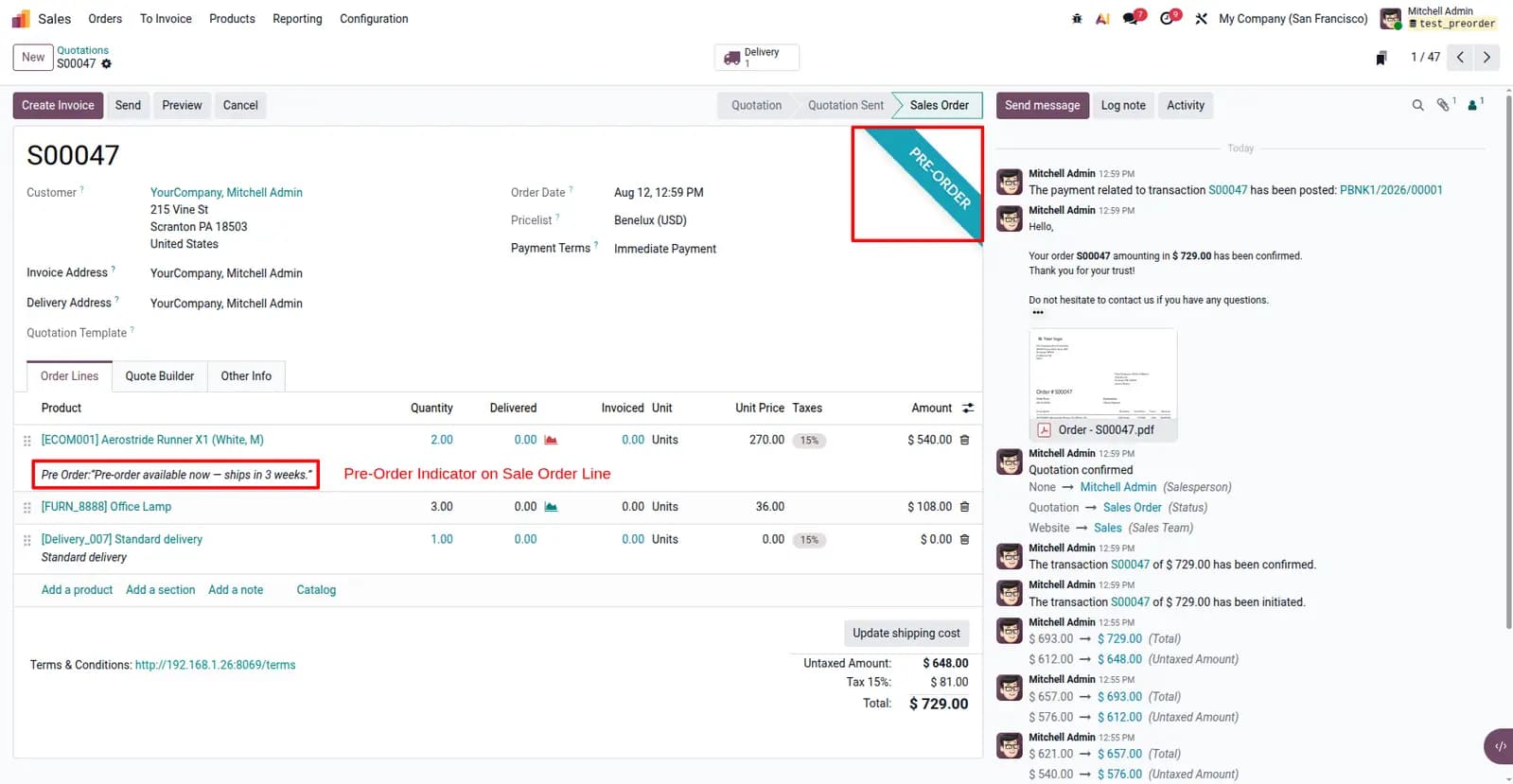
Pre-order orders are flagged for warehouse staff; notes flow through to invoices and PDFs.
What This Module Delivers
Variant-level pre-order control built for launches, limited drops, and made-to-order sales.
Auto-sync Continue Selling when a pre-order campaign opens
Dynamic Add to Cart → Pre-Order CTA when stock hits zero
Campaign countdown banner with start and end dates
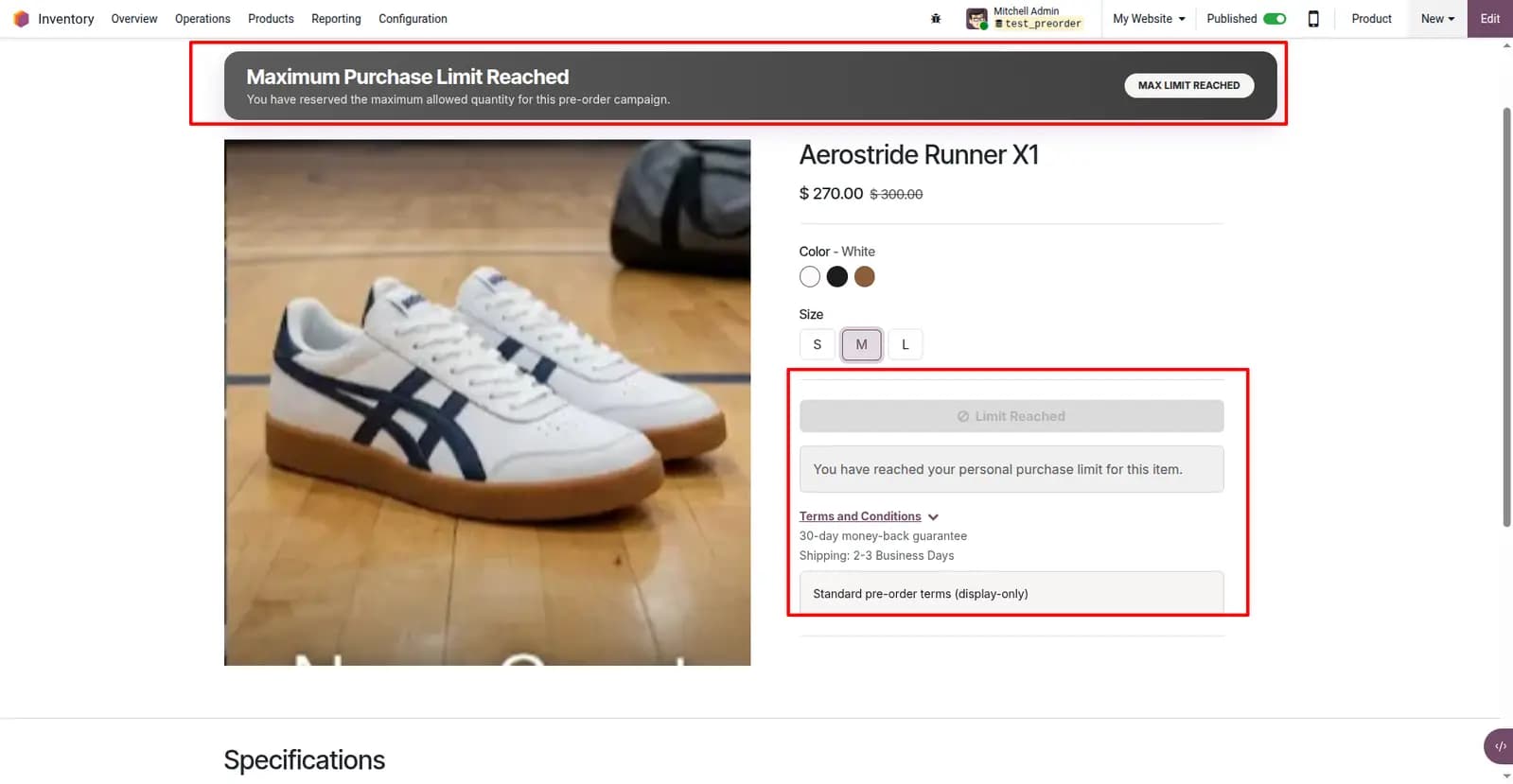
Global and per-customer quantity caps with live slot display
Double-gate checkout guard at cart and order confirmation
Mixed-cart handling with warehouse pre-order flags
Audit trail through sales orders, invoices, and PDFs
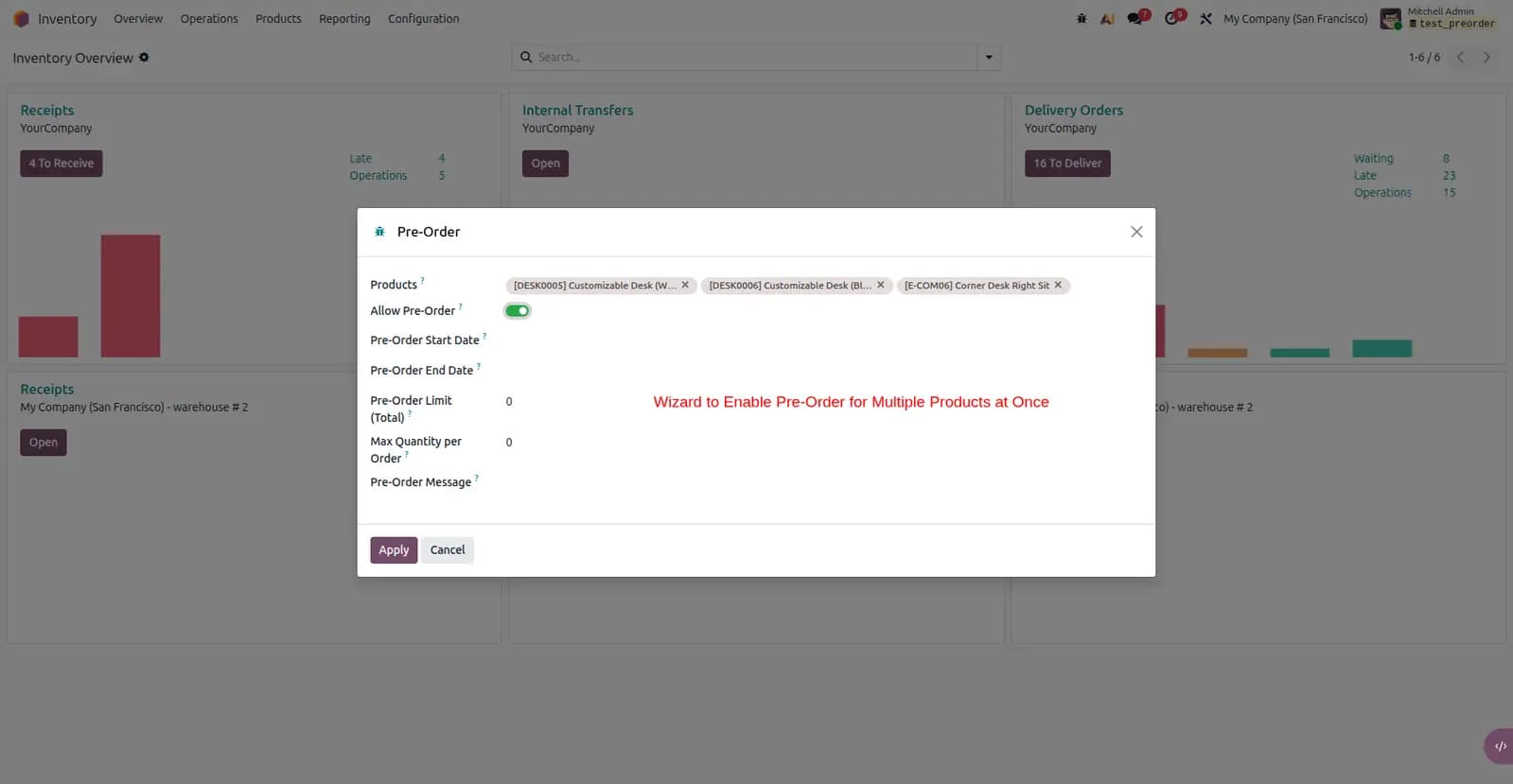
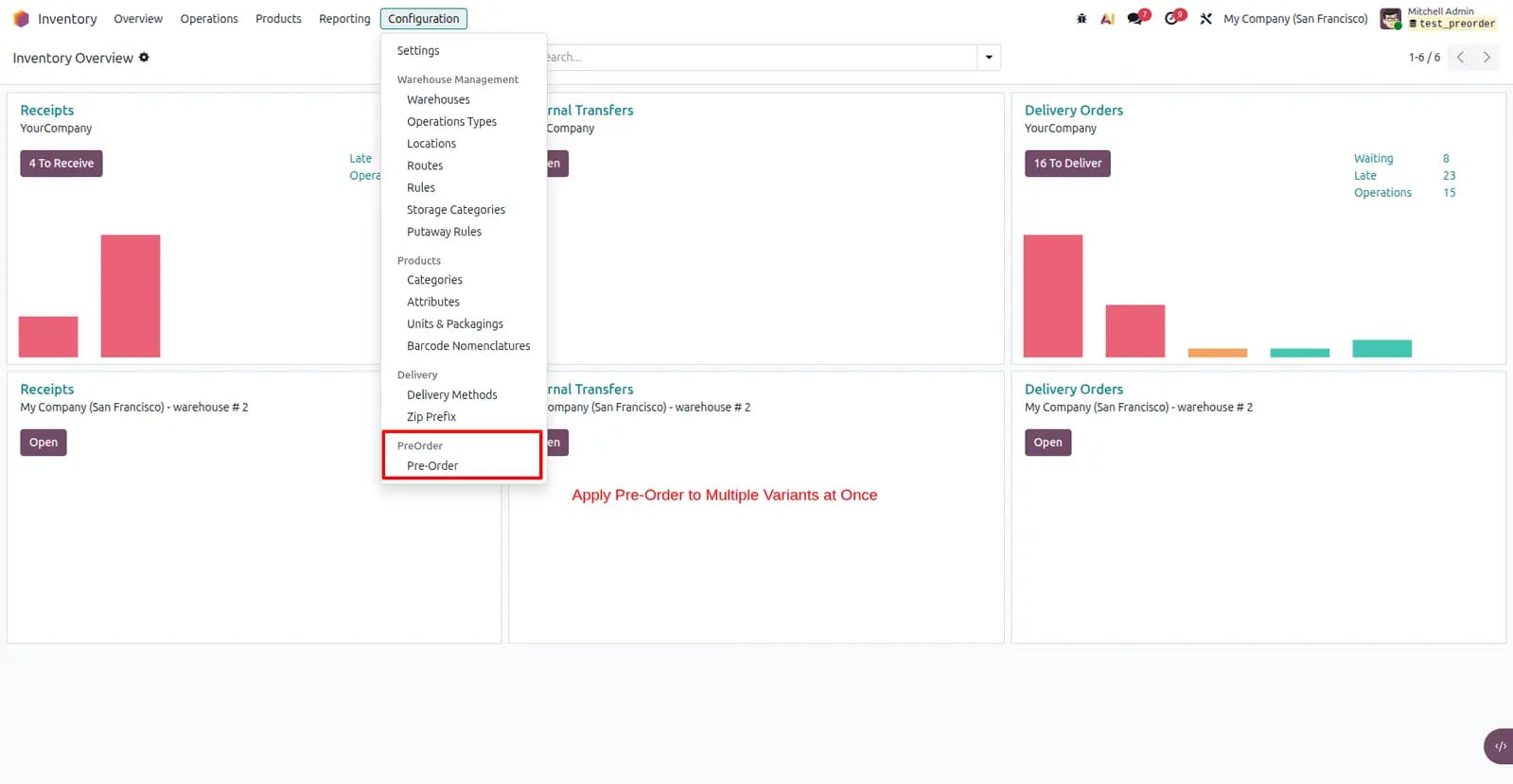
Bulk Pre-Order Wizard for many variants at once
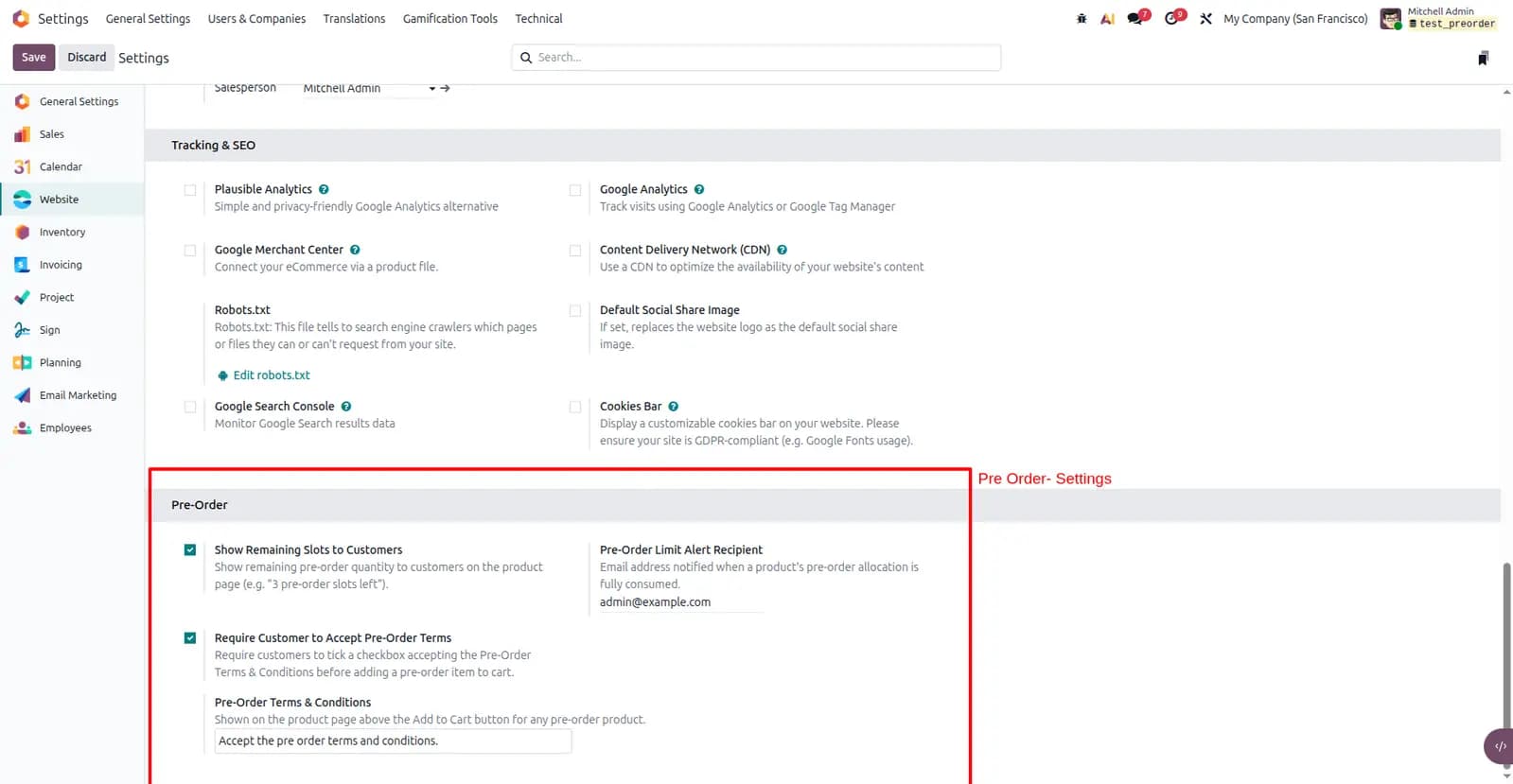
Optional terms & conditions gate before add-to-cart
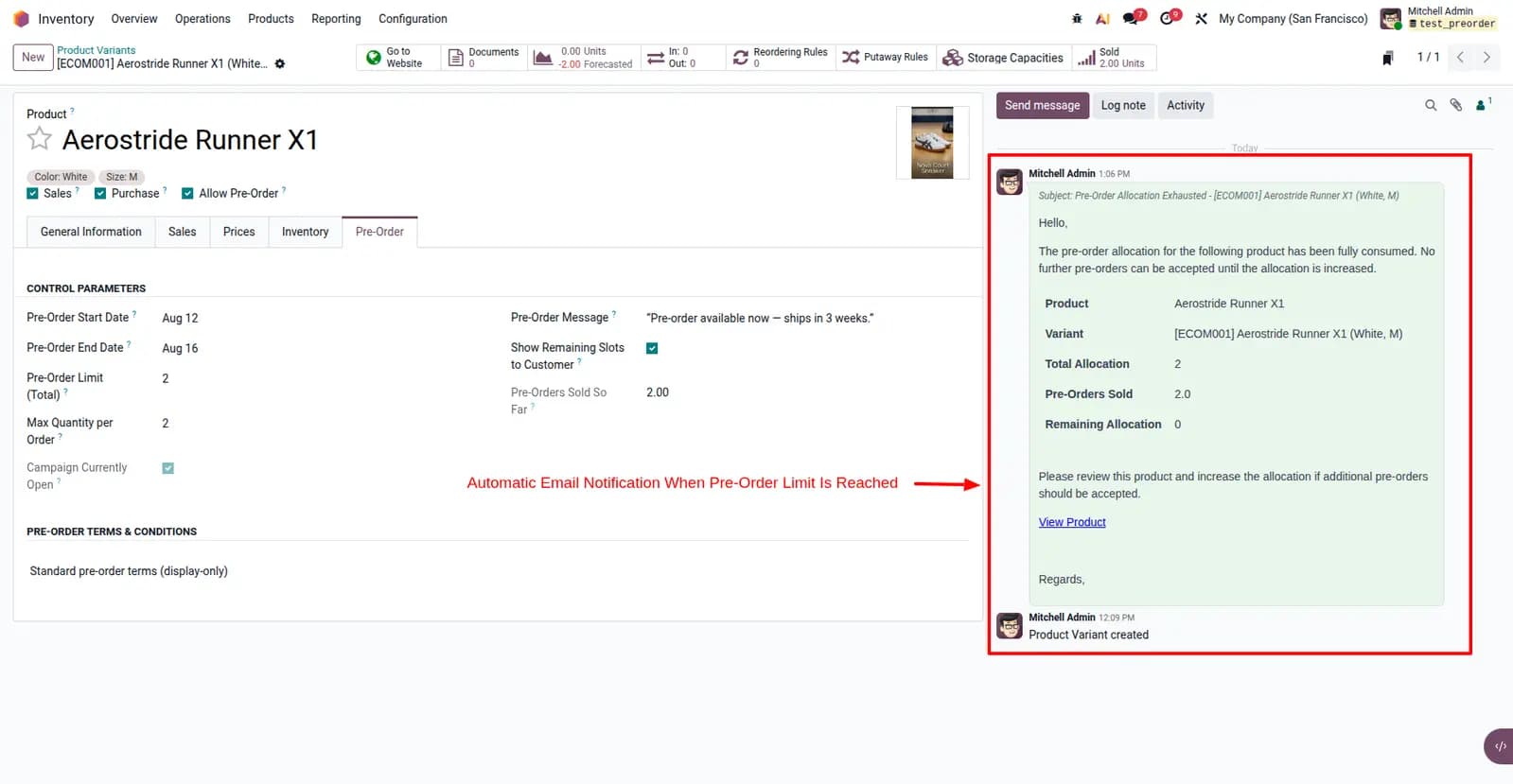
Admin sold-out email alert when allocation is consumed
Screenshots
Screenshots from Odoo 19 — variant setup, storefront campaign UI, cart limits, sale orders, and sold-out alerts.
Run controlled pre-order campaigns on Odoo eCommerce
Launch pre-orders with countdown timers, live slot tracking, and server-side caps your team can trust.
Other TraceNcode Apps
Explore more solutions developed by us to enhance your Odoo experience!