Multi-CurrencyReporting for Odoo
Keep your books in company currency and freeze amounts in up to five reporting currencies at posting. Exact document amounts when a transaction is already in a reporting currency, optional manual bank rates, rounding that ties out every entry, residual amounts that follow reconciliation, and native Journal Items columns plus invoice PDF totals.
Supported: Odoo 19.0 · Community & Enterprise · Accounting
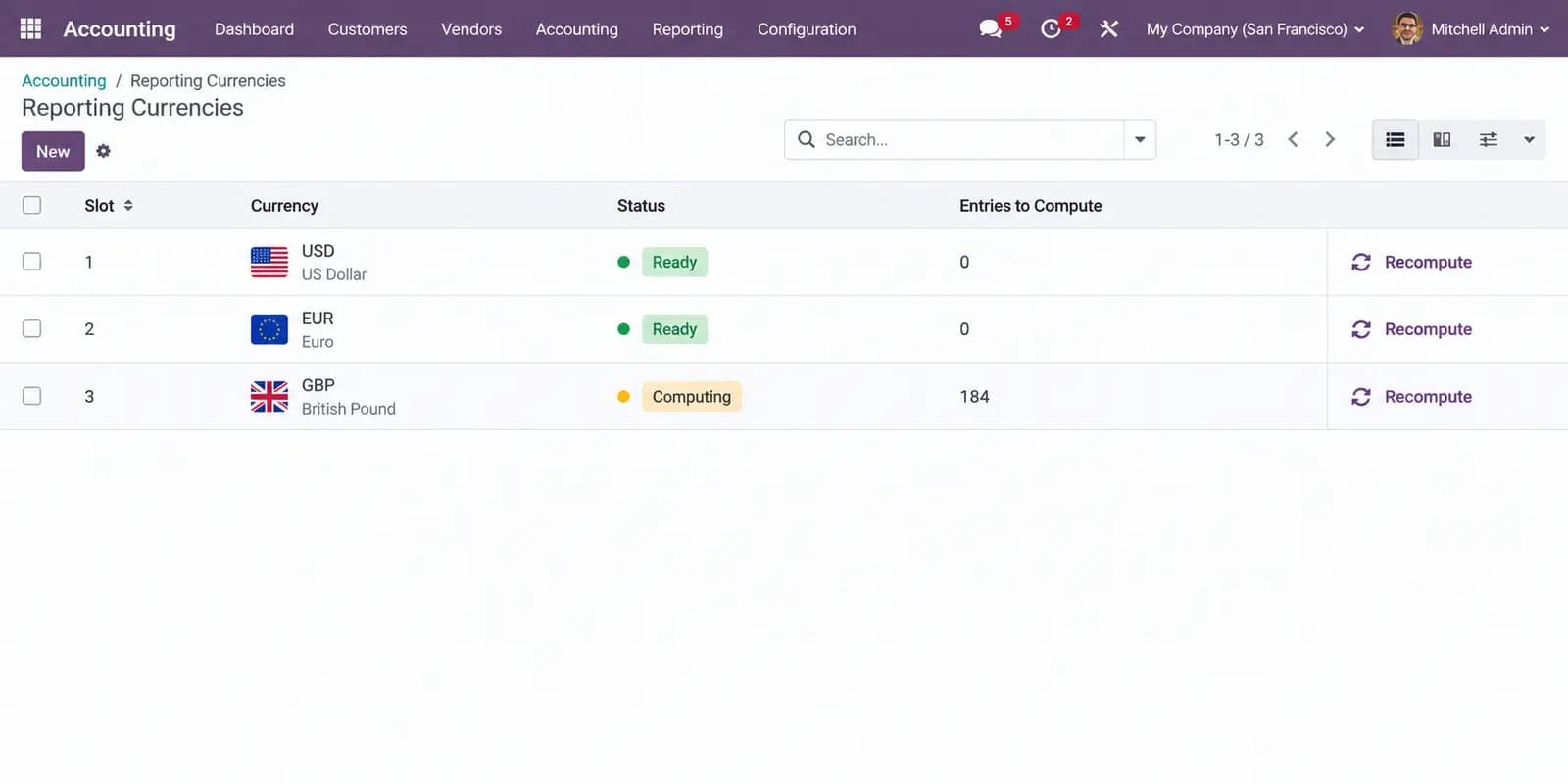
Reporting Currencies
2/5 slotsEnable or archive a currency — its column appears or leaves the report.
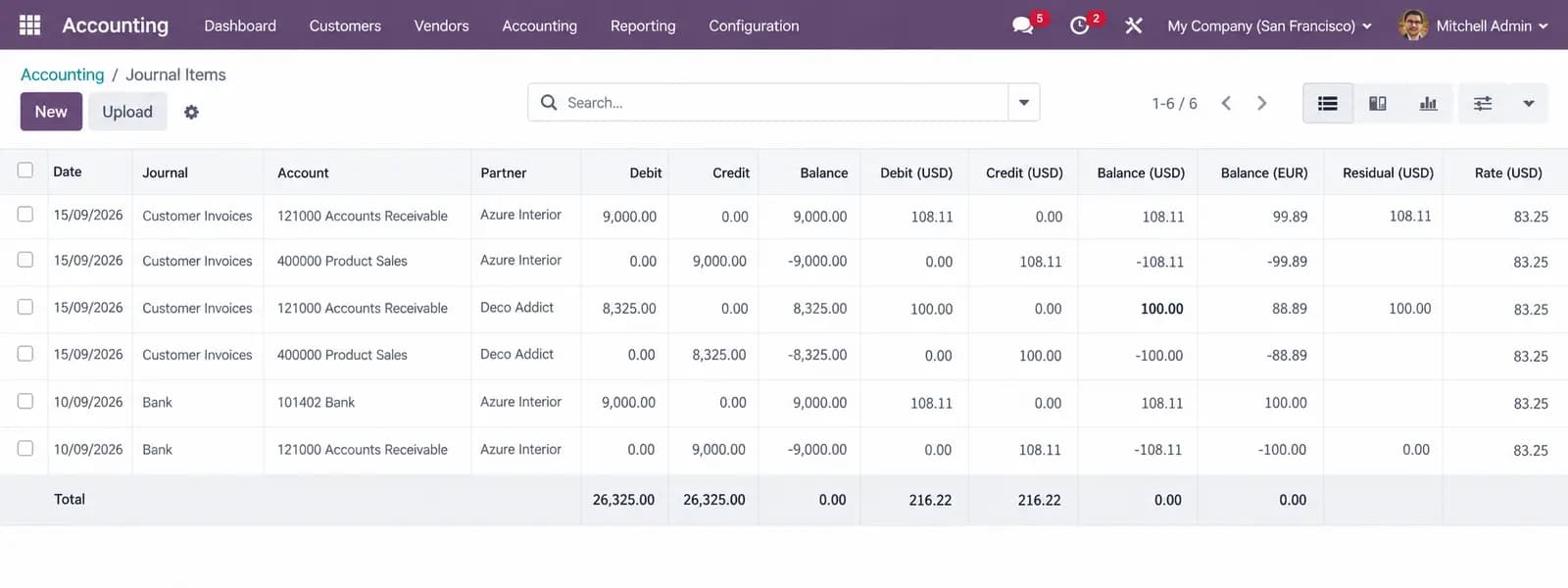
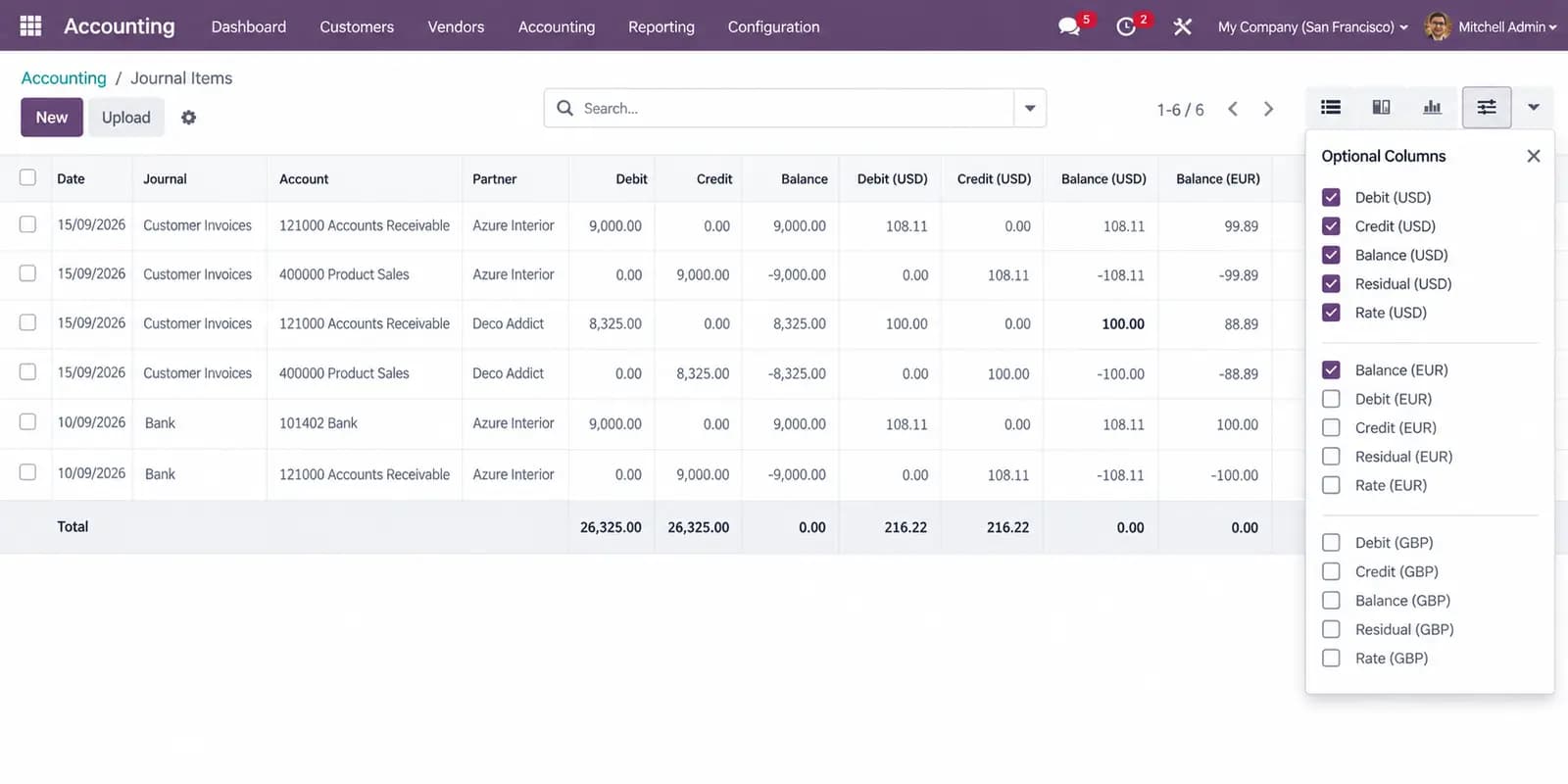
Journal Items
Columns: INR · USD · EUR| Account | INR | USD | EUR |
|---|---|---|---|
400000 Product Sales INR invoice | 9,000.00 | 112.50 | 100.00 |
400000 Product Sales USD invoice — exact | 8,000.00 | 100.00 | 88.89 |
400000 Product Sales Manual USD rate | 9,000.00 | 109.76 | 100.00 |
2 reporting columns on this list, pivot and PDF.
Problems We Fix
Keep a second (or fifth) set of books in Odoo — at the rate that applied on the day, not today.
Books live in one currency only
Odoo stores company currency plus the document currency. Parent reporting, investor USD, or group EUR still means exporting to a spreadsheet.
Historical amounts drift when rates move
Recalculating old invoices at today’s rate rewrites the past. Boards and auditors need the rate that applied on the transaction date, frozen.
Foreign-currency invoices reconvert with noise
A USD invoice should show its real USD totals in the USD column — not a second conversion that is a few cents off.
How it works
Configure once. Every posted journal item stores reporting amounts automatically.
Enable and pick up to 5 currencies
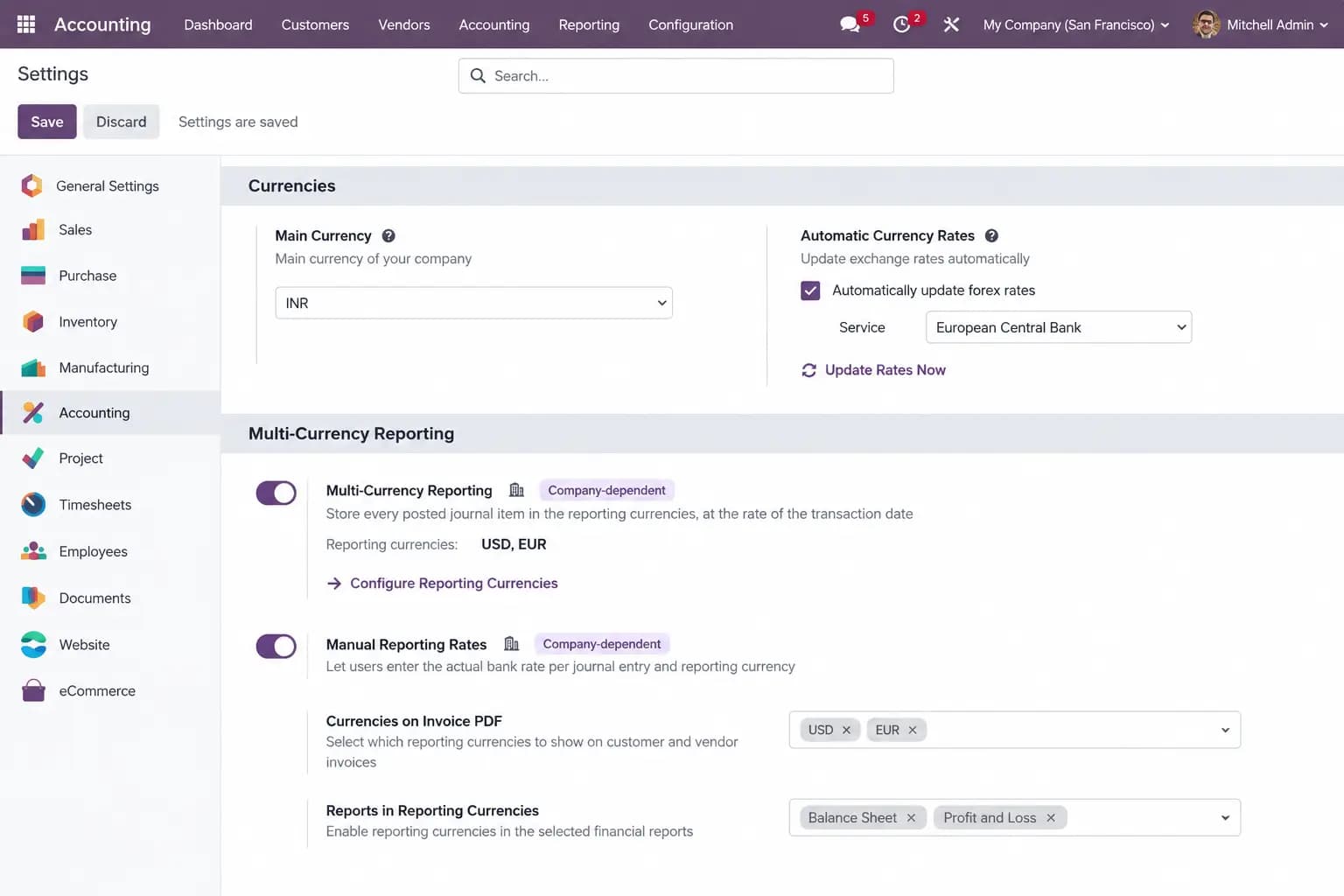
Turn on Multi-Currency Reporting in Accounting settings, then assign USD, EUR, or any active currency to slots 1–5. Enablement is per company.
Post as usual
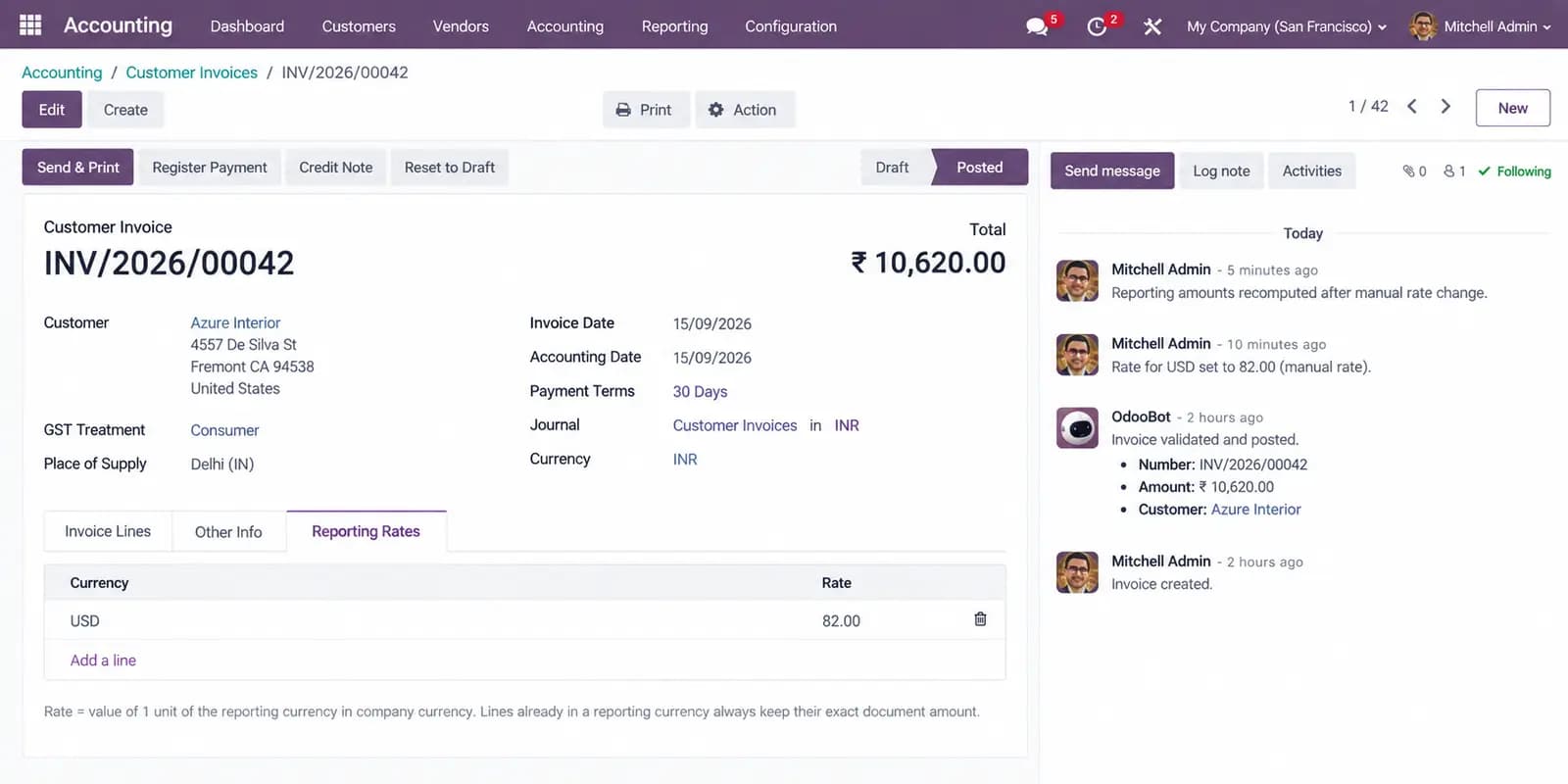
Amounts are stored automatically when an entry is posted, using the accounting-date rate — or a manual bank rate if you enter one.
Analyse in native Odoo screens
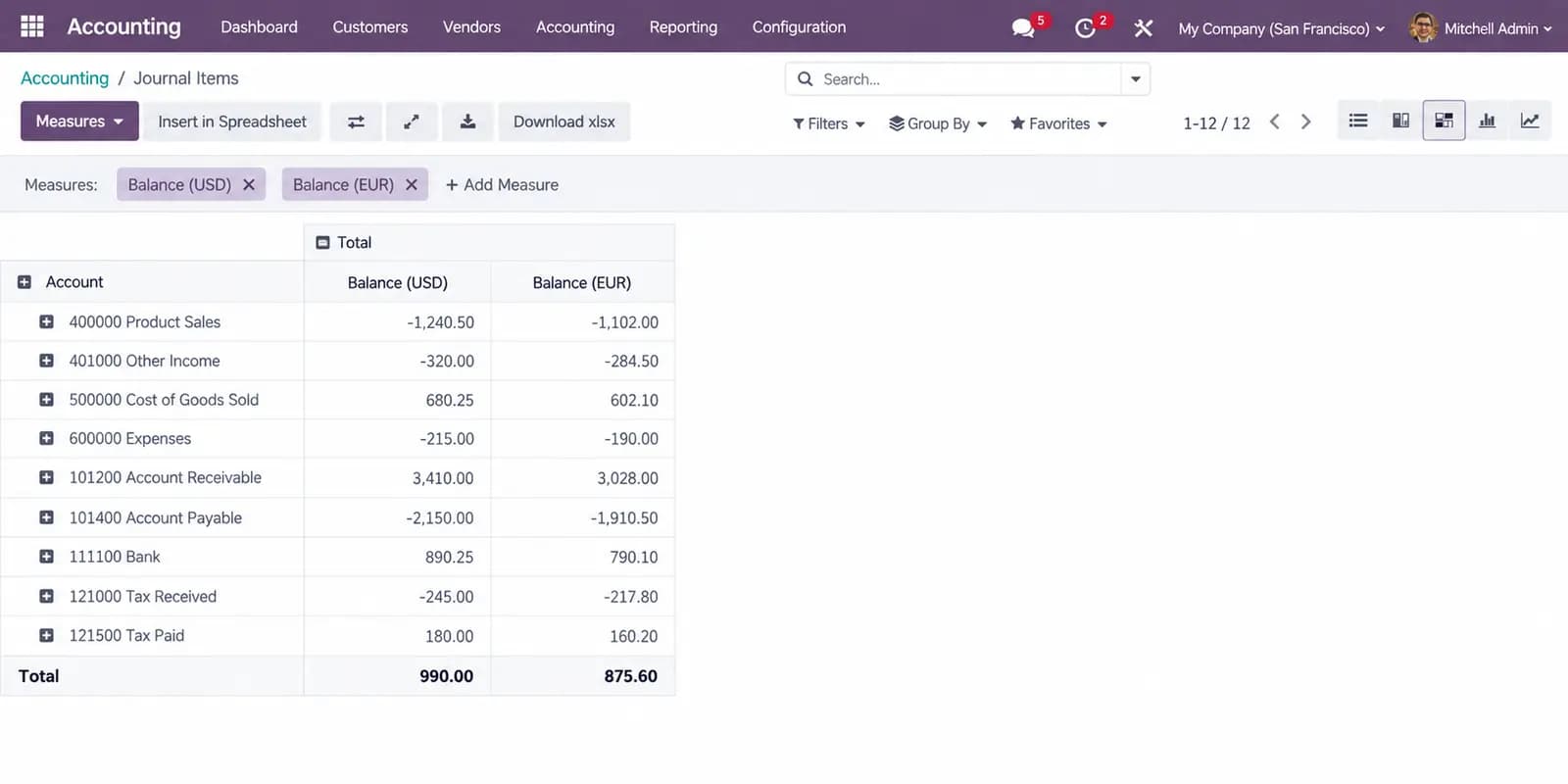
Show Debit, Credit, Balance, Residual and Rate columns on Journal Items. Pivot and graph by account or partner. Print PDF totals on invoices and bills.
Four conversion rules
For each journal item and each reporting currency, the first matching rule wins. Rounding differences go to the largest converted line so every entry — and every trial balance — sums to zero in every currency.
Company currency
If the reporting currency is the company currency, the company amount is stored unchanged.
Exact document amount
If the line is already in that reporting currency, the real document amount is kept — no reconversion drift.
Manual rate
If the entry has a bank rate for that currency, company amount is divided by that rate.
Daily rate
Otherwise convert at Odoo’s rate for the accounting date. Later rate edits do not change posted figures.
What This Module Delivers
Native Accounting screens — not a parallel reporting database. Technical name tnc_account_multi_currency_reporting.
Up to 5 database-wide reporting currency slots, shared across companies
Converted at the accounting date and frozen at posting — later rate edits do not rewrite history
Exact document amounts when the transaction is already in a reporting currency
Optional manual rate per journal entry and currency (the bank's actual rate)
Rounding differences absorbed so every entry balances in every currency
Residual (open) amounts per currency, kept in sync with reconciliation
Journal Items list, pivot and graph columns labelled with the currency code
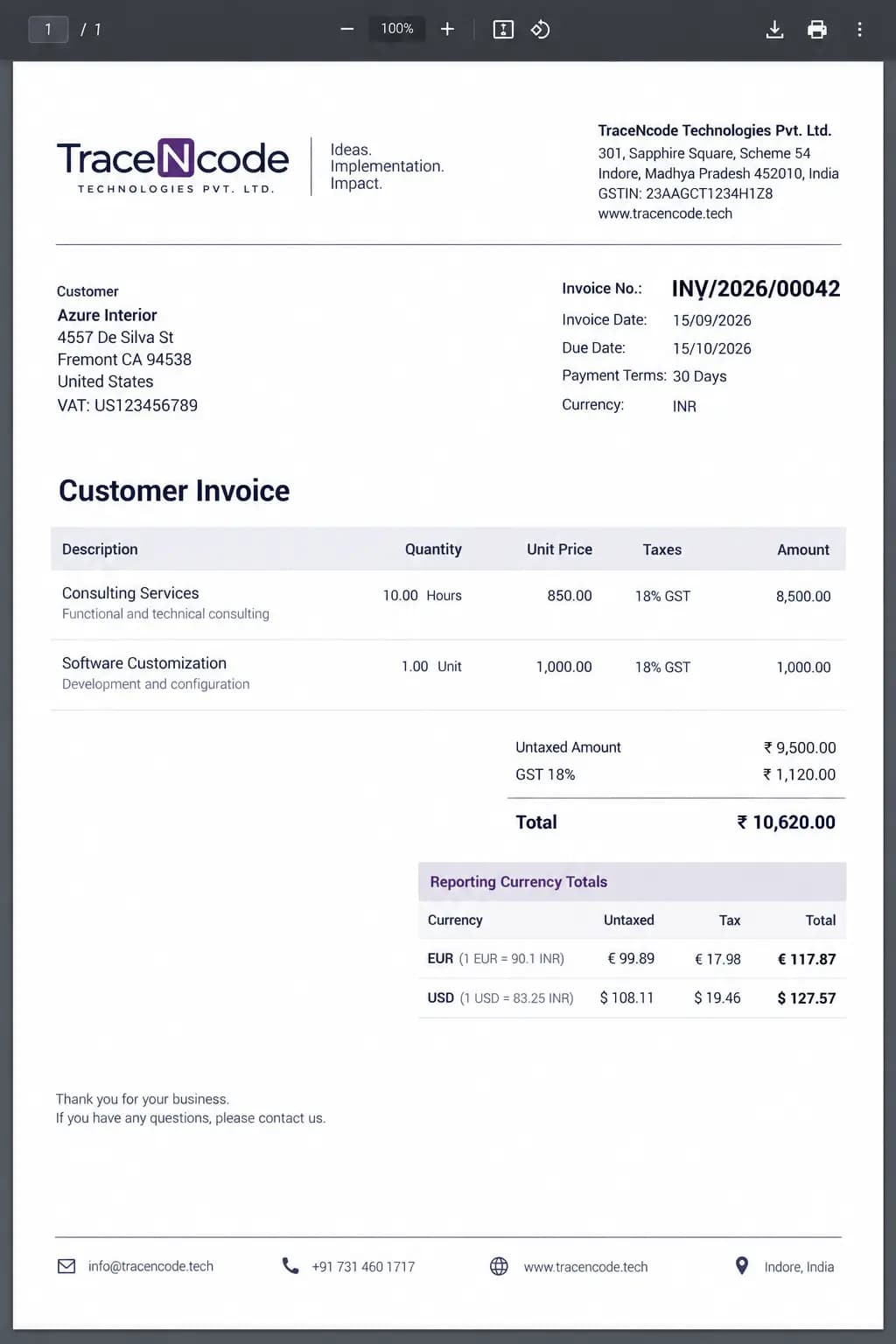
Untaxed, tax and total printed on invoice and bill PDFs
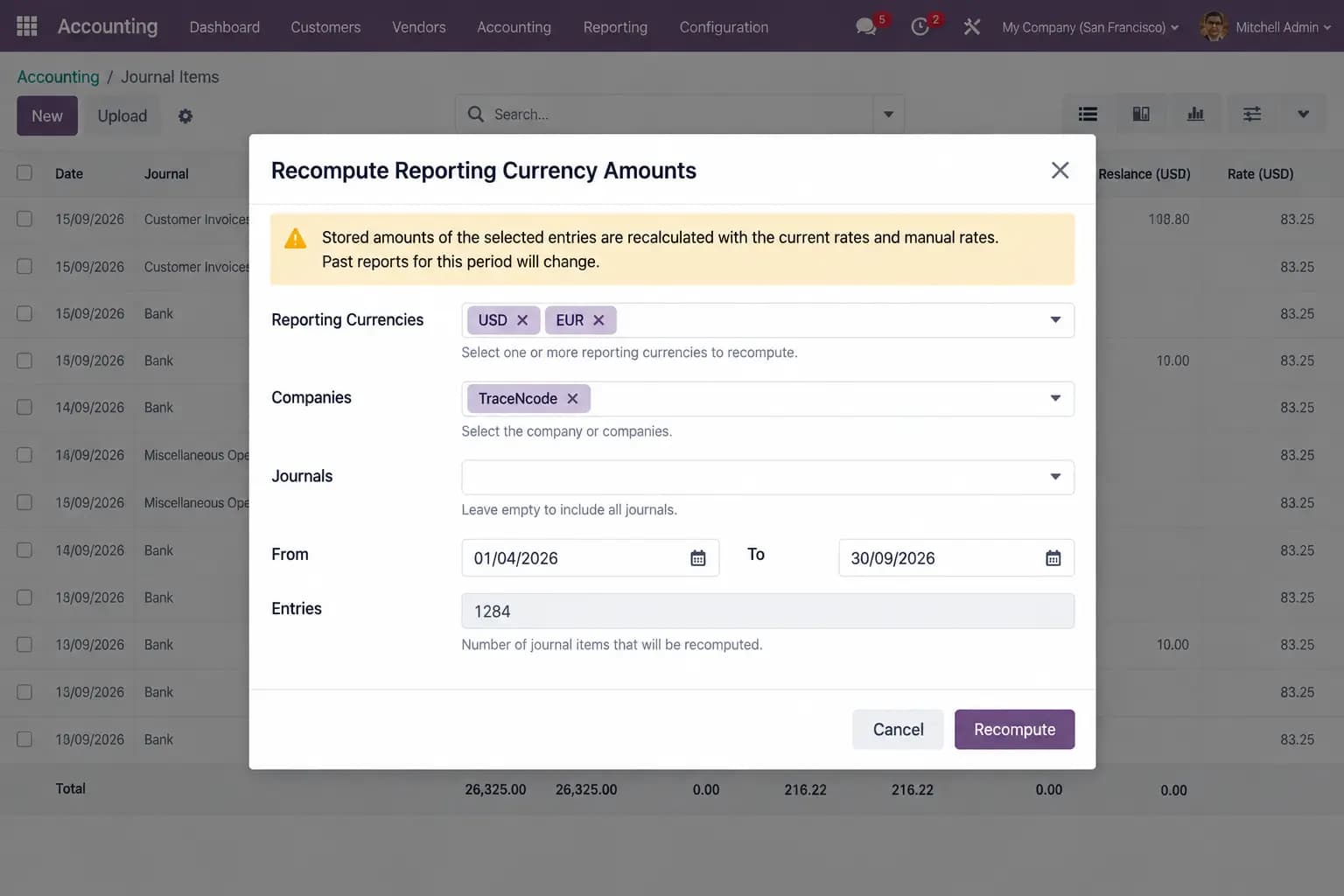
Background recomputation when you add a currency or correct past rates
Per-company enablement, PDF currency selection, and access for Billing users
Daily use stays inside Accounting
- Optional Journal Items columns: Debit, Credit, Balance, Residual and Rate per currency.
- Invoice and bill PDFs print untaxed, tax and total for the currencies you select.
- Add a currency later and a background job backfills posted entries. Recompute wizard for corrected rates.
Current scope
Balance Sheet, P&L and other Enterprise financial reports do not show reporting-currency columns yet — use the Journal Items pivot grouped by account or partner in the meantime. Closing-rate and average-rate translation are not included; all amounts use the historical (transaction-date) method.
Screenshots
Odoo 19 Accounting: enable reporting currencies, Journal Items columns, pivot measures, invoice rates, PDF totals, and recompute.
Report in USD, EUR and more — without leaving Odoo
Up to five reporting currencies, frozen at posting, visible on Journal Items and invoice PDFs.
Other TraceNcode Apps
Explore more solutions developed by us to enhance your Odoo experience!