Product Demand Heatmap & Inventory Insights
Real-time demand heatmap, anomaly detection, and replenishment suggestions.
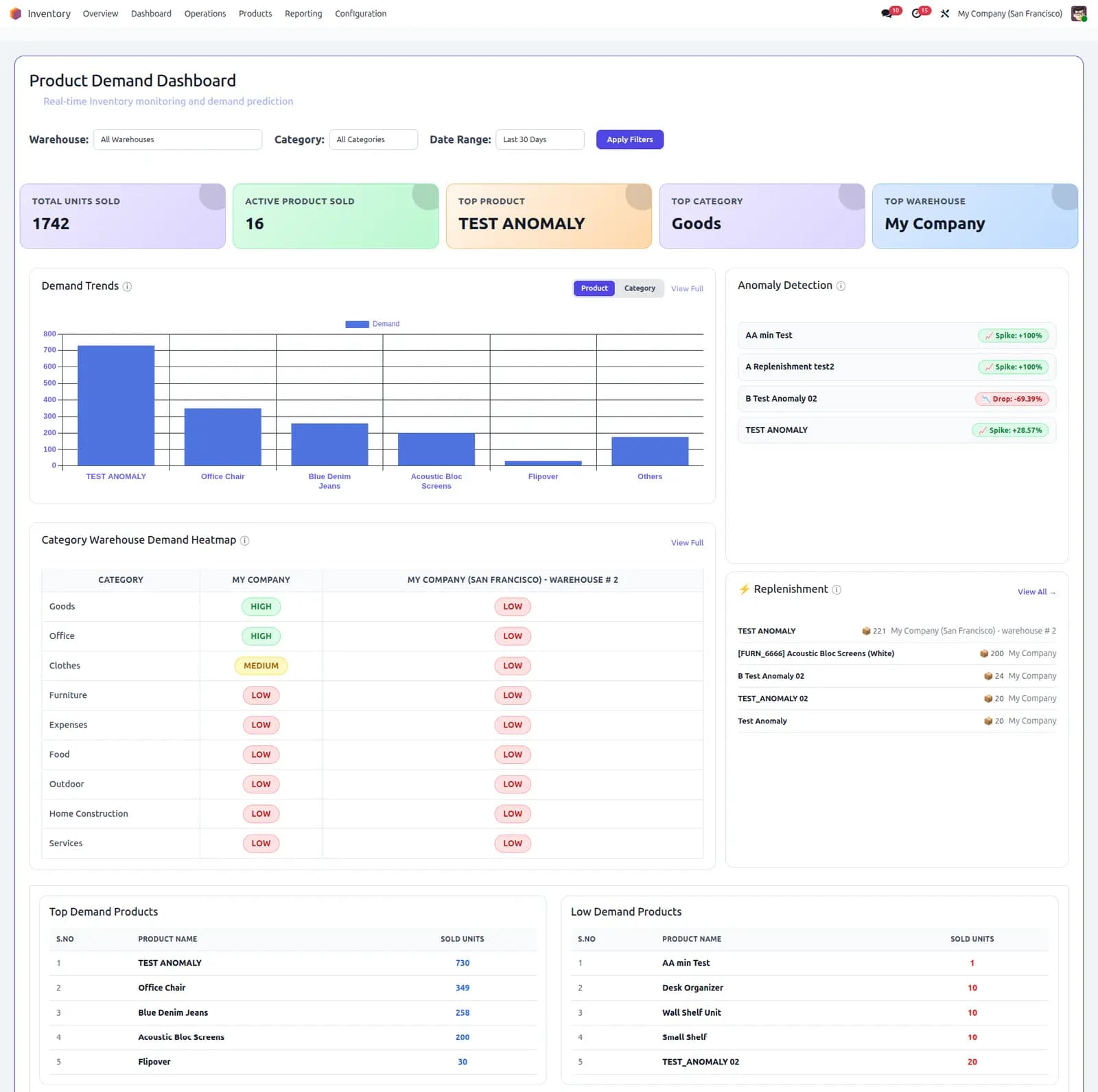
Unified demand dashboard across sales, POS, and stock — heatmap by category and warehouse, spike/drop alerts, and actionable replenishment with bulk PO creation.
See demand, not just stock. Combine sales orders, POS transactions, and warehouse data in one dashboard — spot spikes, drops, and replenishment needs before they become stockouts.
Supported: Odoo 19.0 · Community & Enterprise · Inventory, Sales & Point of Sale
Units sold
12.4k
SKUs active
842
Anomalies
7
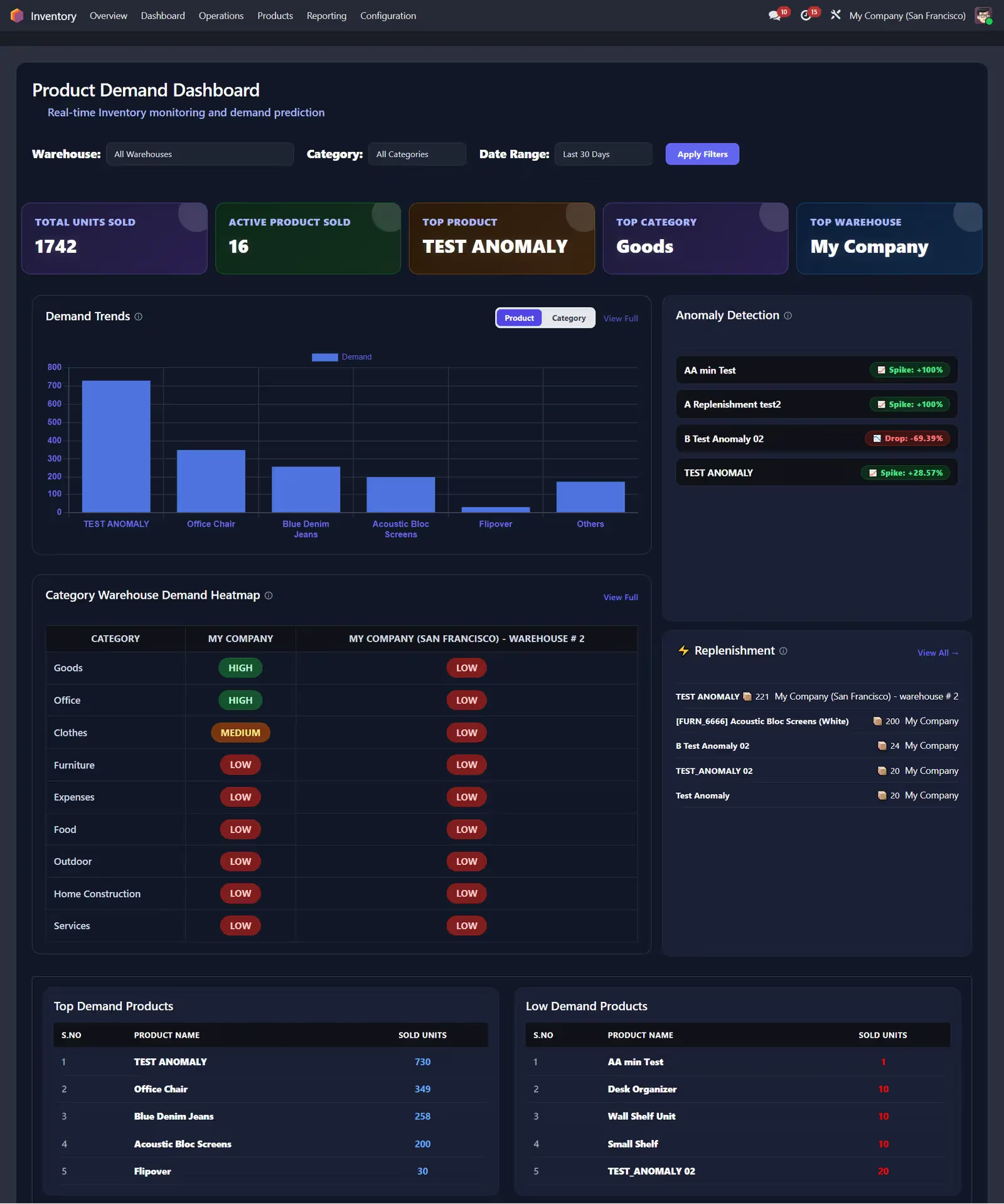
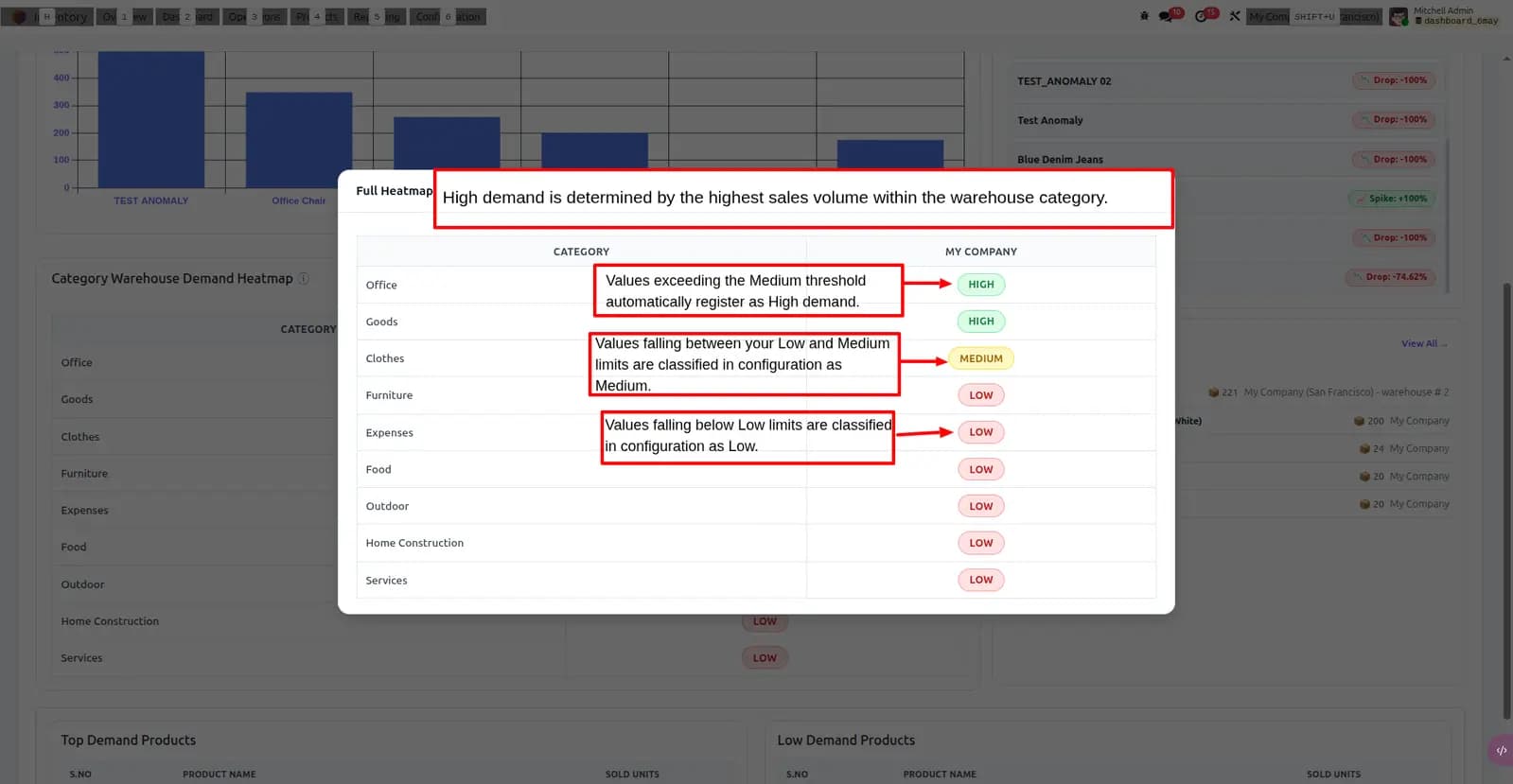
Category × warehouse heatmap
| WH-N | WH-S | WH-E | WH-W | |
|---|---|---|---|---|
| Electronics | H | M | L | M |
| Apparel | M | H | H | L |
| Grocery | L | M | M | H |
| Home | M | L | H | M |
Problems We Fix
Standard Odoo reports show stock levels — not where demand is heating up or fading across channels
Siloed sales and POS data
Warehouse teams cannot see combined demand from e-commerce, sales orders, and shop-floor POS in one place.
Late replenishment decisions
Without anomaly alerts, buyers react after stockouts instead of when demand spikes or drops unexpectedly.
Spreadsheet-heavy planning
Category and warehouse demand patterns stay buried in exports instead of a live, filterable heatmap.
What This Module Delivers
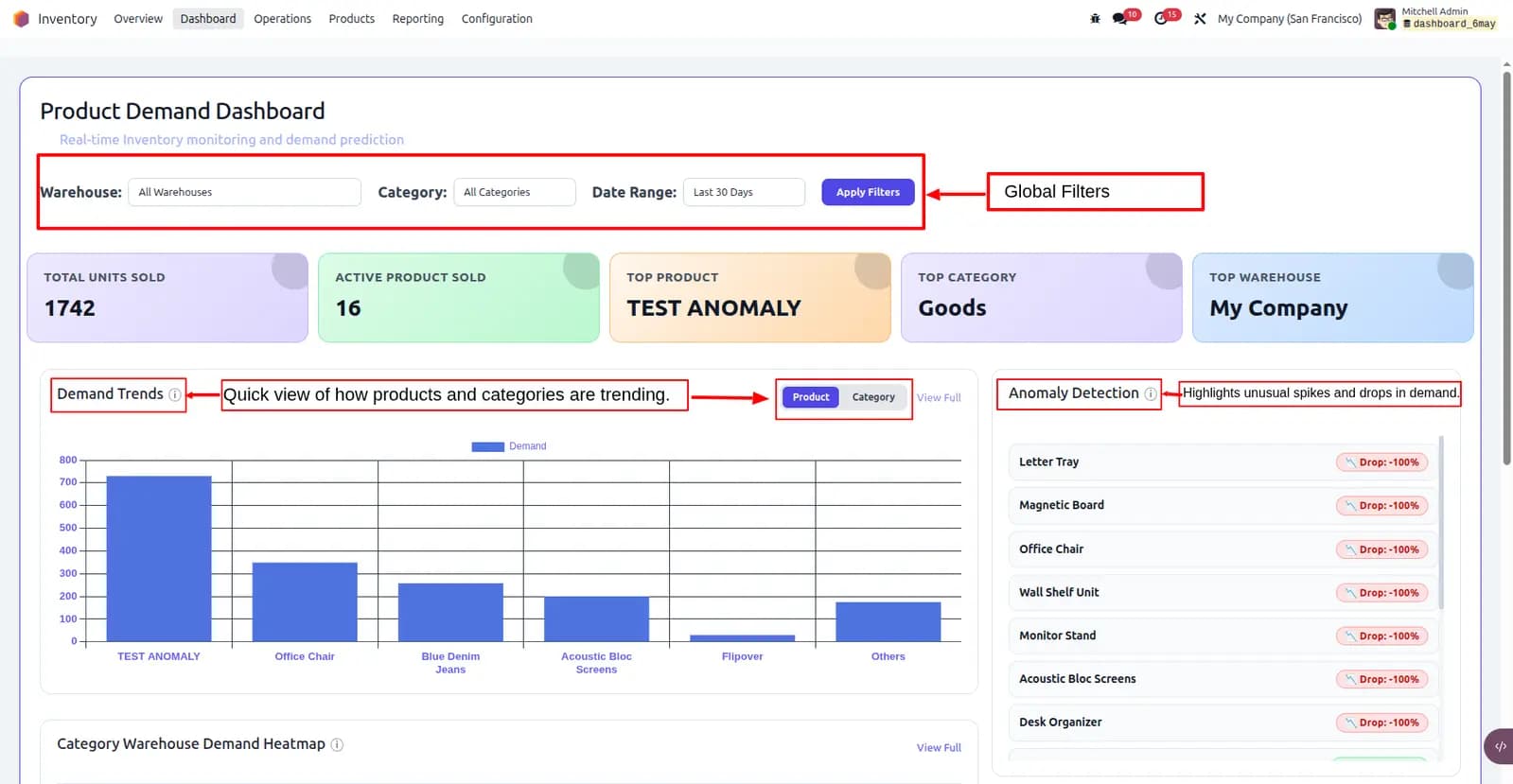
Real-Time Demand KPI Dashboard
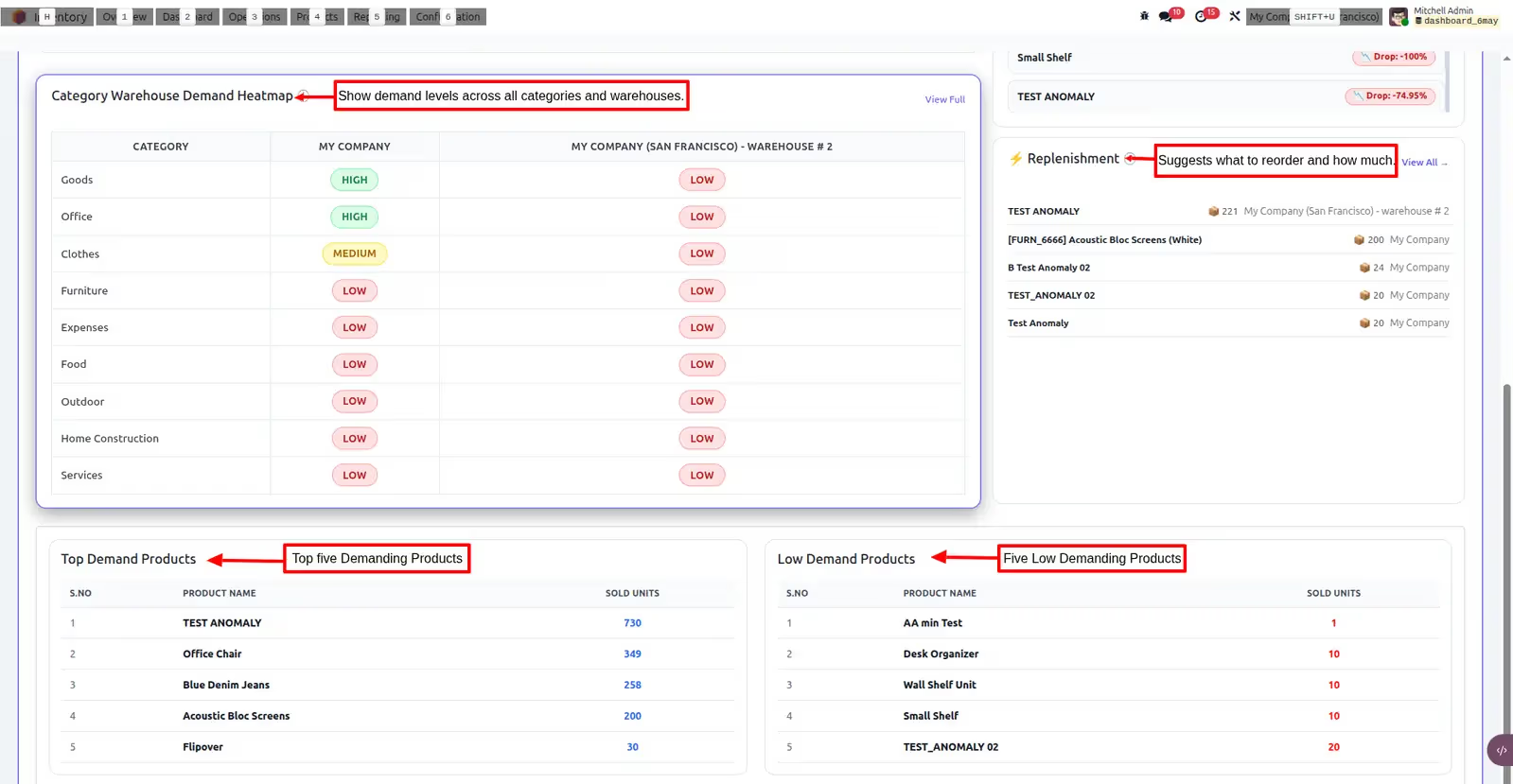
Category × Warehouse Heatmap
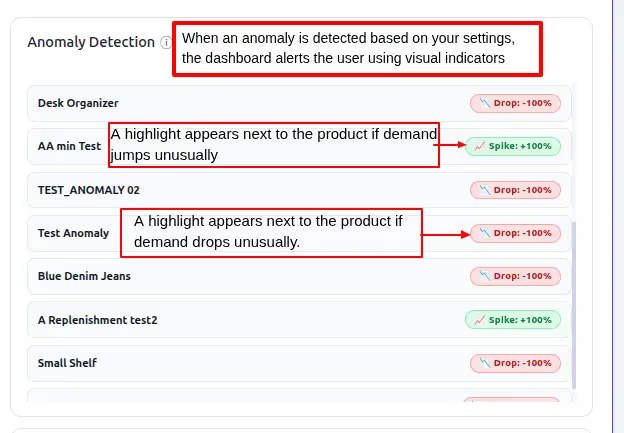
Anomaly Spike & Drop Detection
Replenishment Suggestions
Bulk Purchase Order Creation
Sales, POS & Stock Combined View
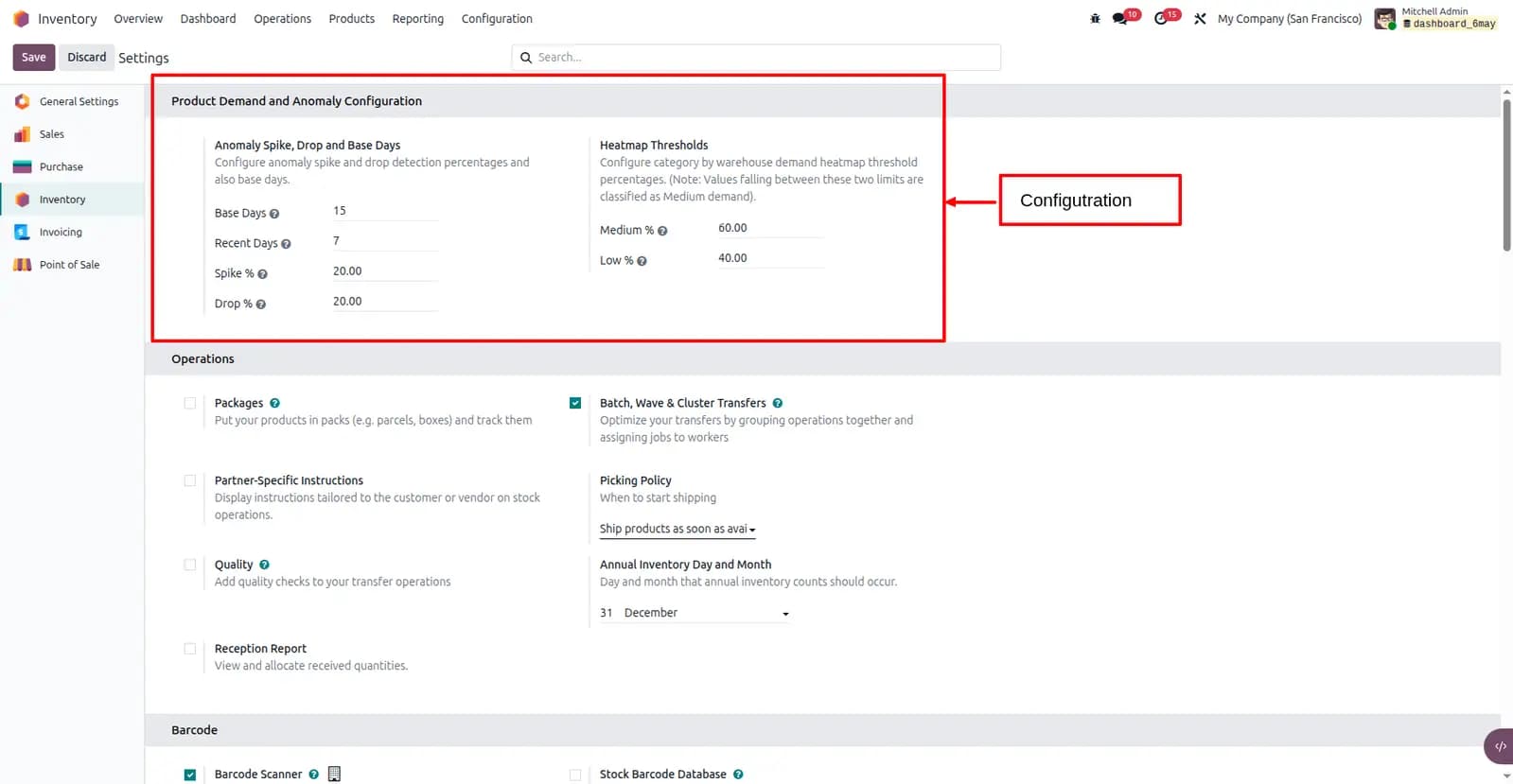
Configurable Thresholds & Filters
Dark Mode Dashboard Support
Built on Sales, POS & Stock
Pulls confirmed sales order lines and paid POS orders, maps them by category and warehouse, and layers stock context for replenishment suggestions — all inside Odoo's backend.
How It Works
From connected data to replenishment action
Open the demand dashboard
Filter by date range, category, and warehouse. KPIs update from sales, POS, and stock in real time.
Read the heatmap & anomalies
Category-by-warehouse cells show high, medium, and low demand. Spike and drop alerts flag unexpected shifts.
Act on replenishment
Review suggested quantities with forecast stock and growth, then create purchase orders in bulk per vendor.
Demo video
Watch a walkthrough of Product Demand Heatmap & Inventory Insights in Odoo 19.
Screenshots
Turn demand signals into inventory action
Install Product Demand Heatmap & Inventory Insights on Odoo 19 and give your team one place to see what's selling — and what to reorder.
Other TraceNcode Apps
Explore more solutions developed by us to enhance your Odoo experience!