POS Stock Alert Low stock you can see
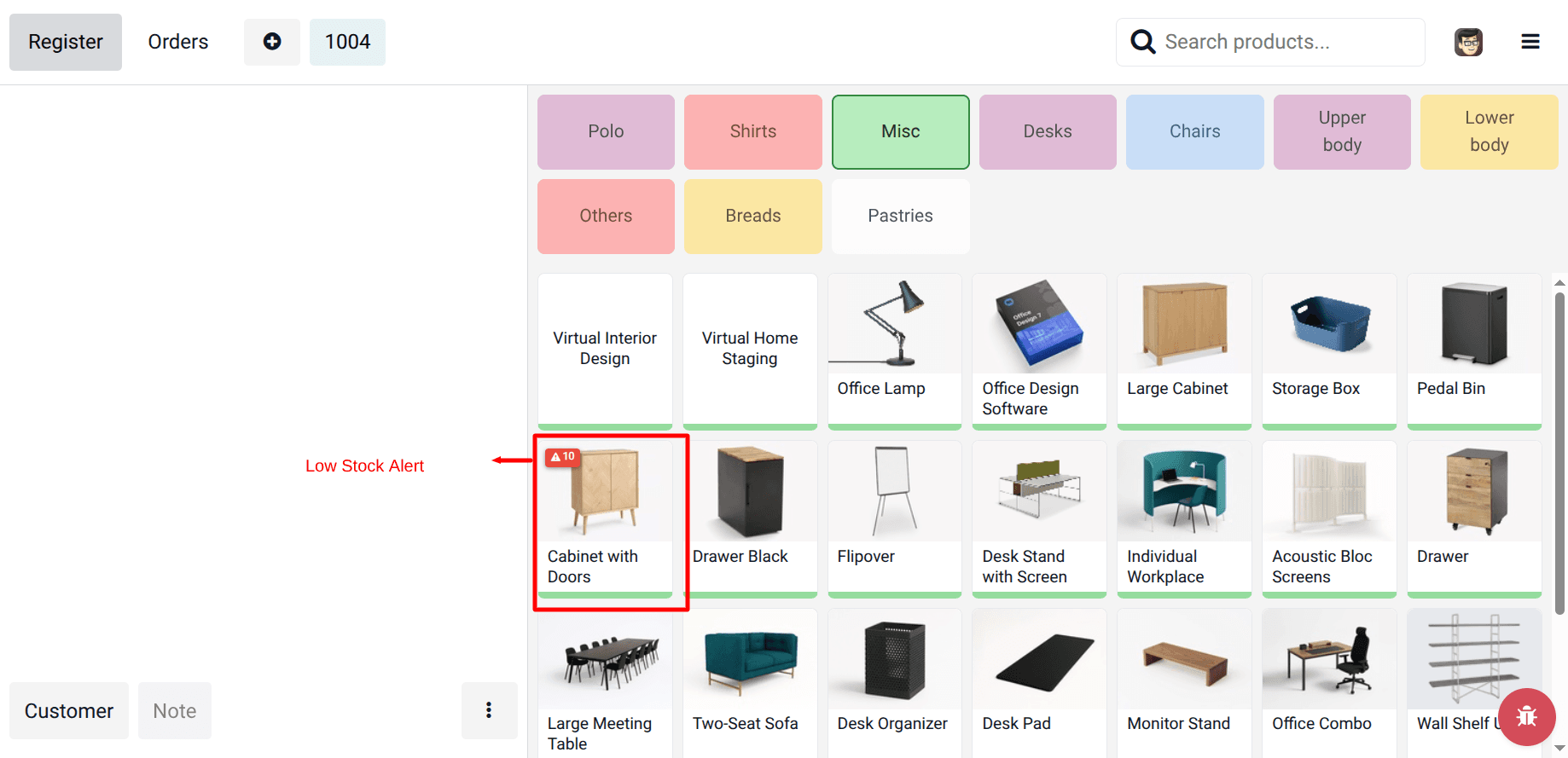
Low-stock badges on POS product cards, updated live after each sale.
Configure thresholds by warehouse location, optionally apply a global rule, and let cashiers spot at-risk items before you run out on the shop floor.
Fewer stockouts. Quantities respect your POS source location and sales still in the session before pickings are validated.
Supported: Odoo 17.0 | 18.0 | 19.0 · Community & Enterprise · Stock + Point of Sale
Badges refresh when orders sync — before stock pickings post.
Problems We Fix
Standard POS does not surface low stock on the product grid where cashiers actually work
Blind spots at the register
Staff sell items that are nearly gone because nothing on the POS tile warns them before the sale.
Stale numbers during the shift
Inventory moves all day; a one-time load at open is not enough for busy retail sessions.
One threshold does not fit all
Fast movers and slow movers need different alert levels and often different stock locations.
What This Module Delivers
Low-stock badge on POS product cards
Live refresh after each validated sale
Location-aware quantities for your POS warehouse
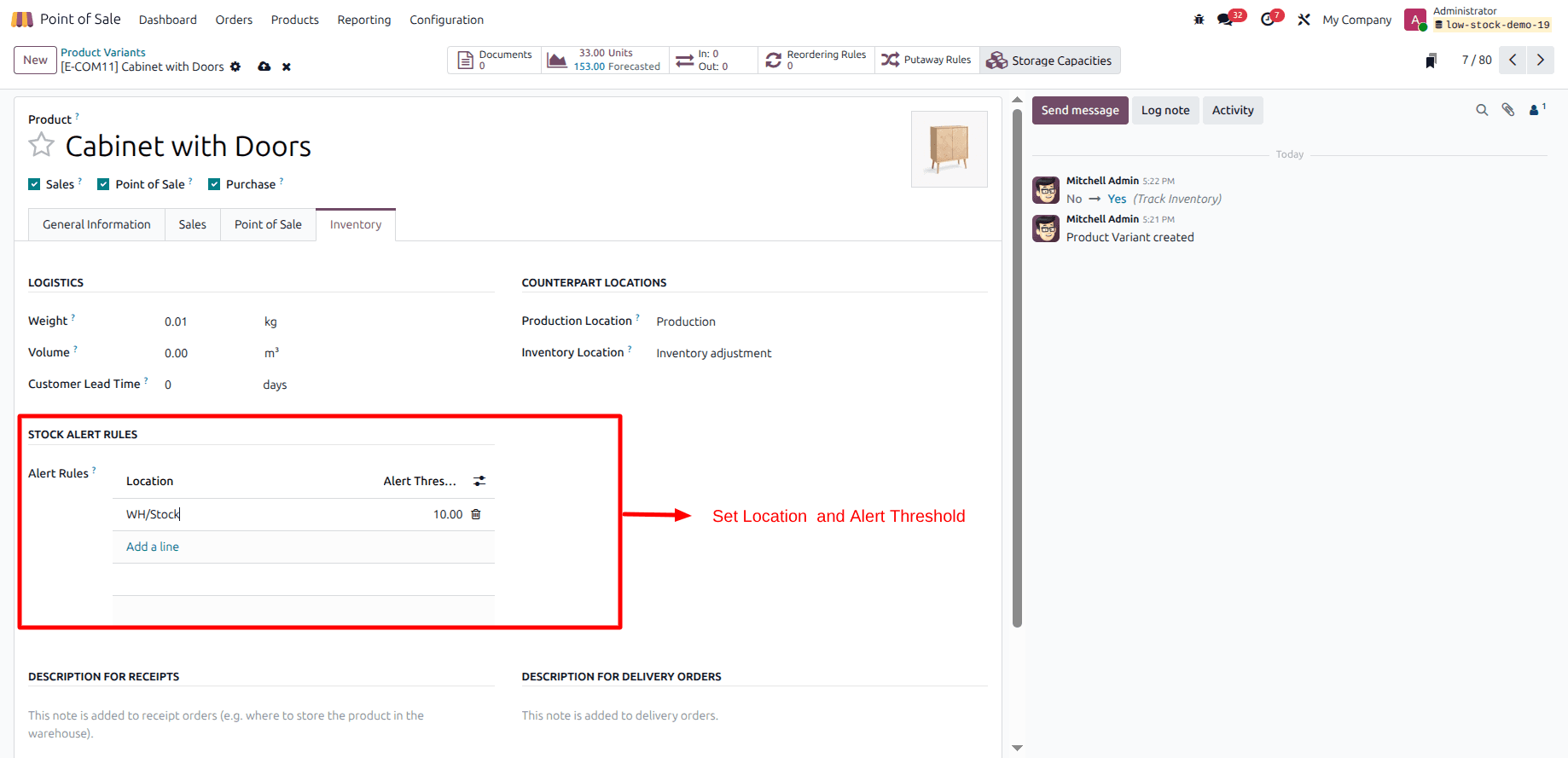
Per-product rules: location + threshold
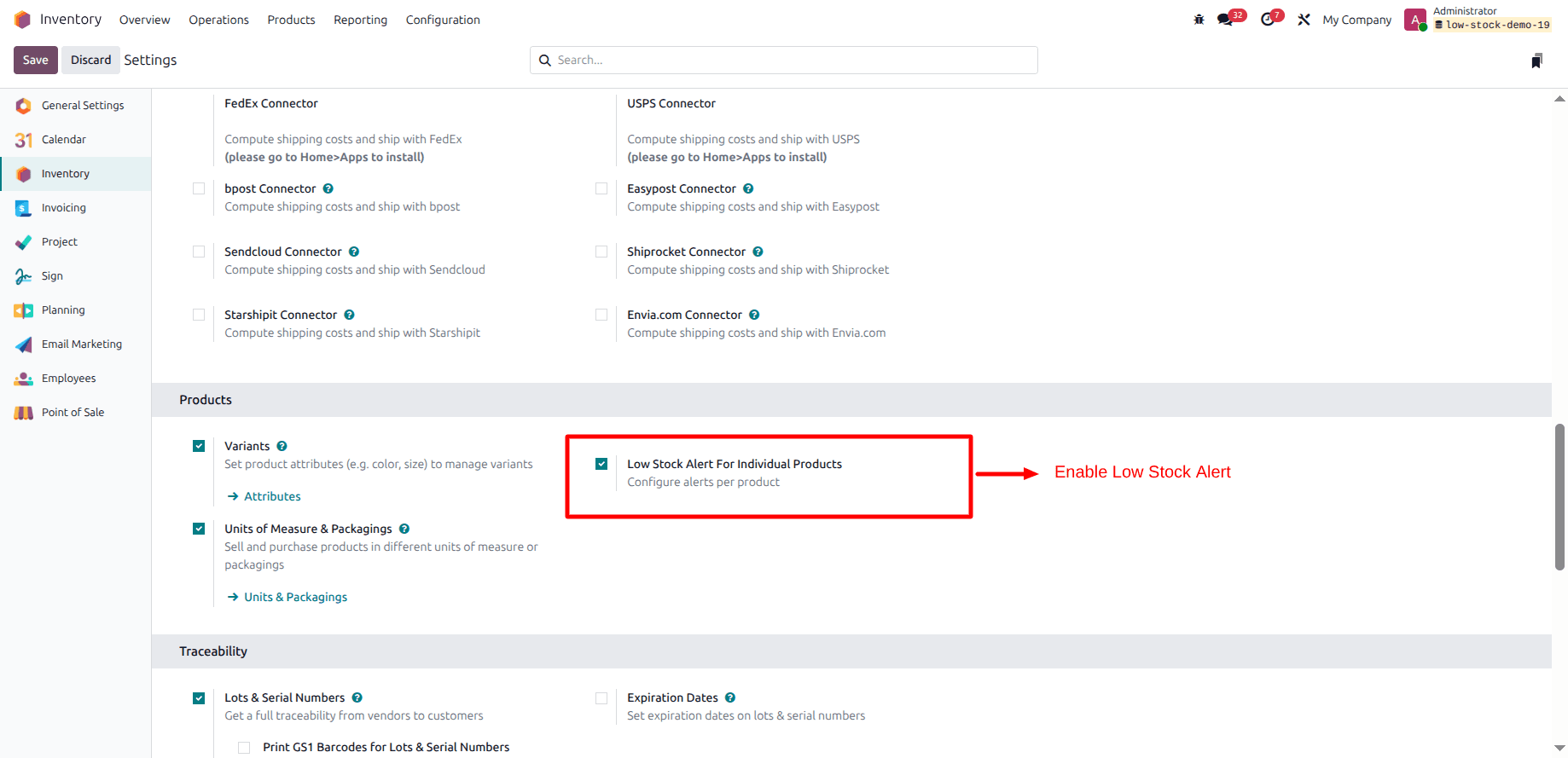
Optional global threshold in settings
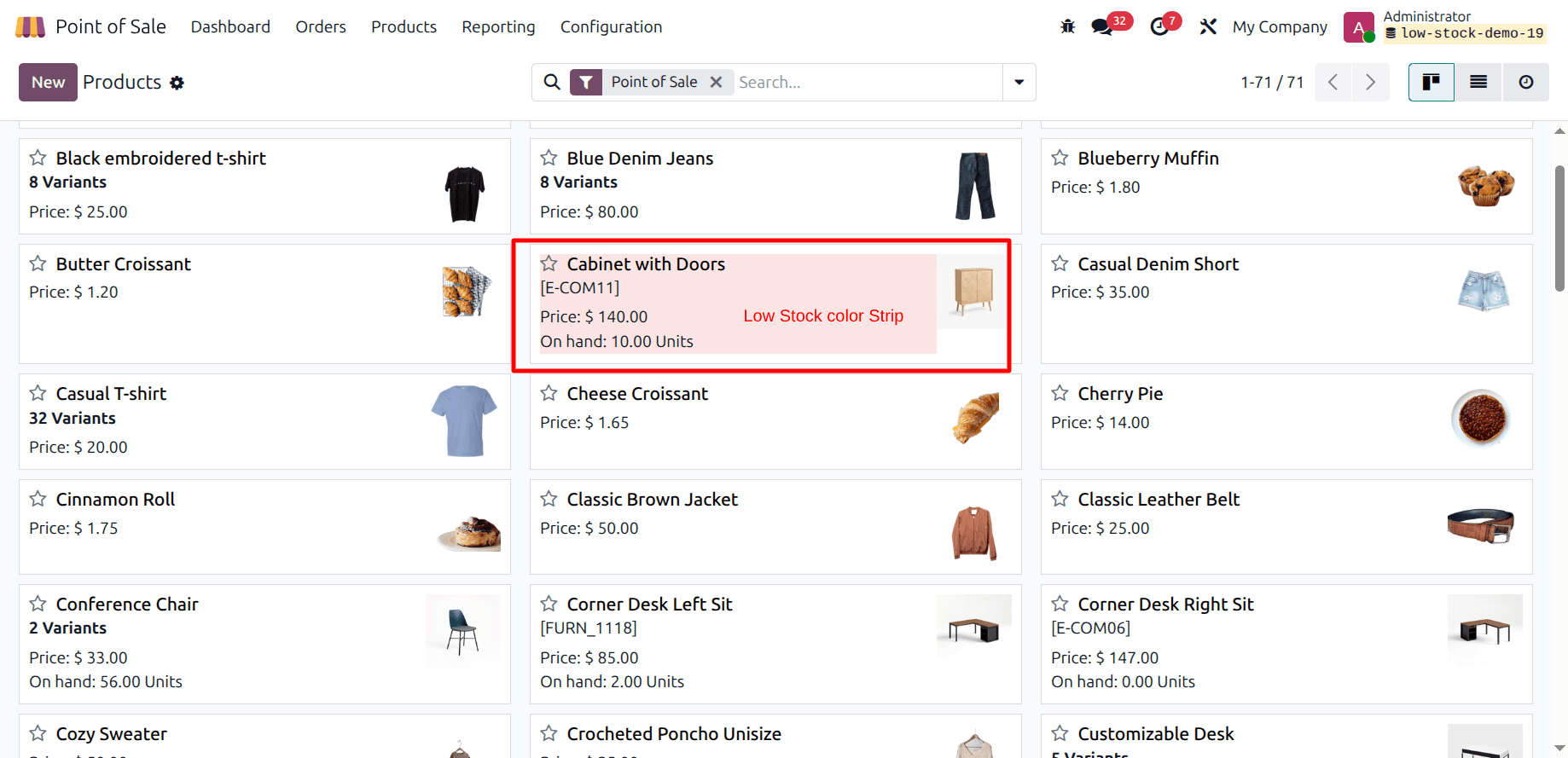
Backend product form: rules & badge field
Counts session sales before pickings post
Built for Odoo 17.0 | 18.0 | 19.0 Point of Sale
Built on Stock + POS
Uses your POS configuration to resolve the source location, evaluates quants against each rule, and keeps templates and variants in sync on the product grid.
How It Works
Three steps from configuration to live badges
Configure rules
Turn on global or per-product alerts, set thresholds in settings, and define location-specific limits on each product variant.
Open the POS session
On load, the session pulls alert data for products tied to your POS stock location so badges appear on tiles immediately.
Sell and stay current
After each order, the backend recomputes alerts and pushes updates to connected POS clients so quantities stay trustworthy during the shift.
Demo video
Watch a walkthrough of the module in Odoo.
Screenshots
Benefits for Your Business
Faster decisions at checkout
Cashiers see remaining quantity on the tile and can suggest alternatives before the sale completes.
Accurate during the session
Refreshes after synced orders and accounts for quantities still tied to unposted pickings from the session.
Operations stay in Odoo
Rules live on the product and in settings — no spreadsheets or side channels for “min” stock.
Backend visibility
Product views expose the same alert context so purchasing and warehouse teams align with the floor.
Keep the floor in sync with stock
Add low-stock visibility where retail teams need it most — the POS product grid.
Other TraceNcode Apps
Explore more solutions developed by us to enhance your Odoo experience!