
Odoo GitHub Integration
Seamlessly connect Odoo projects with GitHub repositories for streamlined development workflows.
Sync repositories, create task-linked branches, manage pull requests, and view commit histories directly within Odoo. Perfect for development teams using Odoo for project management.
Boost productivity. Eliminate context switching between Odoo and GitHub—manage everything from one place.
Supported: Odoo 17.0 | 18.0 | 19.0 · Community & Enterprise
GitHub Integration
The problems we fix
Development teams struggle with context switching between Odoo and GitHub. Here's what we solve.
Developers constantly switch between Odoo tasks and GitHub repositories, wasting time.
No direct link between Odoo project tasks and GitHub branches or pull requests.
Managers cannot see development progress without checking GitHub separately.
Creating branches for each task manually is time-consuming and error-prone.
Team collaboration suffers when project management and code are disconnected.
Compatibility
What this module delivers
Repository sync, task-linked branches, pull request management, and commit tracking—all within Odoo.
Repository Synchronization
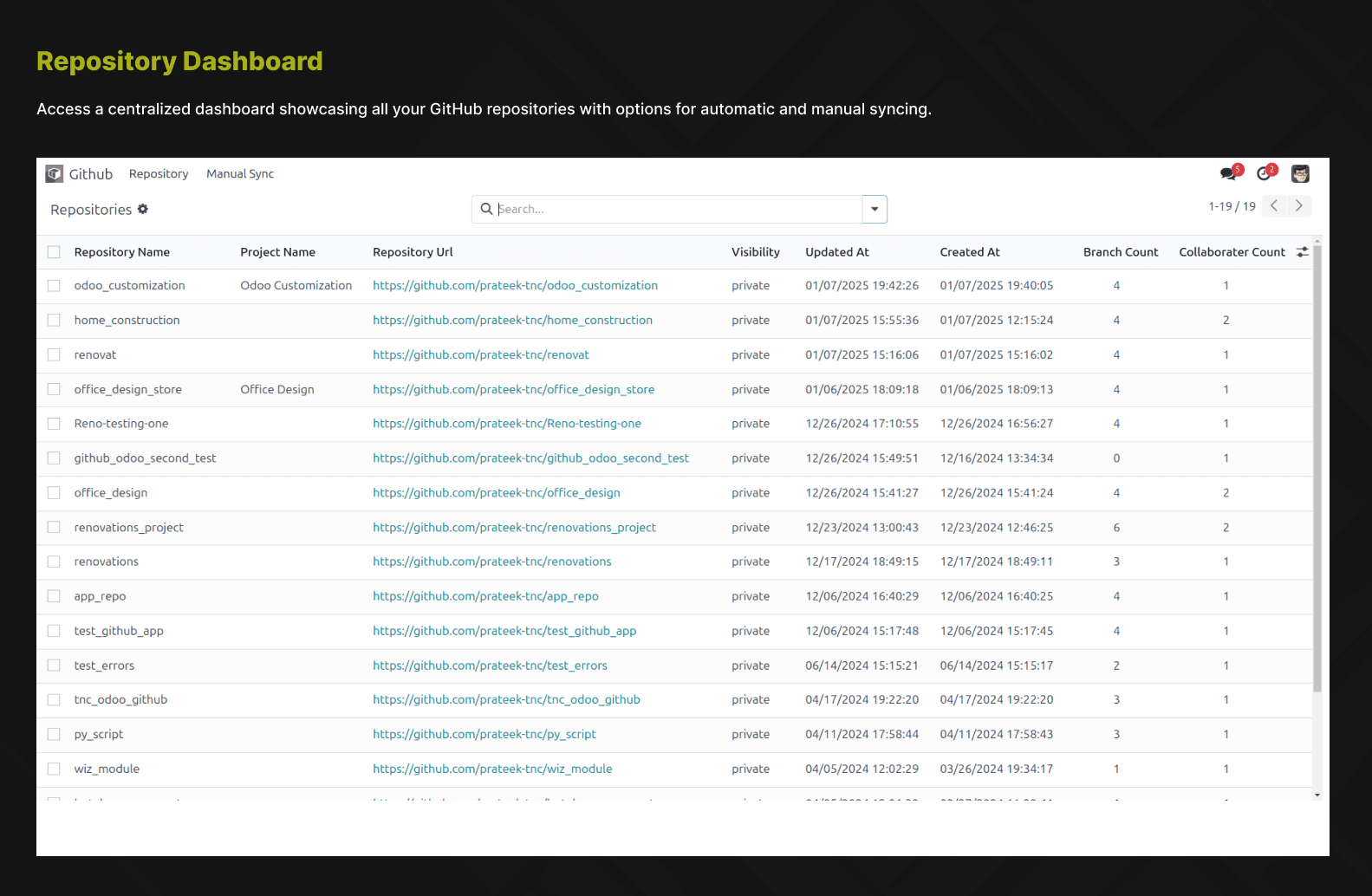
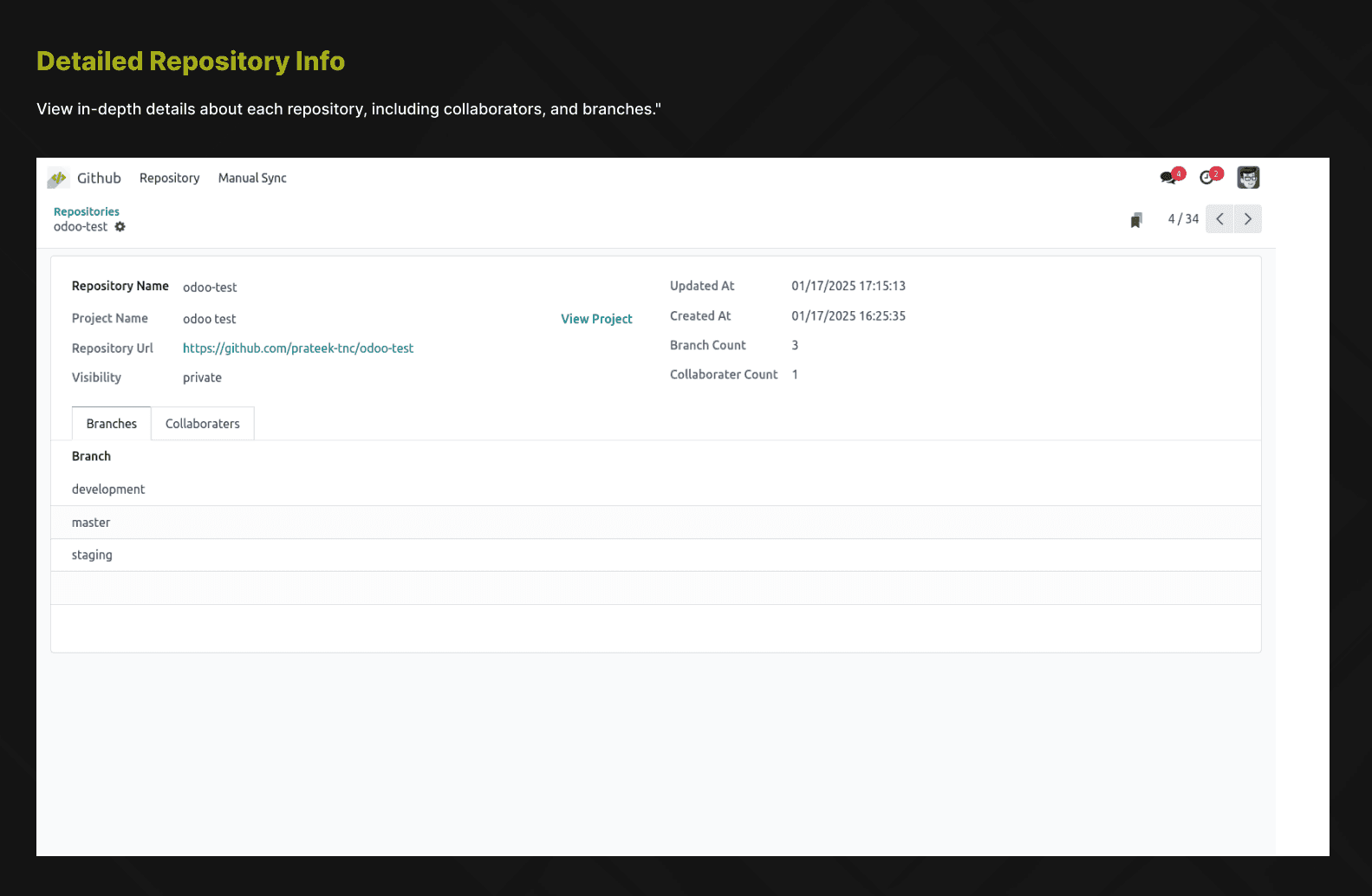
Connect your GitHub repositories to Odoo projects. Automatically sync repository data, branches, and commits.
Task-Linked Branch Creation
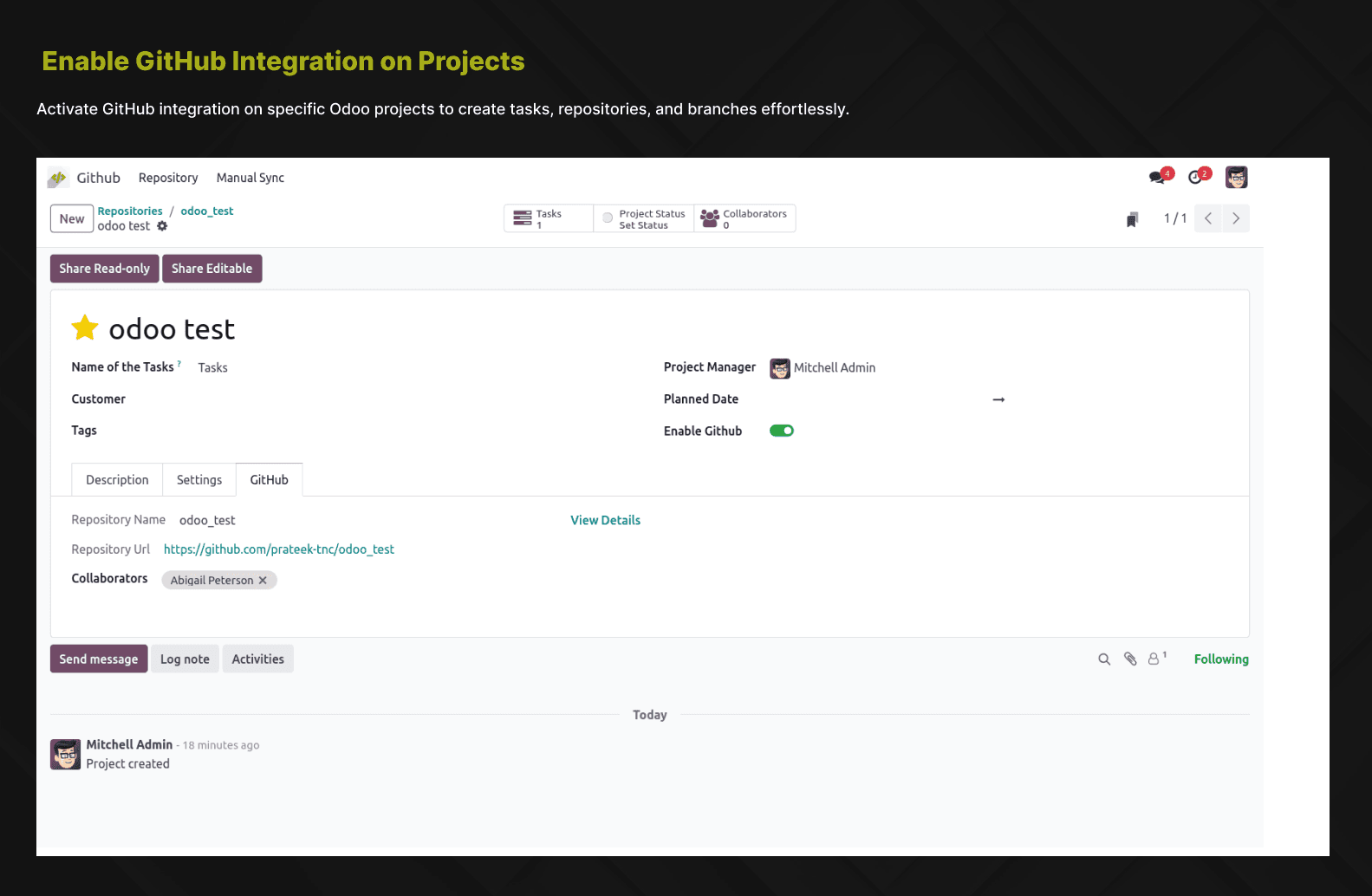
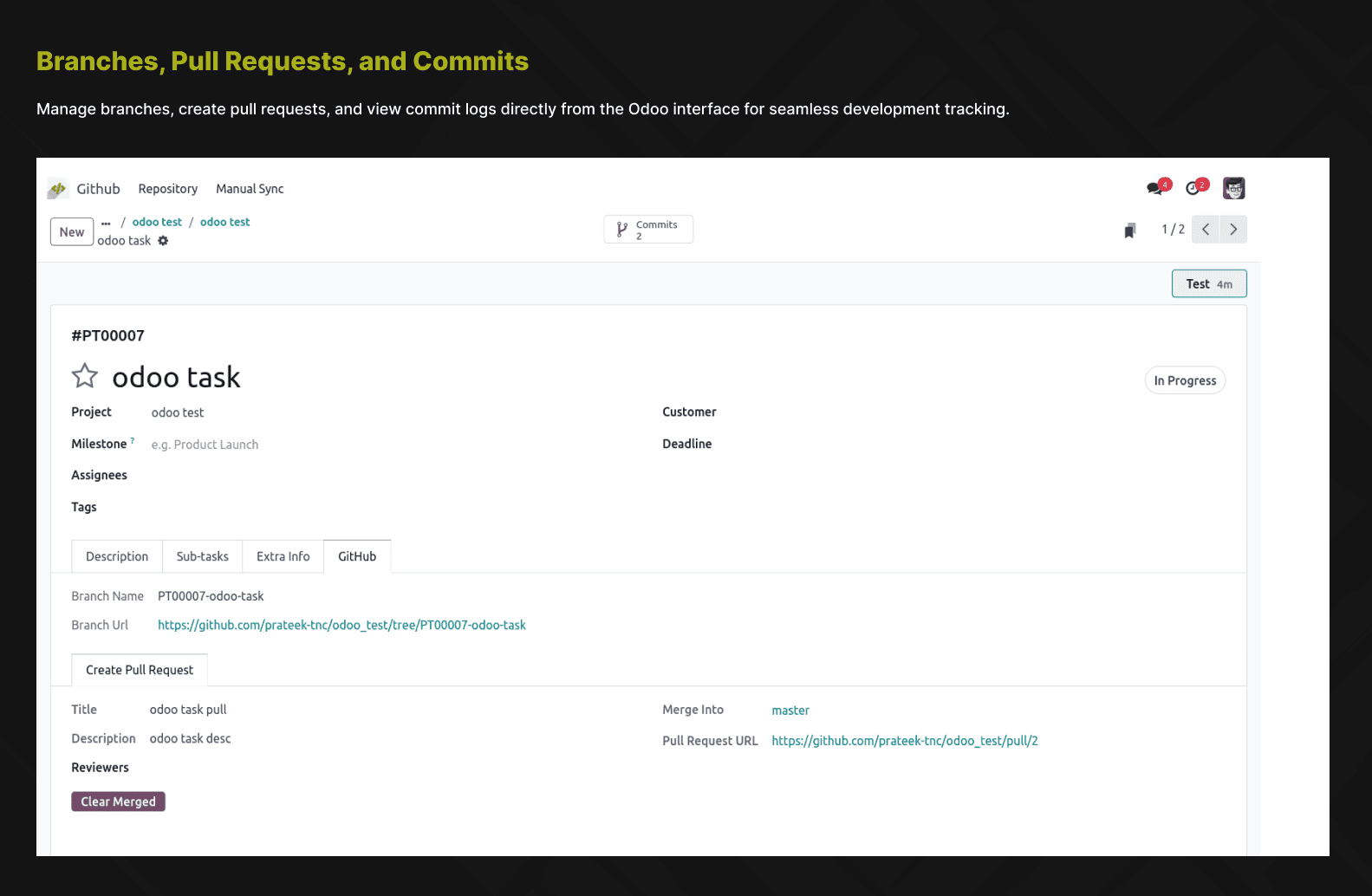
Create GitHub branches directly from Odoo tasks. Branch names automatically follow your naming convention with task IDs.
Pull Request Management
View, create, and manage pull requests without leaving Odoo. Track PR status and link them to specific tasks.
Commit History Tracking
See all commits related to a project or task within Odoo. View commit messages, authors, and timestamps.
Employee GitHub Mapping
Map Odoo employees to GitHub users for accurate attribution of commits, branches, and pull requests.
Automated Workflows
Set up automated repository syncing with configurable cron jobs. Keep your data fresh without manual intervention.
Screenshots
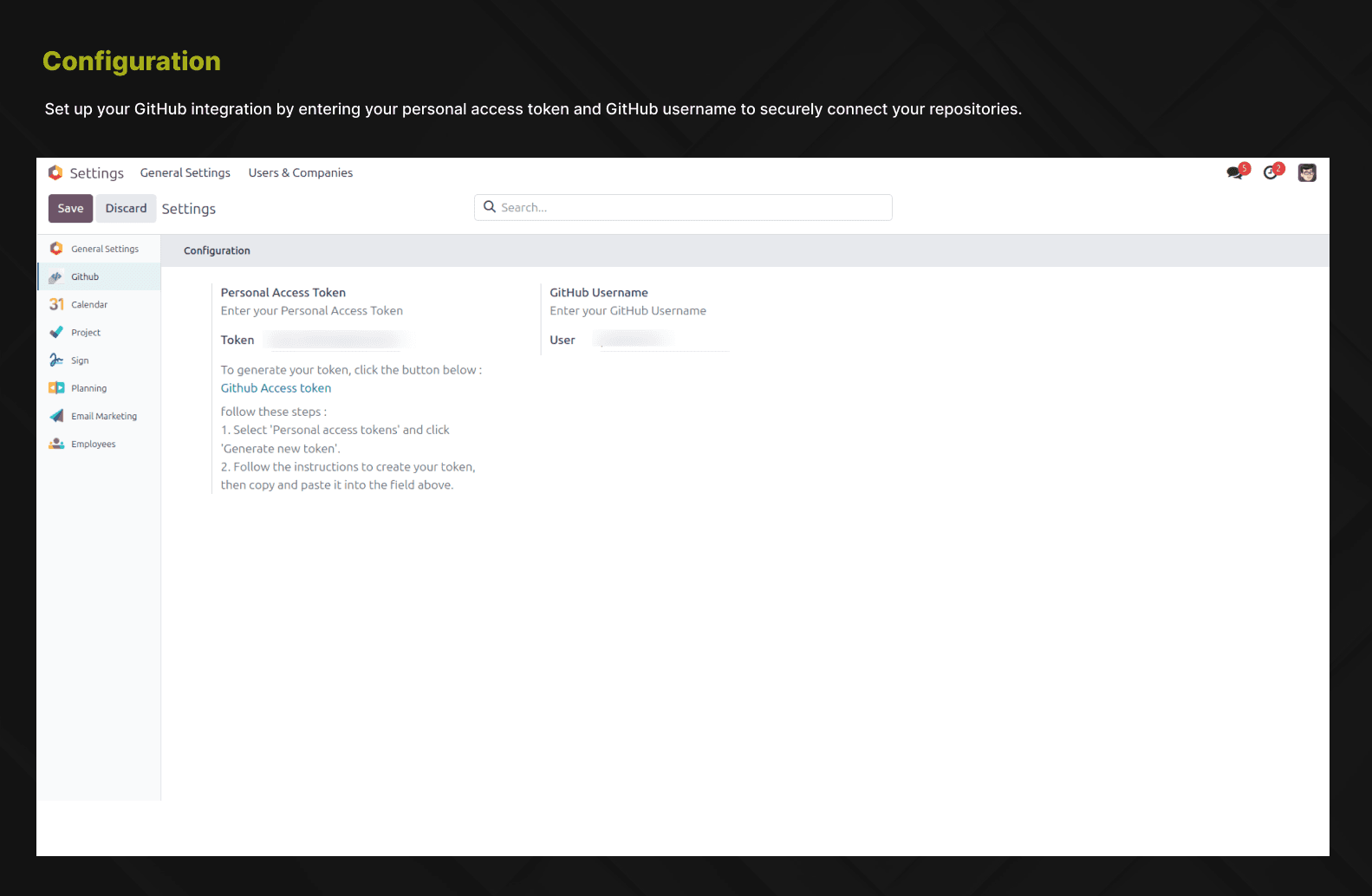
See the module in action—from repository sync to pull request management.
How it works
Set up your GitHub connection and start managing repositories from Odoo.
Configure GitHub credentials
Add your GitHub personal access token in Odoo settings to authenticate API access.
Connect repositories
Link your GitHub repositories to Odoo projects with a few clicks.
Create task-linked branches
Generate branches directly from tasks—branch names include task IDs automatically.
Manage from Odoo
View commits, create PRs, and track development progress without leaving Odoo.
Benefits
Why development teams use GitHub Integration to streamline workflows and boost productivity.
Eliminate context switching between Odoo and GitHub platforms.
Keep tasks and code changes tightly linked for better traceability.
Improve team collaboration with unified project and code management.
Track development progress directly from Odoo dashboards.
Speed up workflows with automated branch creation and syncing.
Streamline your development workflow
Connect Odoo and GitHub to eliminate context switching and boost team productivity. Install from the Odoo App Store or contact us for a demo.
Other TraceNcode Apps
Explore more solutions developed by us to enhance your Odoo experience!